EasyManua.ls Logo

ALP CL-32S - User Manual

ALP CL-32S
58 pages
Print Icon
To Next Page IconTo Next Page
Loading...
QC-200-S-005-1706E
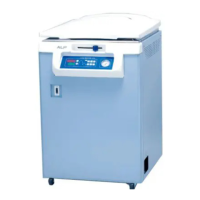
AUTOCLAVE
(Steam Sterilizer)
CL- 32S / 32L
40S / 40M / 40L
Instruction Manual
Make sure to read this manual to use this product safely.
Place this manual in a convenient location for easy reference.

Questions and Answers

  • K
    kellycourtneySep 10, 2025
    Why does evacuating residual air not stop at 100C in my ALP Laboratory Equipment?
    • M
      Michael ArmstrongSep 12, 2025
      If the ALP Laboratory Equipment does not stop evacuating residual air around 100? and the temperature doesn't rise, it could be due to a breakage of the exhaust valve or because the autoclave is installed over 1000m above sea level. Contact your local distributor, because this autoclave cannot be used over 1000m above sea level.
  • K
    Krystal RamirezAug 23, 2025
    What to do if the lid lock lever on my ALP Laboratory Equipment cannot be released?
    • M
      Misty HoffmanAug 23, 2025
      If the lid lock lever of the ALP Laboratory Equipment cannot be released, ensure the power switch (breaker) is turned on. If it is on, and the TEMPERATURE DISPLAY indicates above 80° after operation complete or the COMPLETE LAMP lights up after operation, press the STOP KEY to release the lid lock.
  • B
    bgriffinAug 25, 2025
    Why does the breaker trip immediately when I turn on my ALP CL-32S?
    • B
      Beverly JuarezAug 25, 2025
      If the breaker trips immediately after powering on the ALP Laboratory Equipment, it could be due to electrical leakage (possibly from insulation deterioration or water leakage at the heating element) or a short circuit (in the heating element or elsewhere). In any of these cases, contact your local distributor.
  • D
    Debbie MartinAug 27, 2025
    Why is the safety valve activating on my ALP Laboratory Equipment?
    • S
      Sara RichardsonAug 27, 2025
      If the safety valve activates on the ALP Laboratory Equipment (steam blowing from the bottom plate), it may be because residual air is not evacuated enough, causing abnormal pressure, or the chamber pressure surpassed set pressure of safety valve due to the malfunction of temperature sensor. Ensure that the quantity of objects inside the chamber is less than 60% of its capacity, with adequate space between them. If the issue persists, contact your local distributor.
  • T
    tcookAug 29, 2025
    Why isn't sterilization completing in my ALP CL-32S even at the set temperature?
    • D
      Dominique HuertaAug 29, 2025
      If the ALP Laboratory Equipment reaches the set temperature but sterilization isn't completed because the chamber doesn't fill with saturated steam, it could be due to several factors: * Too much capacity of objects in chamber. Ensure that the quantity of objects inside the chamber is less than 60% of its capacity, with adequate space between them. * Shortage of sterilization time. Increase sterilization time appropriately, especially for liquid objects or large quantities. * Residual air inside container prevents penetration of steam. If using disposable plastic bags, ensure they are filled to less than 60% capacity and have an open mouth. * Air evacuation is insufficient due to bent exhaust hose. Make sure the exhaust hose is not bent.
  • D
    Dana GreerNov 25, 2025
    What does Er1 mean on my ALP CL-32S Laboratory Equipment and how do I fix it?
    • J
      Jennifer RomeroNov 25, 2025
      If 'Er1' appears on the ALP Laboratory Equipment display with an alarm and the operation stops, it could be due to several reasons: the autoclave is working without water in the chamber, the drain valve is open, there is breakage of water lack preventive device or over pressure detector, over pressure detector activated, residual air in the capacious container or disposable plastic bag swelled or air evacuation is insufficient due to bent exhaust hose. To address this, turn off the power switch and let the autoclave sit for at least one hour to cool down, then pour water into the chamber and close the drain valve. In case of objects being put in a disposable plastic bag, quantity of objects to be put inside disposable plastic bag shall be less than 60% of capacity of the chamber and disp...
  • E
    Eric WhiteSep 18, 2025
    Why does drainage not stop from my ALP CL-32S?
    • T
      Toni DanielsSep 18, 2025
      If drainage from the ALP Laboratory Equipment doesn't stop, it suggests a breakage of the drain valve, possibly due to glass or other objects damaging the valve's Teflon ball. Contact your local distributor.
  • C
    Christine HayesSep 22, 2025
    What should I do if the chamber temperature of my ALP CL-32S doesn't rise?
    • D
      David HernandezSep 22, 2025
      If the chamber temperature of the ALP Laboratory Equipment does not rise after pressing the START KEY, it could be due to breakage of the heating element or burning of the wire connected to the heating element. Contact your local distributor.
  • R
    Roy JonesSep 9, 2025
    What does error code Er3 mean on my ALP CL-32S?
    • T
      Taylor PotterSep 9, 2025
      If 'Er3' is shown on the ALP Laboratory Equipment display with an alarm, it indicates that the chamber temperature rose 2? higher than the setting temperature during sterilization. Ensure the distance between the chamber wall and objects is more than 10mm. Oleaginous objects must not be sterilized and if the problem persists, contact your local distributor.
  • C
    Claire PenningtonSep 5, 2025
    Why is there steam leaking from the lid of my ALP CL-32S?
    • T
      tonyachaneySep 5, 2025
      If there's steam leaking from the lid of the ALP Laboratory Equipment, it could be due to deterioration of the lid gasket (cracks or hardening) or misalignment of the lid and chamber. Contact your local distributor to resolve this issue.

Summary

Safety Usage Guidelines

Understanding Safety Symbols

Explains warning and caution symbols and their consequences.

Autoclave Operation Safety

General Operation Warnings

Safety advice for using, installing, and cleaning the autoclave.

Operation Precautions

Critical Operation Safety

Essential safety points for operation, lid, steam, and components.

Power Failure Procedures

Post-Failure Operation

Steps for safe operation after power failure or interruption.

3. Part Names

Main Body Components

Identifies key components of the autoclave's main body.

Operation Panel Guide

Controls and Indicators

Explains the functions of buttons, lamps, and displays on the operation panel.

4. Installation and Transportation

Transportation Safety

Instructions and warnings for safely moving the autoclave.

4.2 Installation Location

Location Requirements

Specifies clearance, floor, and environmental needs for installation.

4.3 Storage and Installation Conditions

Environmental Requirements

Details ambient temperature, humidity, and pressure for storage/installation.

4.4 Power Cable and Grounding

Connection Safety

Critical safety instructions for power cable, grounding, and wet hands.

4.5 Standard Accessories

Accessory Identification

Lists standard accessories and explains their purpose and usage.

Exhaust Cooling Tank Management

Filling Procedure and Safety

Step-by-step guide for filling and safety advice for the exhaust cooling tank.

Core Operation Procedures

Basic Operation Flowchart

Visual guide outlining the sequence of basic autoclave operations.

Water Supply and Object Loading

Procedures for water supply, loading objects, and managing the exhaust bottle.

Object Loading Precautions

Limits on object quantity and importance of accessory use.

Specific Loading and Container Guidelines

Disposable Plastic Bag Usage

Critical warnings and precautions for plastic bag use in the autoclave.

Stainless Bucket Usage

Warnings/cautions for bucket placement, overloading, and capacity.

Setting Operation Parameters

Lid Closing and Locking

Safe procedures and warnings for closing and locking the autoclave lid.

Operation Pattern and Parameter Settings

Guide to selecting patterns and setting temperature/time ranges.

Exhaust, Start, and Operation

Exhaust Setting Procedures

How to set and perform automatic and manual exhaust.

Starting and During Operation

Steps and indicators for initiating and monitoring the sterilization cycle.

Operation Completion and Verification

Cycle Completion Process

Describes process after sterilization, cooling, and lid release.

Operation Parameter Verification

Demonstrates checking settings for sterilization and warming patterns.

Unloading and Shutdown

Unloading Safety and Procedure

Steps for safely unloading objects, including warnings and cautions.

Safe Shutdown Warnings

Warnings and cautions for safely stopping and cooling the autoclave.

Advanced Functions

Date and Time Setting

Guide to setting the autoclave's internal date and time.

Reservation Operation

Steps to set a future start time for autoclave operation.

5.14 Reliable Sterilization

Container Considerations

Identifies containers that hinder sterilization and may cause errors.

6. Safety Devices

Device Functions and Warnings

Explains safety valve, over pressure detector, and water lack device functions.

7. Troubleshooting

Error Code List

Lists error codes (Er0-Er9) and their corresponding issues.

Problem Causes and Solutions

Details causes and solutions for various operational problems.

Advanced Troubleshooting

Troubleshooting for lid lock, pressure gauge, and specific error codes.

Error Code Troubleshooting

Troubleshooting for advanced error codes R, S, T, U, V, W, X.

8. Maintenance

Maintenance Schedule Overview

Outlines daily, monthly, and yearly maintenance tasks.

Daily Maintenance

Procedures for daily tasks including water replacement and lid checks.

Monthly and Yearly Maintenance

Procedures for monthly cleaning and yearly checks of components.

8.4 Spare Parts and Replacement

Spare Parts List

Lists available spare parts with model numbers and photos.

Gasket and Heater Replacement

Guides for replacing the lid gasket and pipe heater.

9. Specifications

Model Specifications Comparison

Compares specifications across different autoclave models.

10. Disposal and Dismantlement

Disposal Safety Warnings

Safety warnings for dismantling and disposal, especially regarding electric shock.

11. Appendix

Setting Flow Chart and Block Diagram

Visual flowchart and electrical diagram of the autoclave.

Dangerous Substances List

Lists various substances categorized as explosive, flammable, oxidizing, etc.

ALP CL-32S Specifications

General IconGeneral
BrandALP
ModelCL-32S
CategoryLaboratory Equipment
LanguageEnglish

Related product manuals