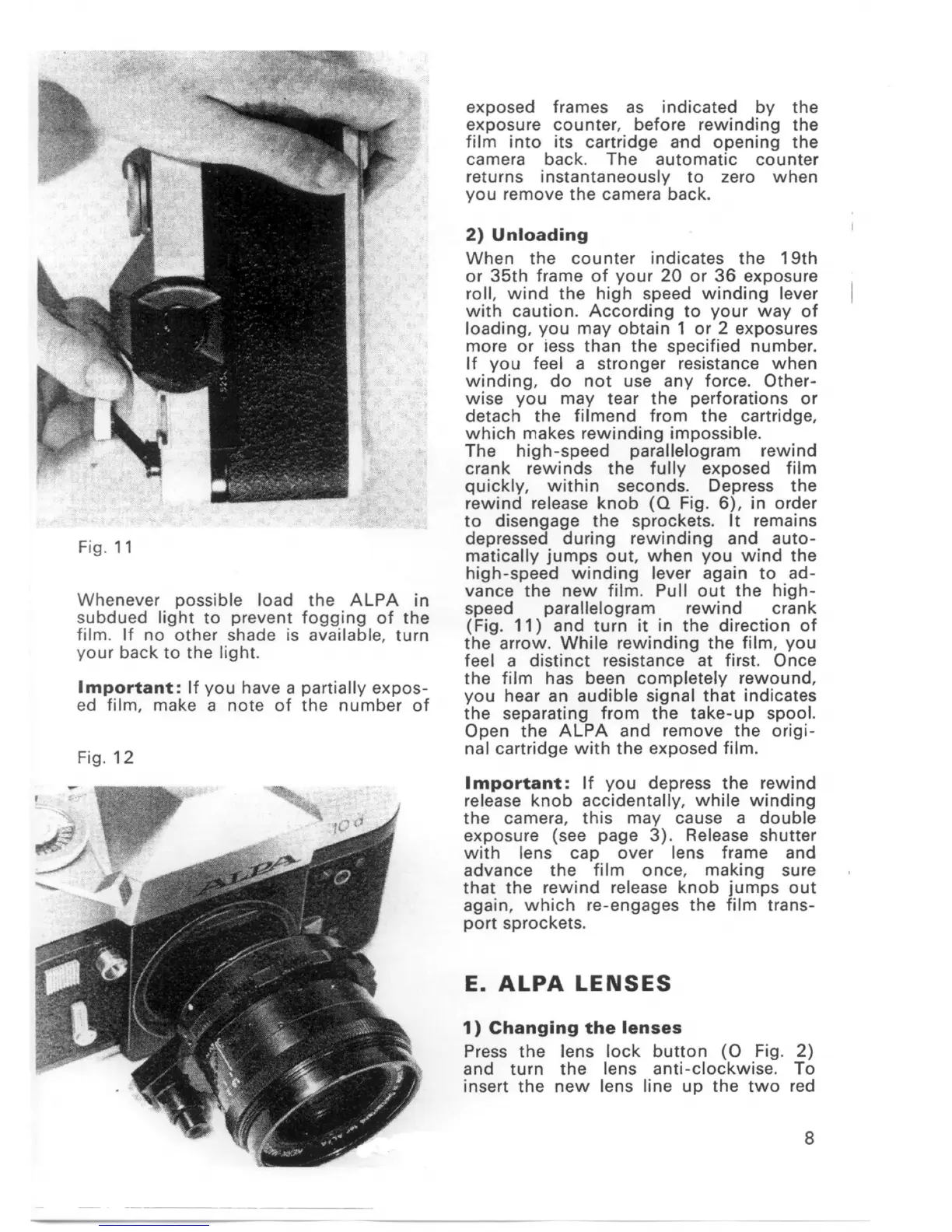
Fig. 11
Whenever possible load the ALPA in
subdued light to prevent fogging of the
film. If no other shade is available
,
turn
γour back to the ligh
t.
Important: Ifγou have a partia
l!
γexpos-
ed film
,
make a note of the number of
Fig. 12
exposed frames as indicated bγthe
exposure counter
,
before rewinding the
film into its cartridge and opening the
camera back. The automatic counter
returns instantaneously to zero when
you remove the camera back.
2) Unloading
When the counter indicates the
凹的
or 35th frame of γour 20 or 36 exposure
roll
,
wind the high speed winding lever
with caution. According toγour waγof
loading
,
γou may obtain 1 or 2 exposures
more or iess than the specified number.
Ifγou feel a stronger resistance when
winding
,
do not use any force. Other-
wise γou maγtear the perforations or
detach the filmend from the cartridge
,
which makes rewinding impossible.
The high-speed parallelogram rewind
crank rewinds the fullγexposed fi Im
quicklγ
,
within seconds. Depress the
rewind release knob
(Q
Fig. 6)
,
in order
to disengage the sprockets. It remains
depressed during rewinding and auto-
mati cally jumps out
,
when γou wind the
high-speed winding lever again to ad-
vance the new film. Pull out the high-
speed parallelogram rewind crank
(Fig. 11) and turn it in the direction of
the arrow. While rewinding the film
,
you
feel a distinct resistance at first. Once
the film has been completely rewound
,
γou hear an audible signal that indicates
the separating from the take-up spoo
l.
Open the ALPA and remove the origi-
nal cartridge with the exposed film.
Important: Ifγou depress the rewind
release knob accidentallγ
,
while winding
the camera
,
this maγcause a double
exposure (see page 3). Release shutter
with lens cap over lens frame and
advance the film once
,
making sure
that the rewind release knob jumps out
again
,
which re-engages the film trans-
port sprockets.
E. ALPA LENSES
1)
Changing the lenses
Press the lens lock button
(0
Fig. 2)
and turn the lens anti-clockwise. To
insert the new lens line up the two red
8


 To Next Page