`
___________________________________________________________________
Alpha ESS Co., Ltd.
Page 34 of 61
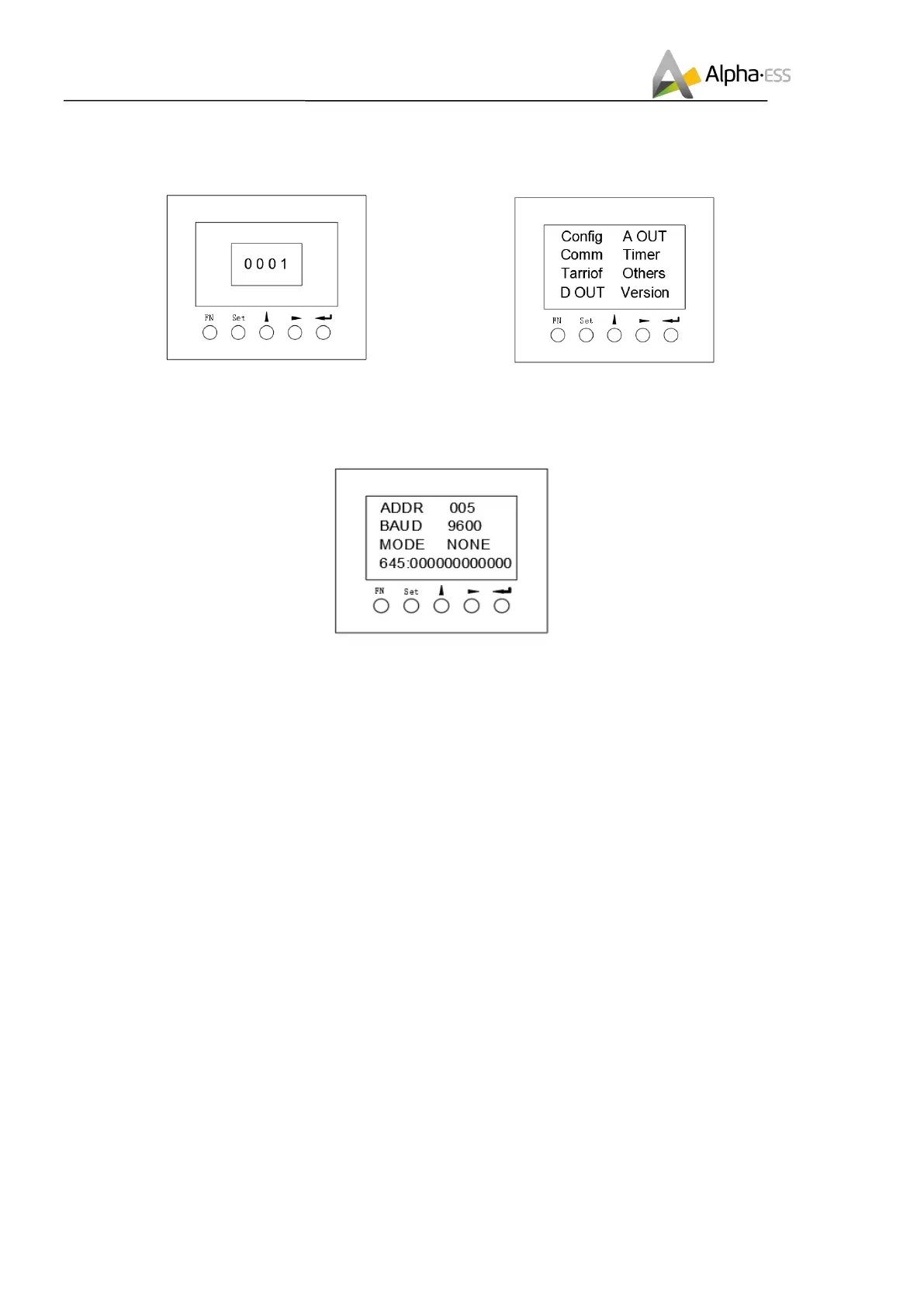
Step 3: On the password input interface, the code
is "0001", confirm entering the setting interface;
Step 4: In the setting interface, select "Comm"
option, enter the communication setting interface;
Step 5: Set the communication address and communication baud rate in the communication setting
interface. When the meter is used as the Grid meter (DC, AC/Hybrid system), the address is set to
“005”. When it is used as the PV meter (AC/Hybrid system), the address is set to “006”. The baud
rate is set to 9600;













 To Next Page