`
___________________________________________________________________
Alpha ESS Co., Ltd.
Page 43 of 61
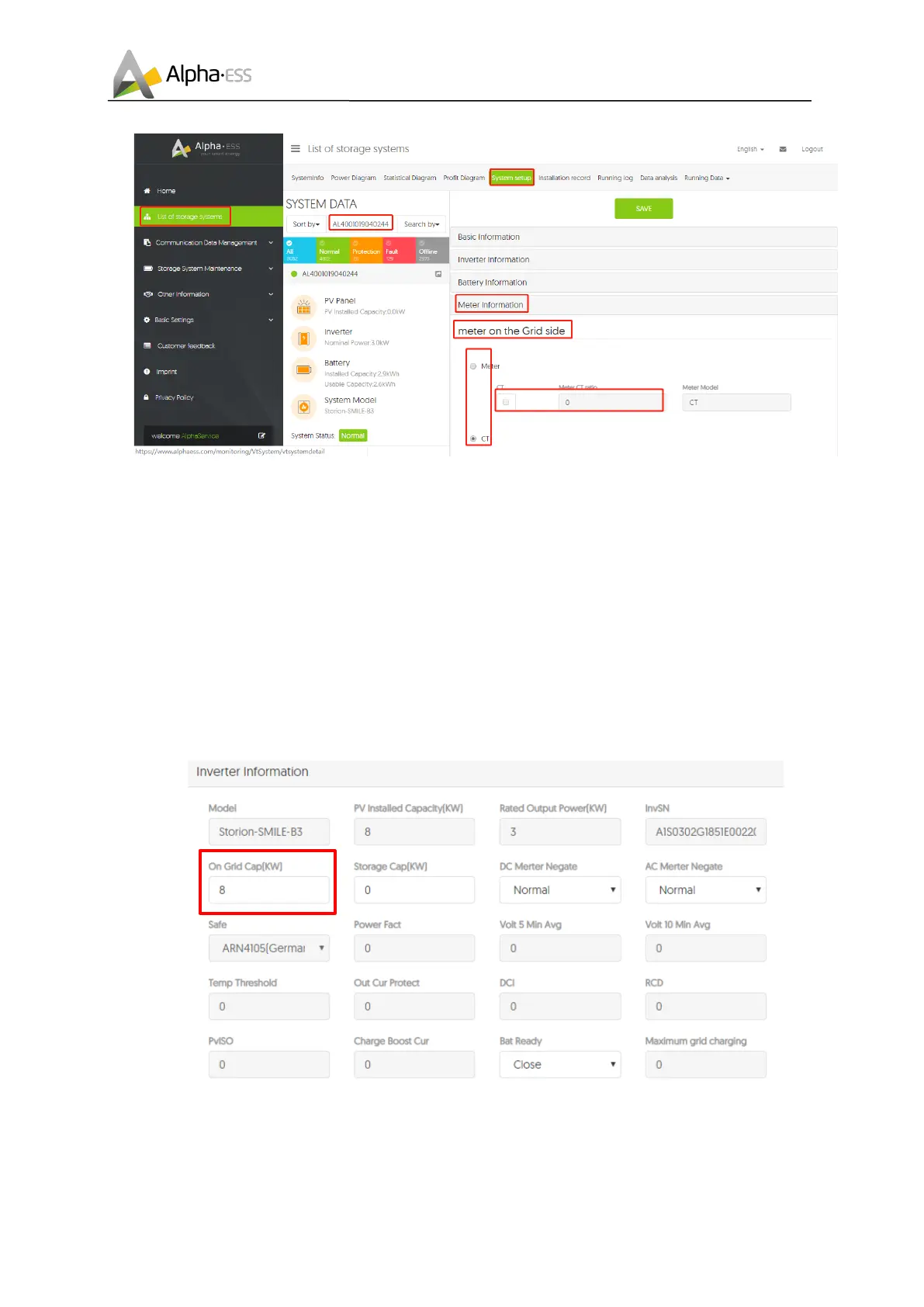
Figure 6.1 Interface of Meter Information on Server
Step 3: Please select the meter information sub-menu and set the meter configuration. Choose the
meter type used and, if necessary, the CT ratio for the grid meter and PV meter individually.
After that you must specify whether you have installed a CT or an electricity meter (ADL3000 or ACR10R)
and in the case of electricity meters, please further select with or without CT were connected.
1. If a CT is installed, select directly the point "CT"
2. If a meter is installed, select the item "meter"
a) If a CT meter is installed, select in addition to the second point "CT" and set the CT ratio.
F"$"6 %&2/3(/3-%&G,34)(+,&-
Step 4: If PV modules are installed, please set the installed PV power, such as 8 kWp in “On Grid Cap
(kW)” of “Inverter Information” interface













 To Next Page