`
___________________________________________________________________
Alpha ESS Co., Ltd.
Page 38 of 61
WiFi Module Configuration
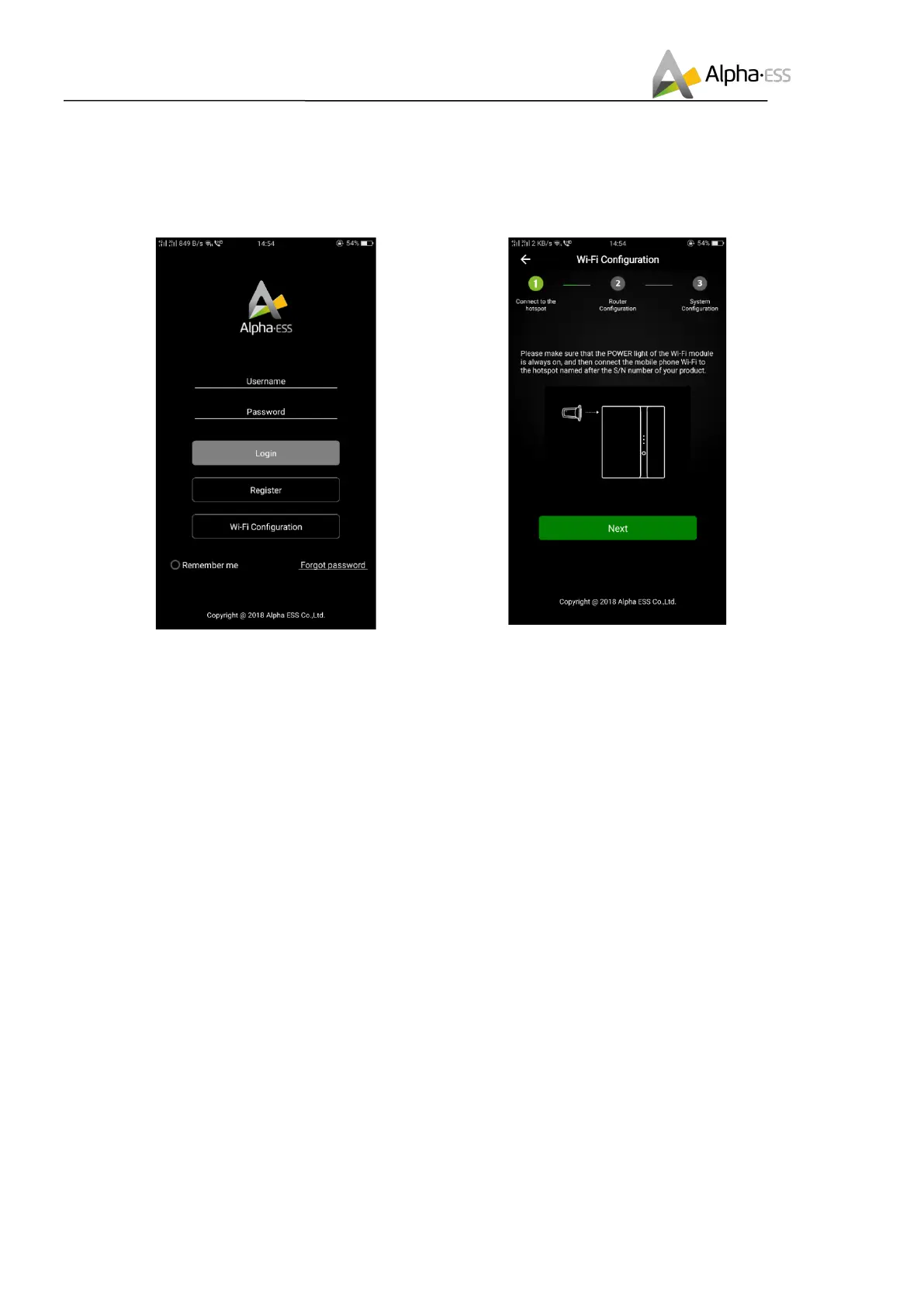
Step 1: Open Alpha ESS APP, click the “Wi-Fi
configuration” button and enter the WiFi
configuration interface as shown in Figure 5.2.
Figure 5.2 Network Setting
Step 2: After that please check whether your
mobile phone has connected to the system
hotpot, as shown in Figure 5.3.
Figure 5.3 Hardware Connection
Step 3: if your mobile phone hasn’t connected to the system hotpot, please open the Wi-Fi network list.
Please find the hotpot named after the product SN in WLAN list and connect to it. If the Wi-Fi module is
Yilian as shown in Figure 5.7, please enter the password 12345678, otherwise please connect directly.
After successful setting, please go back to APP and click “Next”



 To Next Page