5
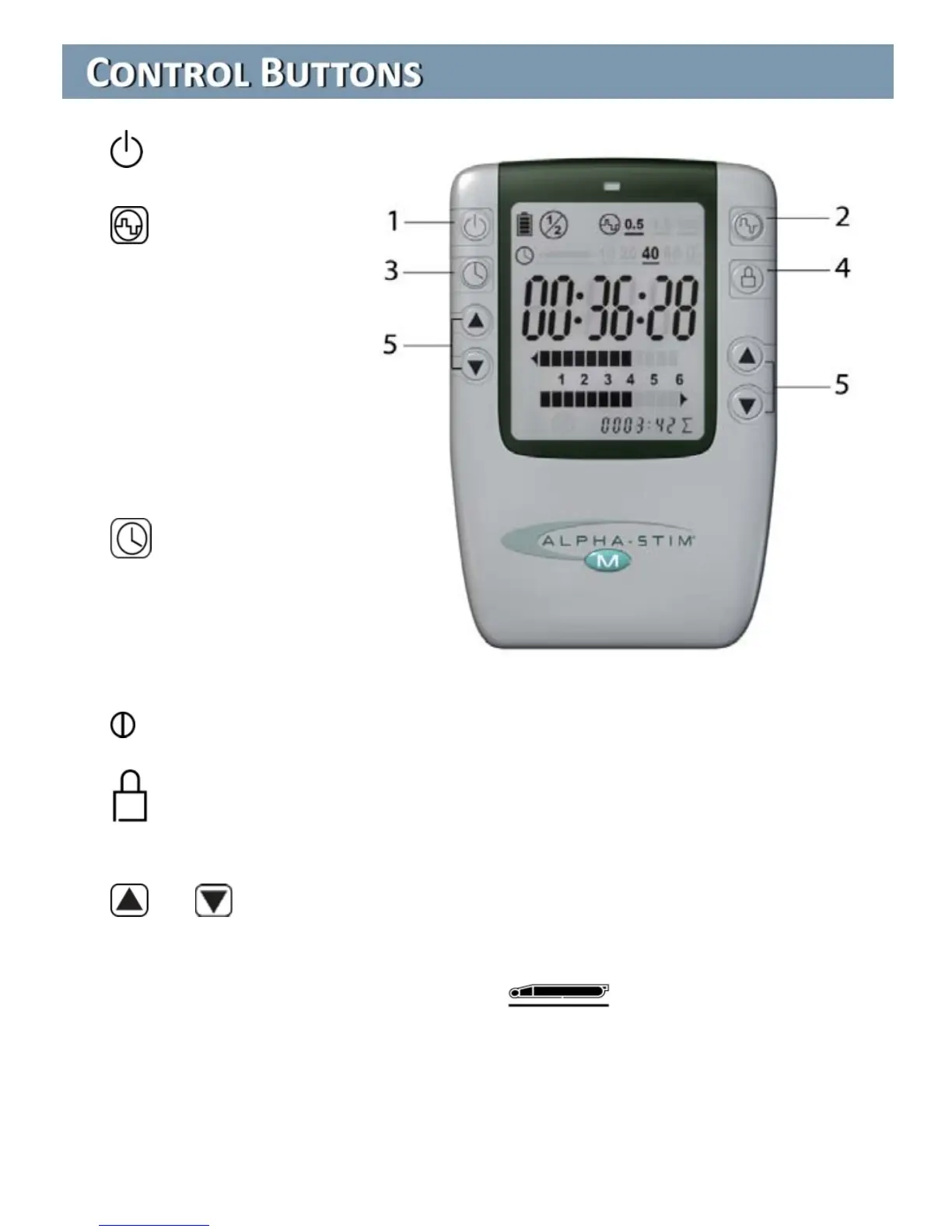
1. On - Off
2. Frequency. 0.5
Hz is the strongest
frequency setting and
the one most people
will achieve the best
results with for all
applications (Earclips,
Smart Probes and
AS-Trode™ electrodes).
3. Timer. Smart
Probe 10 second
waveform cycle starts
when electrodes touch
skin. Countdown timers:
select 10, 20, 40 or 60 minutes.
Continuous time elapsed timer.
4. Lock. Press 2 times within 5 seconds to lock or unlock settings
during treatment if desired.
5. or Current. Increases or decreases current for each channel.
Increases at 50 microamperes (µA) per second when held down.
Decreases at 100 µA per second. When the device is turned on, the
current defaults to 100 µA except on Smart Probe setting
which defaults to current setting from previous use.


 To Next Page