63
ENGLISH
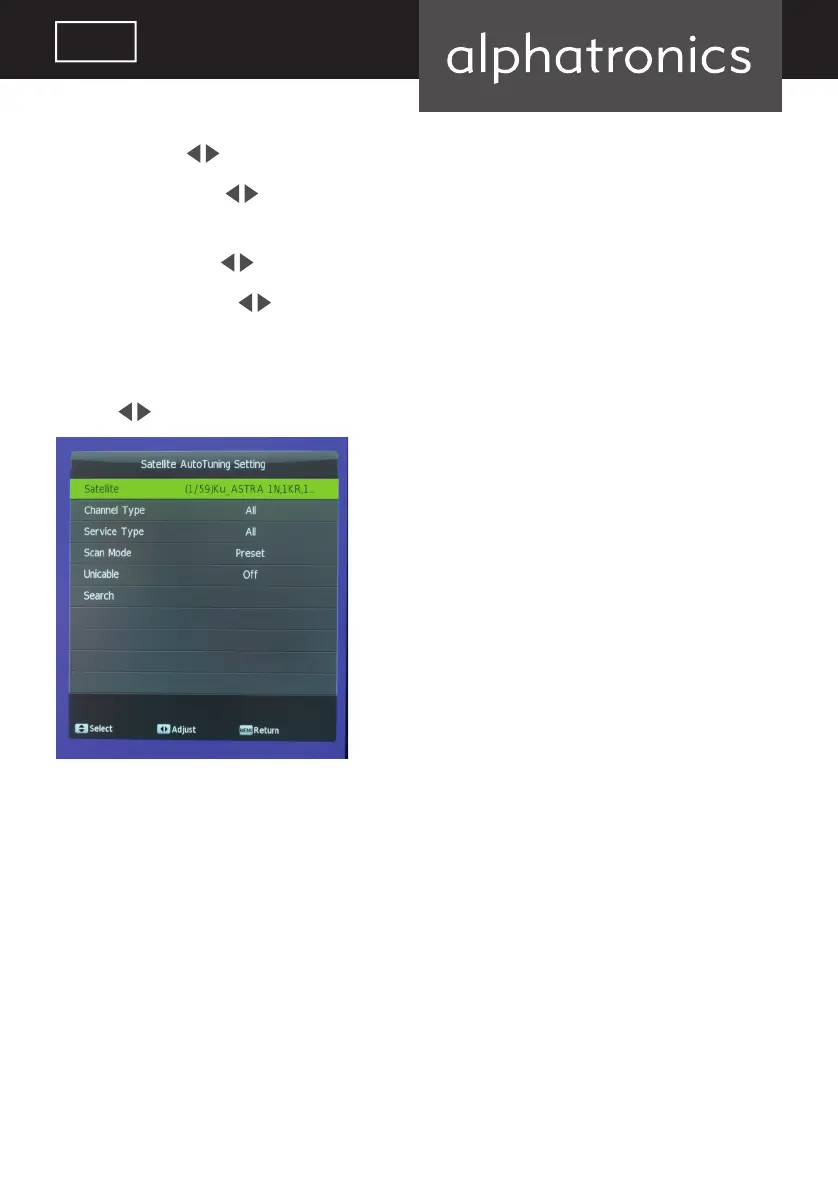
Satellite: use the keys to select desired satellite.
Channel type: use the
keys to select options „all programs“, „free programs“ or „encrypted
programs“.
Service type: use the
keys to select radio, TV or all programs for searching and saving.
Search mode: press the
button to select search mode (preset, auto, blind scan). the default
setting is usually blind scan.
Preset will load the factory default channel list.
Use the
keys to select „search“ and press ENTER to start search.
alphatronics_BDA_Kurzversion_SL+_T+_DE_EN_2019_KL3.indd 63 09.04.19 12:34



 To Next Page