
 Need help?
Do you have a question about the alphatronics UNii and is the answer not in the manual?
Explains the manual's goal to familiarize users with the UNii intrusion system and its control panel.
Provides essential advice on operating the UNii system, including panic response and handling of PIN codes and tags.
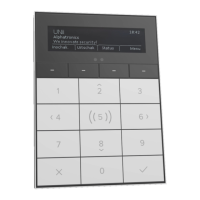
Details the function of numerical, function, and navigation keys on the UNii keypad, including shortcuts and hotkeys.
Explains the proximity sensor's function for automatic keypad illumination and adjustable sensitivity.
Illustrates and describes the elements shown on the UNii keypad's OLED display, such as system name and status indicators.
Describes the UNii security system's card reader, its versions, and reading technology for arming/disarming.
Explains how sections and groups are used to manage and arm/disarm parts of the security system.
Details the procedure for arming and disarming the UNii system using PIN codes or tags, including exit delays and status indicators.
Explains hotkey functionality and how to interpret section/group status indicators on the keypad display.
Explains tag-based arming and how system information is displayed and accessed via the 'i' symbol.
Covers automatic arming via time switches and the indication of system test mode.
Details installer authorization and explains the various audible signals used by the system for different events.
Details functions within the Information sub-menu: Notifications, Open inputs, Section status, Event log, System info, UNii manager key.
Explains overtime programming for automatic arming and the bypass menu for temporarily disabling inputs.
Details the process for supervisors to add new users and modify settings for existing users, including PIN code and tag management.
Lists user settings available for change, such as name, PIN code, code functionality, language, profile, and tag management.
Covers changing system language, linking users to profiles, and managing user tags.
Details adjustable keypad settings like brightness and volume, and the doorbell function programming.
Mentions linking the system to the mySmartControl cloud service for remote control via a mobile APP.
Explains date/time settings and the process for supervisors to grant temporary installer access for maintenance.
Describes how to test system inputs and details the integration with the mySmartControl cloud service.
Details the special functionality for entry/exit delays to reduce false alarms, including cancellation and delayed alarm reporting.
Explains the screensaver function and how 24-hour zone alarms trigger immediately, regardless of system status.
Details the system's protection against unauthorized PIN entry, including keypad blocking after multiple incorrect attempts.
Provides a comprehensive overview of functions and options available in the User Menu, dependent on user rights.
Lists options for arming, disarming, and accessing information like notifications and event logs within the menu.
Details user management, advanced settings like keypad configuration, and maintenance options like installer access.
Defines key terms like Input, Section, Group, Bypass, Duress code, and detector types used within the UNii system context.
Lists the European standards (EN) and security grades met by the UNii system and its components, and the EU Declaration of Conformity.
A table for installers to record details of detector deployment, including zone number, type, reaction, and location.
Lists and describes various zone types and their corresponding reaction types supported by the UNii system.
Describes how inputs are linked to sections and how the doorbell function operates when the system is disarmed.
 General
| Brand | alphatronics |
|---|---|
| Model | UNii |
| Category | Keypad |
| Language | English |

 To Next Page

