EasyManua.ls Logo

Alpine 3318 - Operation; Equalization Control; Fader Control

Alpine 3318
26 pages
Print Icon
To Next Page IconTo Next Page
To Previous Page IconTo Previous Page
Loading...
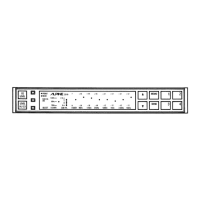
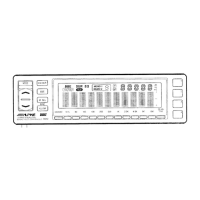
OPERATION
Equalization
Control
u
1.
Turn
on
the
power
of
the
main
unit.
The
3318
is
auto-
2
10
matically
turned
on
at
the
same
time.
Push
the
EQ
Contro!
BAND
select
switch.
The
display
will
automatically
switch
to
the
EO
mode,
and
the
60
Hz*
band
indicator
will
now
blink
for
approx.
5
seconds.
GOHz
125Hz
250Hz SOOHz
1kHz
3.5kHz
10kHz
*The
60
Hz
band
indicator
will
blink
only
if
this
was
the
band
previously
adjusted
before
disengaging
the
mode.
.
Press
the
UP/DOWN
touch
control
switches
to
boost
or
attenuate
the
frequency
that
corresponds
to
the
blinking
frequency
and
indicator
(in
this
case
60
Hz).
Pressing
UP
will
boost
the
frequency
level
and
pressing
DOWN
will
attenuate
the
level.
60Hz
125Hz
250Hz
500Hz
1kHz
3.5kHz
10kHz
4.
When
the
60
Hz
band
has
been
properly
adjusted,
press
the
EQ
Control
BAND
Select
switch
again.
The
60
Hz
band
indicator
goes
out
and
the
125
Hz
band
indicator
starts
blinking.
Adjustment
of
this
band
is
done
similarly
according
to
step
3.
6O0Hz
125Hz
250Hz
500Hz
1kHz
3.5kHz
10kHz
5.
Proceed
with
adjustments
for
the
other
bands
in
the
same
manner
until
all
bands
have
been
properly
set.
@
Upon
completing
adjustments
of
all
bands,
the
blinking
band
indicators
will
change
to
a
steady
glow,
and
the
display
mode
will
change
to
the
one
previously
set
before
adjustment
was
started.
i.e.
EQ
display
mode
or
LEVEL
display
mode.
Fader
Control
We
2.
When
the
subwoofer
ON/OFF
switch
is
set
to.
OF
F
Press
the
Mode
Selector
switch
until
the
FADER
Position
Indicator
starts
blinking.
While
the
FADER
Position
Indicator
is
blinking,
adjust
the
sound
balance
between
the
Front
and
Rear
speakers,
using
the
UP/DOWN
Touch
control
switches.

Related product manuals