EasyManua.ls Logo

Alpine 7279M - Page 49

Alpine 7279M
59 pages
Print Icon
To Next Page IconTo Next Page
To Previous Page IconTo Previous Page
Loading...
GT
SERIES
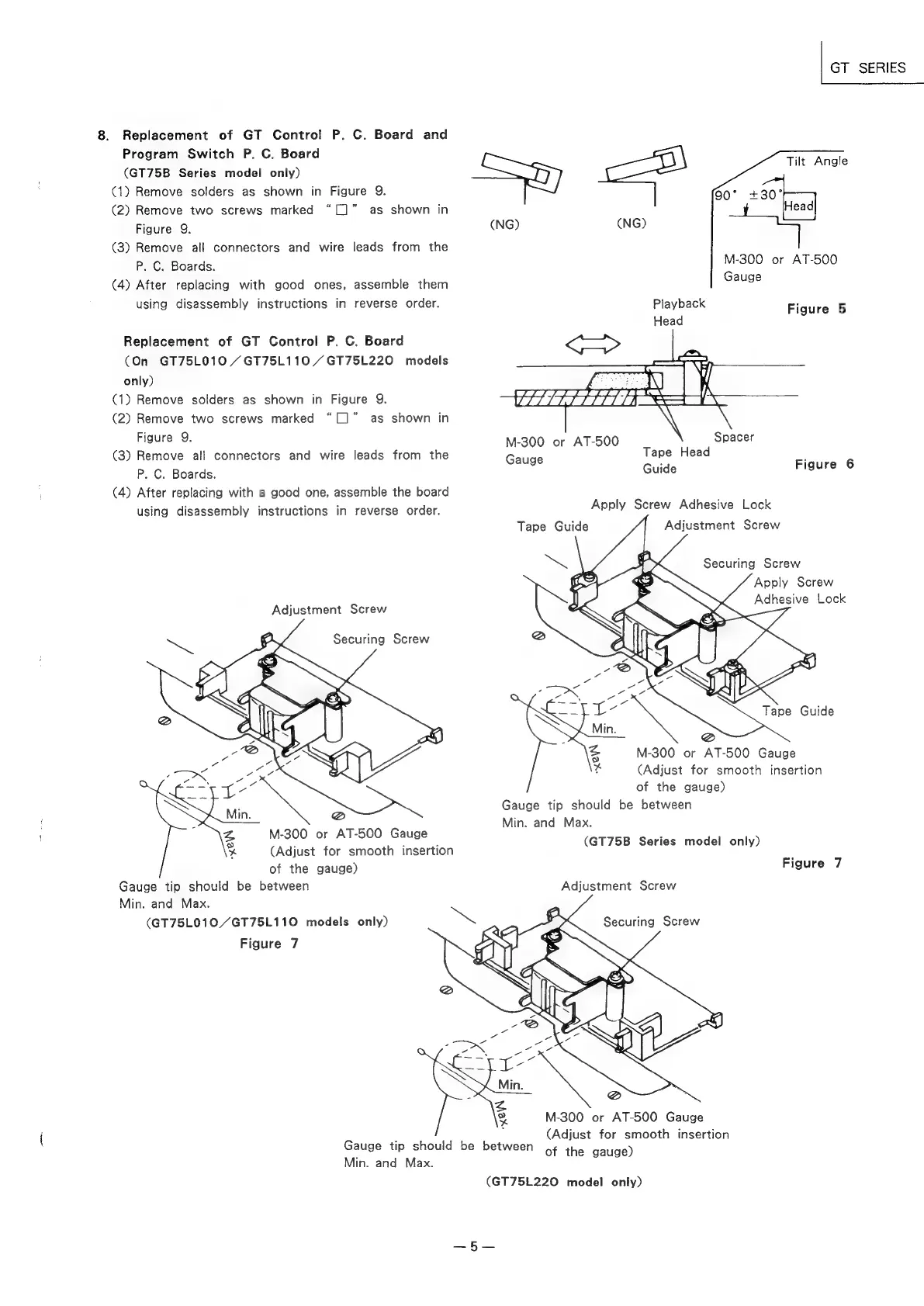
Tilt
Angle
8.
Replacement
of
GT
Control
P.
C.
Board
and
Program
Switch
P.
C.
Board
(GT75B
Series
model
only)
(1)
Remove
solders
as
shown
in
Figure
9.
>
440°
(2)
Remove
two
screws
marked
“[]”
as
shown
in
a
Head
Figure
9.
(NG)
(NG)
fy
(3)
Remove
all
connectors
and
wire
leads
from
the
P.
C.
Boards.
M-300
or
AT-500
(4)
After
replacing
with
good
ones,
assemble
them
Gauge
using
disassembly
instructions
in
reverse
order.
Playback
Figure
5
Head
:
Replacement
of
GT
Control
P.
C.
Board
(On
GT75L010
/GT75L110
/GT75L220
models
only)
(1)
Remove
solders
as
shown
in
Figure
9.
(2)
Remove
two
screws
marked
“[]”
as
shown
in
(1
te
8
i
A
Rlguie
M-300
or
AT-500
Spacer
(3)
Remove
all
connectors
and
wire
leads
from
the
Gauge
Tape
Head
=
P.
C.
Boards.
Guide
igure
(4)
After
replacing
with
a
good
one,
assemble
the
board
;
using
disassembly
instructions
in
reverse
order.
Apply
Screw
Adhesive
Lock
Tape
Guide
Adjustment
Screw
Apply
Screw
Adhesive
Lock
Adjustment
Screw
Tape
Guide
M-300
or
AT-500
Gauge
(Adjust
for
smooth
insertion
of
the
gauge)
Gauge
tip
should
be
between
Min.
and
Max.
(GT75B
Series
model
only)
M-300
or
AT-500
Gauge
(Adjust
for
smooth
insertion
of
the
gauge)
Figure
7
Gauge
tip
should
be
between
Adjustment
Screw
Min.
and
Max.
(GT75L010/GT75L110
models
only)
Figure
7
M-300
or
AT-500
Gauge
(Adjust
for
smooth
insertion
of
the
gauge)
Gauge
tip
should
be
between
Min.
and
Max.
(GT75L220
model
only)