17-EN
Bit rate
This is the “sound” compression rate specified for encoding. The higher
the bit rate, the higher the sound quality, but also the larger the files.
Sampling rate
This value shows how many times per second the data is sampled
(recorded). For example, music CDs use a sampling rate of 44.1 kHz, so
the sound is sampled (recorded) 44,100 times per second. The higher
the sampling rate, the higher the sound quality, but also the larger the
volume of data.
Encoding
Converting music CDs, WAVE (AIFF) files, and other sound files into the
specified audio compression format.
Ta g
Song information such as track titles, artist names, album names, etc.,
written into MP3/WMA/AAC files.
Root folder
The root folder (or root directory) is found at the top of the file system.
The root folder contains all folders and files. It is created automatically
for all burned discs.
Adjusting Subwoofer Level/Balance
(Between Left and Right)/Fader (Between
Front and Rear)/Auto Volume/Black Out/
Defeat
1
Press AUDIO repeatedly to choose the desired mode.
Each press changes the mode as follows:
SUBWOOFER
*1
BALANCE FADER AUTO VOLUME
*2
BLACK OUT
*3
DEFEAT VOLUME SUBWOOFER
*1 When the Subwoofer mode is set to OFF, its level cannot be
adjusted, refer to “Turning Subwoofer ON/OFF” on page 18.
*2 By setting AUTO VOLUME, the unit can automatically adjust
volume to a proper level according to engine/road noise, etc.
There are three volume correction degrees: LOW, MIDDLE and
HIGH.
*3 When BLACK OUT mode is turned ON, after 5 seconds, all
display indications on this unit will turn off to reduce power
consumption. This additional power enhances the sound quality.
Notes
• If no operation is performed for 5 seconds after selecting the
SUBWOOFER, BALANCE, FADER, AUTO VOLUME, BLACK OUT
or DEFEAT mode, the unit automatically returns to normal mode.
• If any button on the unit is pressed during the BLACK OUT Mode, the
function is displayed for 5 seconds before returning to BLACK OUT
mode.
2
Turn the Rotary encoder until the desired sound is
obtained in each mode.
Note
• Depending on the connected devices, some functions and display
indications do not work.
Terminology
Sound Setting
Subwoofer Level 0 ~ 15
Balance –15(L) ~ 15(R)
Fader –15(R) ~ 15(F)
Auto Volume OFF/LOW/MIDDLE/HIGH
Black Out ON/OFF
Defeat ON/OFF
Volume 0 ~ 35
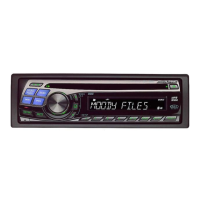
MX
SOURCE/
BAND
/ENTER
AUDIO/SOUND SETUP
Rotary encoder
Preset buttons
(1 through 6)



 To Next Page