9-EN
Accessory List
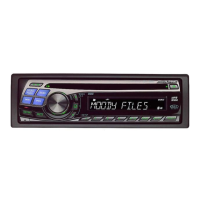
• Head unit ..................................................................................1
• Power cable...............................................................................1
• USB Cable..................................................................................1
• Interface cable for iPod............................................................1
• Microphone ..............................................................................1
• Mounting sleeve.......................................................................1
• Carrying case ............................................................................1
• Rubber Cap ...............................................................................1
• Hex Bolt.....................................................................................1
• Screw (M5 × 8) ..........................................................................4
• Remote Control ........................................................................1
• Battery (AAA size).....................................................................2
• Owner’s Manual..................................................................1 set
Turning Power On and Off
Press SOURCE to turn on the unit.
Note
• The unit can be turned on by pressing any other button except y.
Press and hold SOURCE for at least 2 seconds to turn
off the unit.
Note
• The first time power is turned on, the volume will start from level 12.
Source Selection
Press SOURCE to change the source.
TUNER DISC USB/USB iPod
*1
Bluetooth Audio
*2
CHANGER
*3
AUXILIARY
*4
TUNER
*1 Displayed only when the iPod/iPhone is connected.
*2 Displayed only when Bluetooth Audio is set to ON, refer to
“Setting the BLUETOOTH Connection (Bluetooth IN)” on
page 27.
*3 Only when the CD changer is connected.
*4 Displayed only when the AUX IN is set to ON, refer to “Setting
the AUX Mode (V-Link)” on page 23.
Detaching and Attaching the Front Panel
1
Turn off the unit power.
2
Press y (OPEN) to open the front panel (figure 1).
To close the front panel, press the left side until it locks as shown
in the figure 2.
3
Grasp the front panel firmly, slide to the left , and then
pull to remove.
Notes
• The front panel may become hot in normal usage (especially the
connector terminals on the back of the front panel). This is not a
malfunction.
• To protect the front panel, place it in the supplied carrying case.
• When detaching the front panel, do not apply excessive force as it may
result in malfunction.
• Do not leave the front panel open, or drive the car with the panel open
as it may result in an accident or malfunction.
1
Insert the right side of the front panel into the main unit.
Align the groove on the front panel with the projections
on the main unit.
2
Push the left side of the front panel until it locks firmly into
the main unit.
Notes
• Before attaching the front panel, make sure that there is no dirt or dust
on the connector terminals and no foreign object between the front
panel and the main unit.
• Attach the front panel carefully, holding the sides of the front panel to
avoid pushing buttons by mistake.
Getting Started



 To Next Page