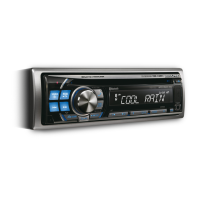
Controlling USB memory (Optional)
A USB memory device may be connected to this unit. With USB
memory connected, playback of files on the device is controlled from
this unit.
Ř The controls on this unit for USB memory operation are operative
only when a USB memory is connected.
Playing MP3/WMA Files with the
USB memory (Optional)
If you connect a USB memory containing MP3/WMA, you can
play these files on this unit.
1
Press SOURCE/ to switch to the USB AUDIO
mode.
The mode will change every time the button is pressed.
RADIO CD
*
1
USB
*
2
AUX RADIO
*
1
Displayed only when a disc has been inserted.
*
2
Displayed only when USB memory is connected.
2
To pause playback, press
BAND/
/.
Pressing BAND/
/ again will resume the playback.
Ř The root folder is displayed as “ROOT” in the Folder Name Search
mode.
Ř This unit plays back files
on a USB memory device with the same
controls and modes as playback of CDs containing MP3/WMA.
For details, refer to “CD/MP3/WMA”.
Ř Before disconnecting USB memory, be sure to change to another
source or set to pause.
Ř The playback time may not be correctly displayed when a VBR
(Variable Bit Rate) recorded file is played back.
USB Memory Connection (Optional)
Connect USB memory
1
Open the cover of the USB connection terminal.
2
Connect the USB memory directly to the USB
connection terminal, or via the USB cable.
Remove USB memory
1
Carefully, pull out the USB memory from the USB
cable or the USB connection terminal.
2
Close the cover of the USB connection terminal.
Ř Change to a source other than the USB memory mode, then remove
the USB memory. If the USB memory is removed in the USB memory
mode, data may be damaged.
Ř When removing USB memory, pull it out straight.
Ř If sound is not output or USB memory is not recognised even when
USB memory is connected, remove USB memory once, then connect
it again.
Ř Route the USB cable away f
rom other cables, etc.
Ř After removing the USB memory, close the cover of the USB
connection terminal to prevent dust or foreign objects from entering
and causing a malfunction.
About MP3/WMA File of USB
Memory
Playing back MP3/WMA
MP3/WMA files are prepared, then stored to a USB
memory. This unit can recognise at least 999 folders (including
root folder) and 255 files per folder stored in USB memory.
Playback may not be performed if a USB memory exceeds the
limitations described above.
Do not make a file's playback time more than 1,000 minutes.
Media supported
This device can play back USB memory media.
Corresponding File Systems
This device supports FAT 12/16/32 for USB memory device.
USB memory (Optional)
SOURCE/
BAND/ /
USB memory
(Sold Separately)
Cable (Sold
Separately)
This unit
USB Connection Terminal
USB memory
(Sold Separately)
or
11
Note
* CDE-110UB does not support WMA.


 To Next Page