28-EN
Setting the stay on mode
You can set the delay in turning OFF the unit’s power after the vehicle’s
ignition is turned off (ACC OFF). When you select a mode other than
OFF, the music will be paused after you turn the ignition key off (ACC
OFF). At the same time, the prompt “PRESS PRESET 6 TO STAY ON”
will scroll once. Press 6 within 15 seconds to continue enjoying music
for the selected period. If 6 is not pressed, the unit will power off within
15 seconds. During this period, you can only receive a call by operating a
paired Smartphone.
Setting item: STAY ON
Setting contents:
OFF (Initial setting) / 5 MIN / 15 MIN / 30 MIN
Note
• Note that there is a possibility that the battery may be drained if already
weak, during this period.
Demonstration
This unit will enter a demonstration mode to display its various
functions.
Setting item: DEMO MODE
Setting contents:
ON (Initial setting) / OFF / QUITE OFF
ON:
The unit starts the demonstration if there is no operation for 30
seconds.
OFF (Standby):
The demonstration mode is in the standby state. Note that if this
unit is disconnected from the vehicle’s battery, the next time you
use this unit the demonstration mode will be ON.
QUITE OFF (Completely closed):
Close the demonstration mode completely.
Setting Adaptive Steering Remote Control
This unit is compatible with the adaptive steering remote control.
This function allows operation by sending the steering remote control
signal to the unit.
To use the steering remote control, perform the following button
operations after setting to ON and pressing ENTER.
For details, consult your nearest Alpine dealer.
Setting item: STEERING
Setting contents:
OFF (Initial setting) / ON
1
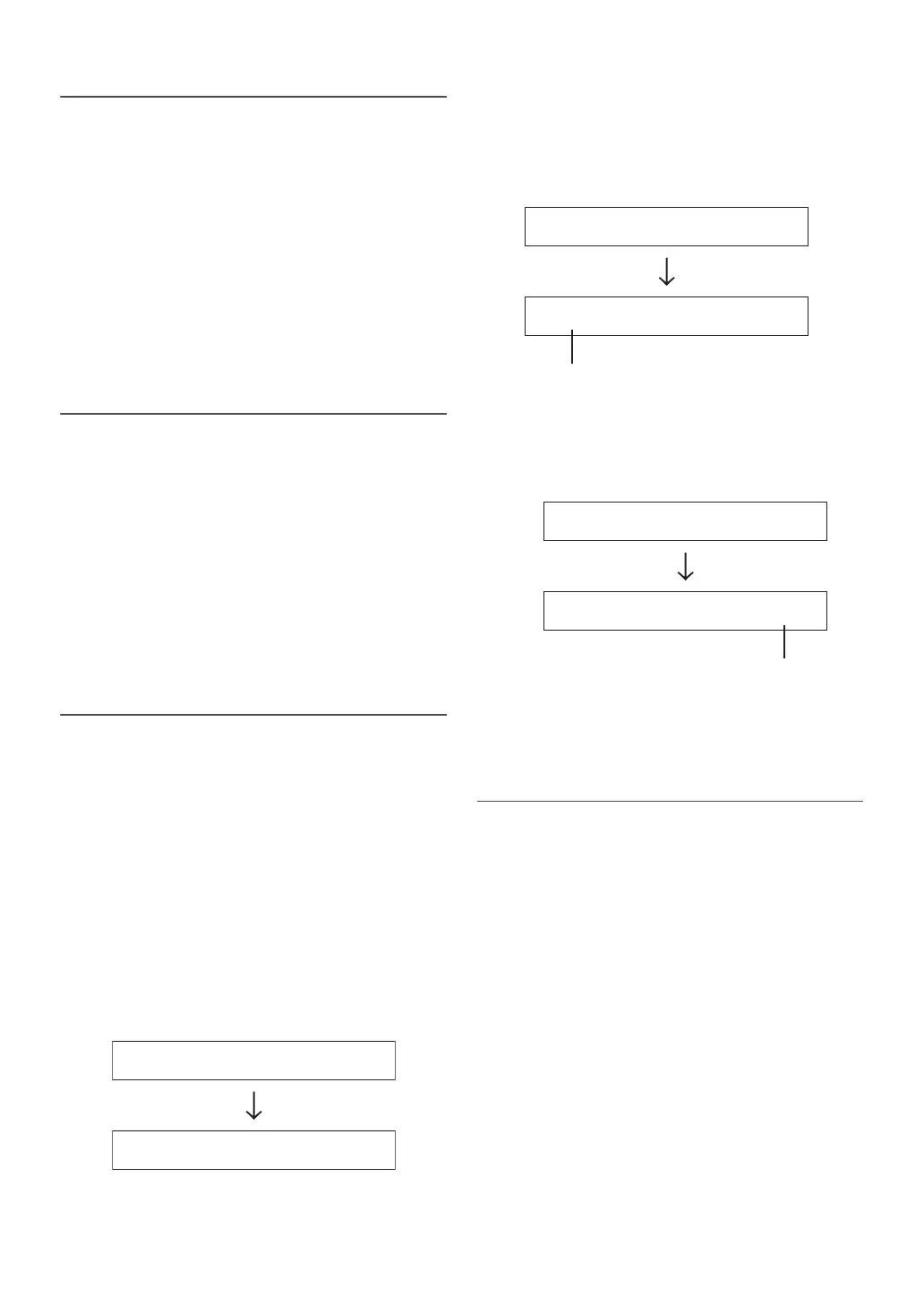
Select the assigned function by turning the Rotary
encoder.
(e.g. Select SOURCE)
POWER SOURCE BAND VOL UP VOL DOWN PAUSE
MUTE BWD FWD P UP P DOWN OFF HOOK
ON HOOK VOICE CTRL
2
Press the steering remote control button until the
changed signal value of steering remote control appears
in the left of the display.
(e.g. Press SOURCE of the steering remote control button.)
The changed steering remote control signal appears in the left
of the display.
3
Press ENTER to execute the setting value.
The confirmed signal value of steering remote control appears in
the right of the display. With doing so, the function of the unit is
assigned to the steering remote control button.
4
Repeat steps 1 to 3, and set each button.
When settings have been completed, press t to return to the
previous mode.
Setting the Opening Screen Update
You can customize the unit’s Opening Screen as following steps.
Setting item: OPENING
Setting contents:
UPDATE NO (Initial setting) / UPDATE YES
1
Create a new Text file in USB memory (preferably in the
root directory) via PC.
It’s better to remove all other files from the USB memory.
2
Rename the Text file with the desired displaying font
(maximum 10 bits), and change it’s suffix to “.bin”.
(For example: SOUND HU.bin)
3
Switch this unit to USB source, then select “OPENING”
“UPDATE YES” in SETUP, and then press ENTER.
4
Insert the USB memory into this unit.
After a successful update “UPDATED” will be displayed.
Notes
• Turn the ignition key to off and on to validate this setting.
• Please create Text file in English/Chinese or Japanese system.
• For non-supported characters, the display is blank.
SOURCE
FF
DE
The changed signal value of steering remote control
SOURCE
DE
DE
The conrmed signal value of steering remote control


 To Next Page