29-EN
• When paired with a Bluetooth compatible device, the font set above
(e.g. SOUND HU) will be displayed on the Bluetooth compatible device.
DISPLAY is selected on the setup main menu in step 2.
Changing Lighting Colour
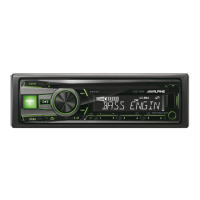
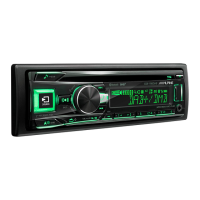
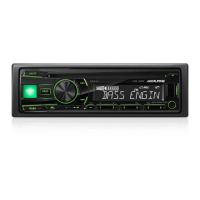
You can change the lighting colour of the unit’s keys/display.
Setting item: ILLUMINATI
Further setting items: KEY&DISP / KEY / DISP
*
Setting contents:
OPTION / CUSTOMIZE
OPTION:
A total of 30 colours can be selected.
CUSTOMIZE:
If there is no colour you prefer in OPTION, you can customize the
colour as follows.
* You can change the lighting colour of keys and display
simultaneously or respectively by selecting KEY&DISP, KEY or
DISP.
1
After entering CUSTOMIZE, turn the Rotary encoder to
select a colour (RED, GREEN, BLUE) you want to adjust, and
then press ENTER.
2
The adjusted colour will blink, turn the Rotary encoder to
select a value (0-60).
R is red, G is green and B is blue.
3
Press ENTER or t to finish the colour setting.
4
Repeat steps 1 to 3 to set another colour.
Notes
• In step 2, you can switch to another colour setting mode by pressing
or .
• The setting values in OPTION mode and CUSTOMIZE mode are
linked, when the setting value in CUSTOMIZE is different from the one
in OPTION, “USER” will be displayed in OPTION mode.
• During CUSTOMIZE setting, at least one setting value should be
greater than 20.
Dimmer Control
Set the Dimmer control to AUTO to decrease the illumination
brightness of the unit with the head lights of the vehicle ON. This mode
is useful if you feel the unit’s backlighting is too bright at night.
Setting item: DIMMER
Setting contents:
AUTO (Initial setting) / ON / OFF
Note
• For CDE-193BT, you can also adjust this item by pressing and holding
DIM.
Adjusting the Dimmer Level
After set “DIMMER” to “AUTO” or “ON”, you can adjust the brightness
of the display & button lighting at night with the dimmer.
Setting item: DIMM LEVEL
Setting contents:
LEVEL 1 ~ LEVEL 4
Note
• The initial setting is “LEVEL 1”.
Scroll Setting (TEXTSCROLL)
This CD player can scroll the disc and track names recorded on
CD-TEXT discs, as well as the text information of MP3/WMA/AAC
files, folder names and tags.
Setting item: TEXTSCROLL
Setting contents:
SCR MANUAL (Initial setting) / SCR AUTO
SCR MANUAL:
The display is scrolled when a disc is loaded or when a track is
changed, etc.
SCR AUTO:
The current text information of CD, folder, tag, etc. is scrolled
automatically.
Note
• The unit scrolls CD text names, folder names, file names or tag display.
Scroll Type Setting
Choose from two scrolling methods. Select the type you prefer.
Setting item: SCROLLTYPE
Setting contents:
SCR TYPE1 / SCR TYPE2 (Initial setting)
SCR TYPE1:
The characters scroll from right to left, a single character at a time.
SCR TYPE2:
Words are built up from left to right, a single character at a time.
When the display is filled, it is cleared and the remaining words are
displayed the same way until all words of the title have been
shown.
TUNER is selected on the setup main menu in step 2.
Setting the TUNER (FM) tone quality (FM SET)
This unit can set your preferred tonal quality for the FM analog radio
stations.
Setting item: FM SET
Setting contents:
HI-FI / NORMAL (Initial setting) / STABLE
HI-FI:
High-quality setting
NORMAL:
Standard setting
STABLE:
Control noise
Note
• Noise may be more noticeable when HI-FI is set, depending on the
reception status. In this case, the Normal setting is recommended.
Display Setting
Tuner Setting


 To Next Page