26-EN
Displaying the Text
Text information, such as the disc name and the track name, will be
displayed if playing a CD text compatible disc. It is also possible to
display the folder name, the file name and the tag, etc., while playing
MP3/WMA/AAC files.
Press VIEW.
The display will change every time the button is pressed.
Note
• When the TEXTSCROLL is set to MANUAL, press and hold VIEW for
at least 2 seconds, the current text will be scrolled one time (except
Radio mode).
The display in Radio mode:
If there is PS (Programme Service Name)
BAND/PS (Programme Service Name) SONG ARTIST
PTY (Programme Type) RADIO TEXT BAND/CLOCK
BAND/PS (Programme Service Name)
If there is no PS (Programme Service Name)
BAND/FREQUENCY SONG ARTIST
PTY (Programme Type) RADIO TEXT BAND/CLOCK
BAND/FREQUENCY
The display in DAB+/DMB mode:
CHANNEL NO. ENSEMBLE LABE
*1
SERVICE LABEL
*2
DYNAMIC LABEL
*3
PTY CLOCK CHANNEL NO.
The display in CD mode:
TRACK NO./ELAPSED TIME DISC TEXT
*4
TRACK TEXT
*4
TRACK NO./CLOCK TRACK NO./ELAPSED TIME
The display in MP3/WMA/AAC mode:
FOLDER NO./FILE NO. FOLDER NAME
*5
FILE NAME
*5
ARTIST NAME
*6
ALBUM NAME
*6
SONG NAME
*6
FILE NO./CLOCK FILE NO./ELAPSED TIME
FOLDER NO./FILE NO.
The display in Bluetooth Audio mode:
BT A/ELAPSED TIME
*7
ARTIST NAME
*6
ALBUM NAME
*6
SONG NAME
*6
BT A/CLOCK BT A/ELAPSED TIME
*1 If there is no ensemble label information, “ENSEMBLE” is
displayed.
*2 If there is no service label information, “SERVICE XX” is
displayed. “XX” is the serial number of service in the current
ensemble.
*3 If there is no dynamic label information, “NO TEXT” is
displayed.
*4 Displayed during playback of a disc with CD text. If there is
no Text (Disc Name or Track Name), “DISC TEXT”/
“TRACK TEXT” is displayed.
*5 Displayed during playback of MP3/WMA/AAC with folder/
file information. If there is no folder/file information,
“FOLDER”/“FILE” is displayed.
*6 ID3 tag/WMA tag
If an MP3/WMA/AAC file contains ID3 tag/WMA tag
information, the ID3 tag/WMA tag information is displayed
(e.g., song name, artist name, and album name). All other
tag data is ignored.
If there is no tag information, “ARTIST”/“ALBUM”/“SONG”
is displayed.
*7 Depending on the connected Smartphone, the elapsed time
may not be displayed.
Text compatible CDs contain text information such as the disc name and
track name. Such text information is referred to as “text”.
Notes
• Some characters may not be displayed correctly with this device,
depending on the character type.
• “NO SUPPORT” is displayed when the desired text information cannot
be displayed on this unit.
• The text or tag information may not be correctly displayed, depending
on the contents.
Using the Front AUX Input Terminal
Connect a portable music player, etc. by simply connecting it to the
input on the front panel. An optional adapter cable is required (standard
RCA to 3.5ø mini-phono plug or 3.5ø to 3.5ø mini-phono plug).
Press VSOURCE, and select the AUXILIARY mode to
listen to the portable device.
Note
• This function is available only when AUX SETUP is set to ON. For
details, refer to “Setting the AUX SETUP mode” on page 29.
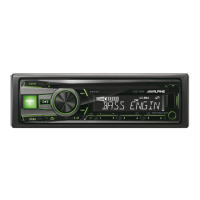
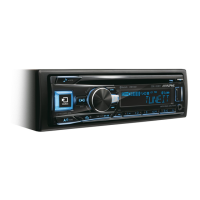
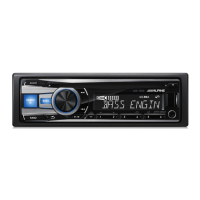
Other Functions
/ENTER/OPTION
VIEW
/SOURCE
BAND
Rotary encoder
About “Text”
Portable player, etc.
Main unit
or
Optional adapter cable (RCA pin
plugs [red, white] 3.5ø miniplugs)
or (3.5ø miniplugs).


 To Next Page