20
English
CD Operation
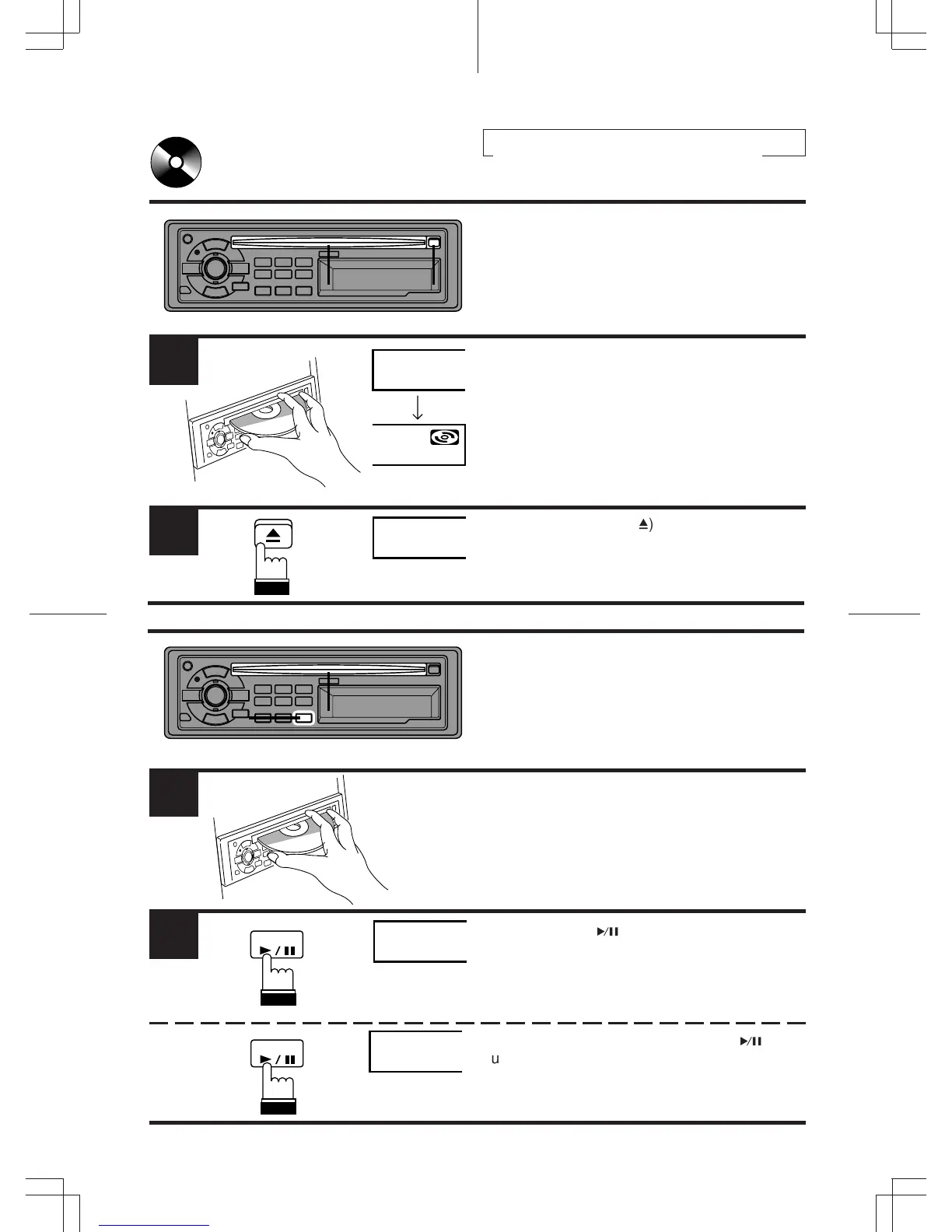
Inserting/Ejecting Disc
Insert a CD half way into the slot with the label
side facing up. The player automatically draws
the disc into the disc compartment.
The DISC indicator appears to show that a disc
is loaded.
Note: Three-inch (8 cm) CD's can not be used.
Press the eject button (
h
) when you want to
eject the CD.
1
LOAd
2
EJEC
1
Normal Play and Pause
21
2
1
Insert a CD. The CD player begins playback
from the first track on the disc. The display
shows the track number. When the last track is
played back the player returns to the first track
and begins playback from that point.
Press the DISC (
k
) button to temporarily stop
CD playback.
To resume playback, press the DISC (
k
)
button again.
2
PAU
T-01
DISC
DISC



 To Next Page