25
English
CD Operation
English
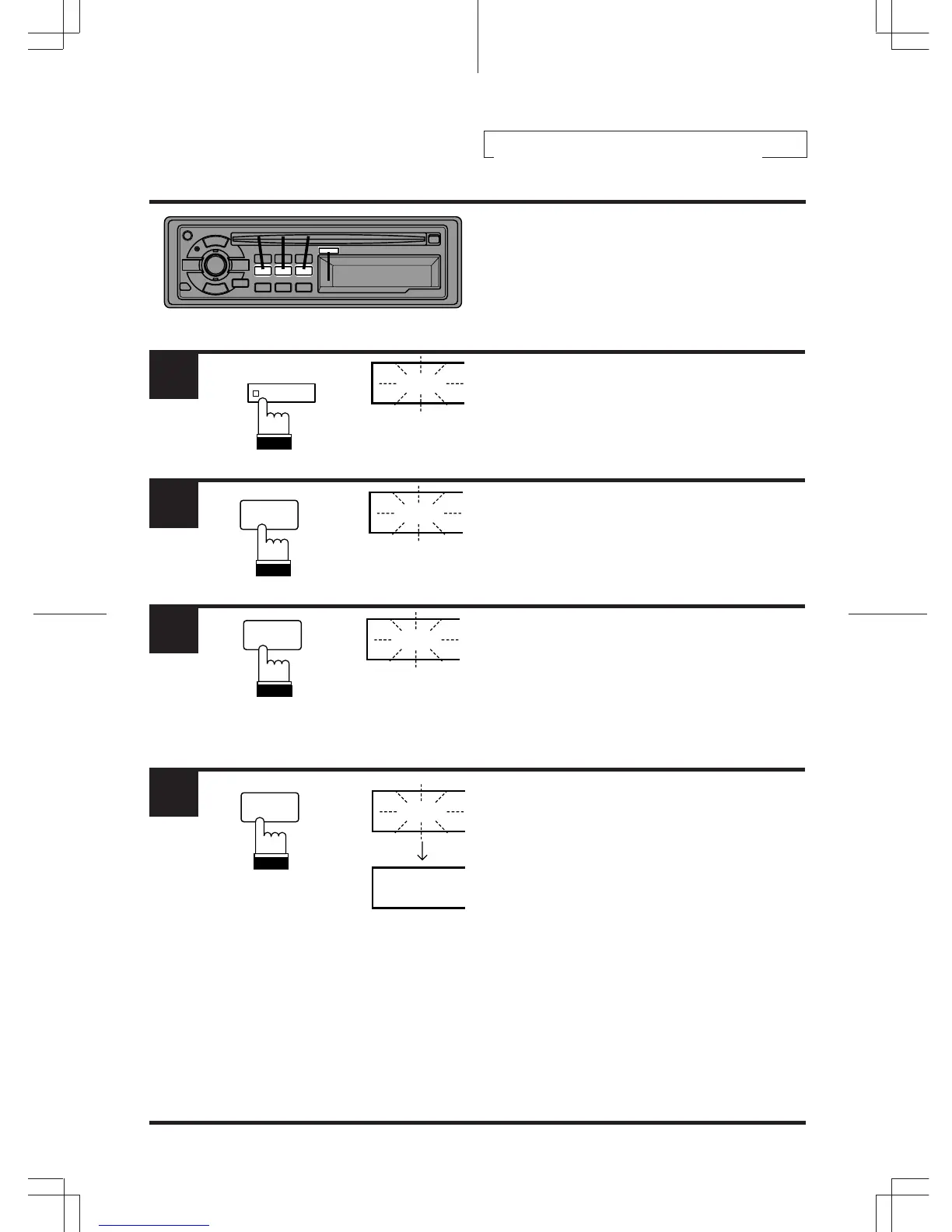
Setting Time
Press and hold the CLOCK button for at least 3
seconds. The time indication will begin to blink.
Press the CT button while the time indication is
blinking to set seconds to "0".
Example: To adjust to 9:35
Press the "H" button to adjust the hours while
the time indication is blinking.
Press the "M" button to adjust the minutes while
the time indication is blinking. The time
indication will stop blinking 5 seconds after the
last adjustment. The time will automatically be
set.
1
3
2
4
CLOCK
12:30
12:00
9:00
9:35
9:35
4
CT
6
M
5
H
1
432
Clock Operation



 To Next Page