20
English
CD Operation
1.2
1.2
1
POWER
(Remote Control Unit/
Unité de télécommande/
Unidad de control
remoto)
(Remote Display Unit/Unité
d'affichage de télécommande/
Unidad de visualizador de
control remoto)
2
POWER
D6 T-03
(Remote Control Unit/
Unité de télécommande/
Unidad de control
remoto)
(Remote Display Unit/Unité
d'affichage de télécommande/
Unidad de visualizador de
control remoto)
1
PAU
PLAY
PAUSE
1
(Remote Control Unit/
Unité de télécommande/
Unidad de control
remoto)
Press the PLAY/PAUSE button to temporarily
stop playback.
To resume playback, press the PLAY/PAUSE
button again.
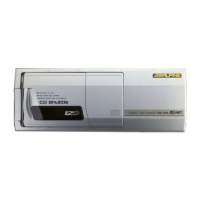
Controlling CD Shuttle
Turn power off from the Remote Display or
Wireless Remote Control. Insert the magazine
into the CD Shuttle.
Note: Turn on the radio and lower the volume
level.
Press the POWER button to turn on the unit.
Select the FM band.
Tune to the same frequency you selected on
the Modulator Unit and adjust for the desired
volume level. The display shows the disc
number and track number.
Note: After the last track on the last disc is
played, the optical pickup returns to disc
1. Playback will continue from the
beginning of disc 1 unless the REPEAT
function has been activated.
Pause
PWR
FREQ.
PWR
FREQ.



 To Next Page