28
English
CD Operation
1
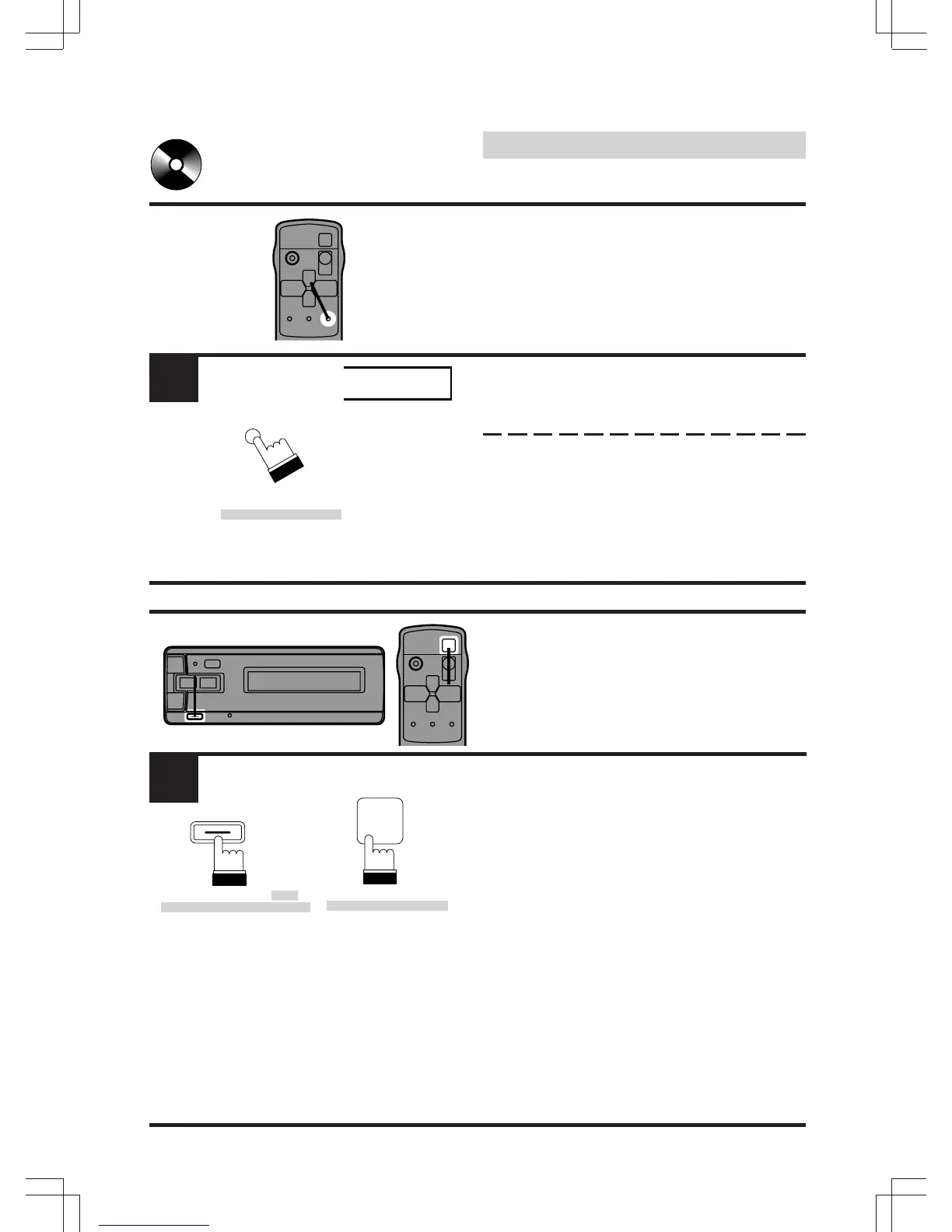
Disc Scan
This function plays the first 10 seconds of each
track in succession. This function is useful in
searching ahead on a disc for a specific
selection.
Press the SCAN button to activate the Disc
scan function. The SCAn indicator will illumi-
nate.
To stop the Scan, press the SCAN button to
deactivate the Scan mode.
To Deactivate the CD
Shuttle and Listen to the
Radio
To listen to your factory-installed radio, turn off
the Remote Display Unit by pressing the
POWER button.
Notes:
• When you set the Modulator Unit to a
frequency which has no FM broadcast, your
audio system may produce some harsh,
interstation noises when CD playback is
stopped.
• With the FM Modulator connected, there will
be a slight loss in signal strength to the
radio.
1
SCAn
(Remote Control Unit/
Unité de télécommande/
Unidad de control
remoto)
1
1
1
POWER
(Remote Control Unit/
Unité de télécommande/
Unidad de control
remoto)
(Remote Display Unit/Unité
d'affichage de télécommande/
Unidad de visualizador de
control remoto)
SCAN
PWR
FREQ.



 To Next Page