23-EN
Front Camera Setup
[FrontCamera] is selected on the Camera Setup Menu
screen.
Camera Input Setting
[Camera Select] is selected on the Camera Setup Menu
screen.
Setting item:
Camera Select
Setting contents:
Off (Initial setting) / Front
Off:
No camera is connected.
Front:
Front camera is connected.
Camera Signal Input Setting
[Camera Signal] is selected on the Camera Setup Menu
screen.
When the camera is connected, the video input signal type
can be chosen.
Further setting item:
Camera Signal
Setting contents:
NTSC (Initial setting)/PAL
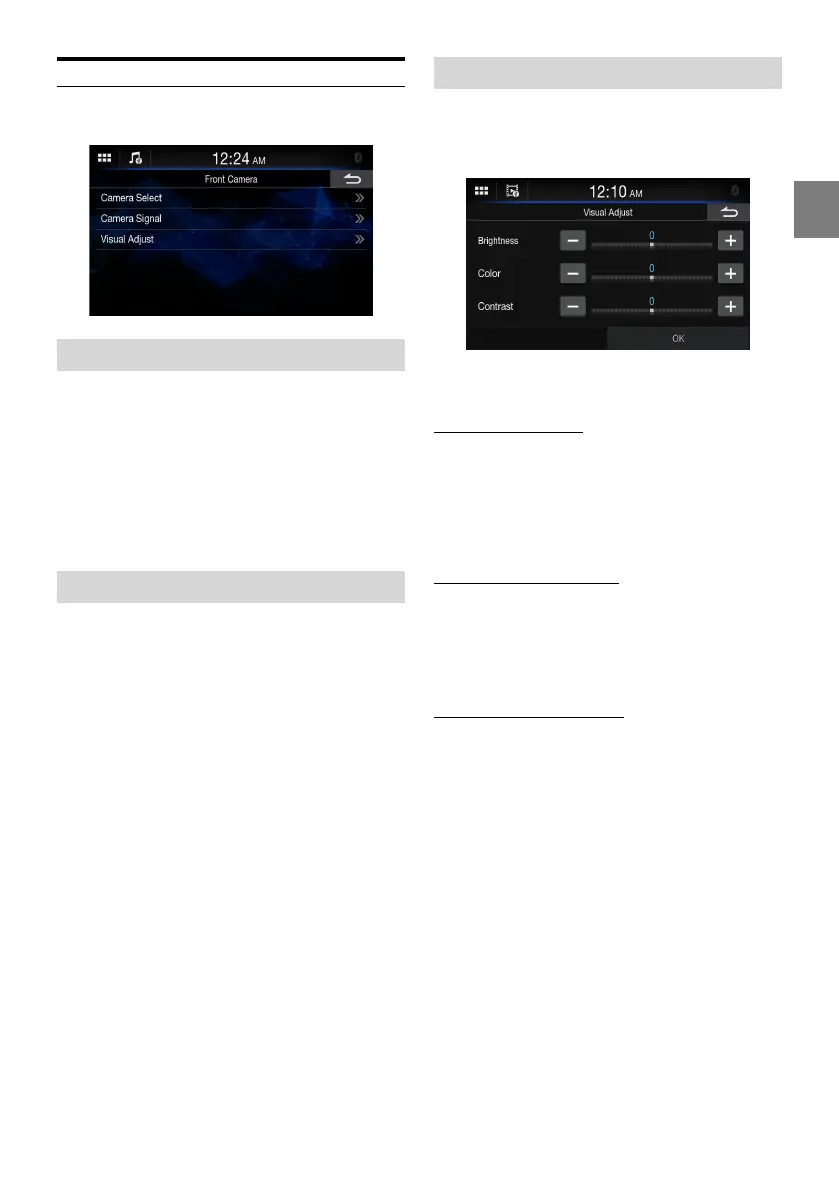
Camera Picture Quality Setup
[Visual Adjust] is selected on the Camera Setup Menu
screen.
You can adjust the picture quality for the primary and
secondary cameras.
Setting item:
Visual Adjust
Adjusting Brightness
Setting item:
Brightness
Setting contents:
-15 to 15 (Initial setting: 0)
• You can adjust the brightness between MIN (-15) and MAX
(+15).
Adjusting Color of Display
Setting item:
Color
Setting contents:
-15 to 15 (Initial setting: 0)
• You can adjust the color between MIN (-15) and MAX (+15).
Adjusting Display Contrast
Setting item:
Contrast
Setting contents:
-15 to 15 (Initial setting: 0)
• You can adjust the contrast between MIN (-15) and MAX
(+15).















 To Next Page