28-EN
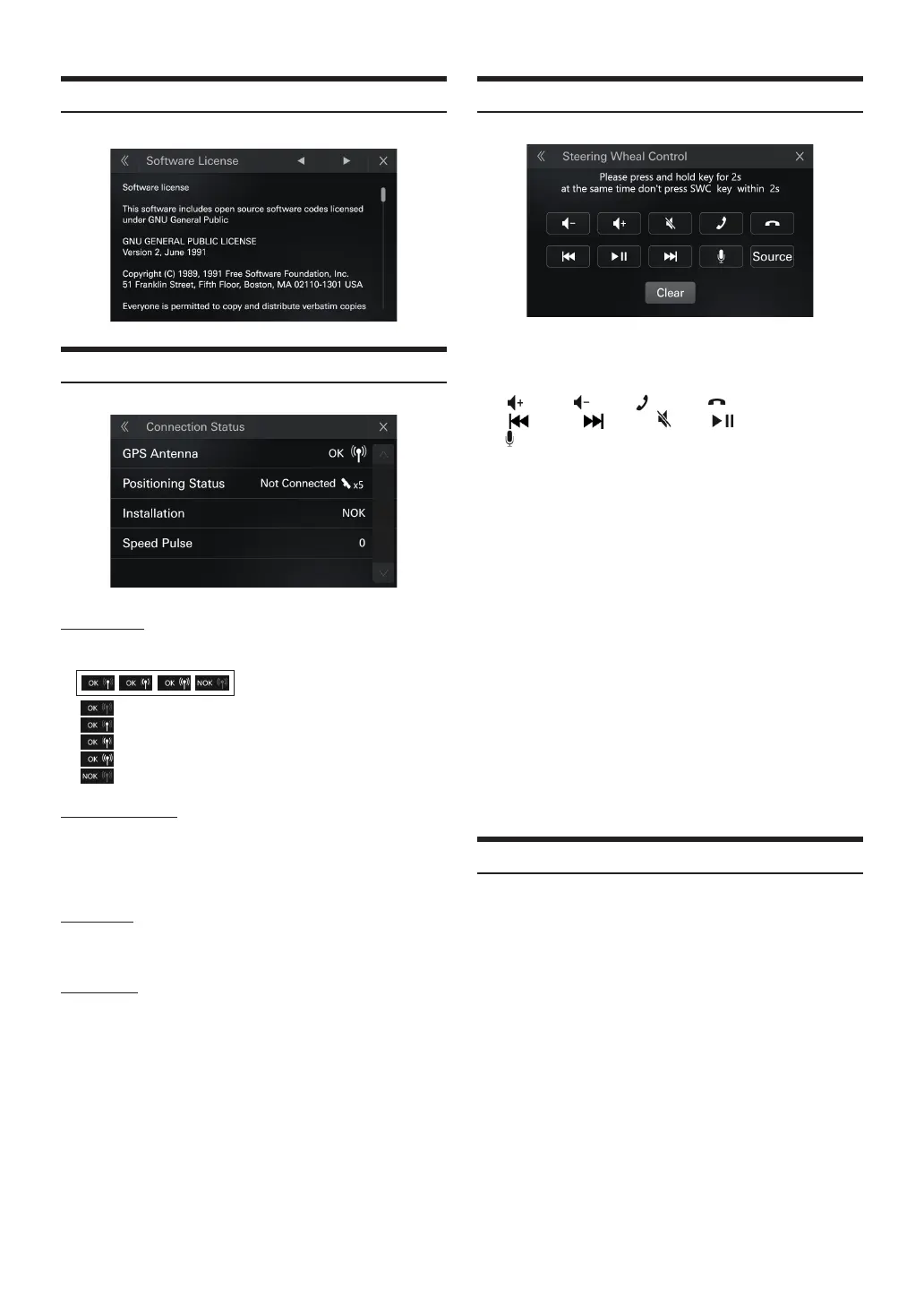
Software License
[Soware License] Displaying the open source soware license.
Connection Status
GPS Antenna
• Display when there is an antenna [OK]
• Display without antenna [NOK]
Antenna: Yes Signal:0
Antenna: Yes Signal:1
Antenna: Yes Signal:2
Antenna: Yes Signal:3
Antenna: No
Positioning Status
• Display [position]: When there is positioning
• Display [Not Available]: When there is no positioning
• Display [Not Connected]: When the serial port of the GPS module
is not available
Installation
• Install and learn to successfully display [OK],
• No learning success display [NOK]
Speed Pulse
• Display pulse number "XXX" in unit time, and display "0" if not
obtained.
Steering Wheel Control
Setting item:
Steering Wheel Control key learning
Setting contents:
Vol. Up/ Vol. Dn, ON HOOK, OFF HOOK,
Seek Up, Seek Dn, MUTE, Play/pause,
Voice Recognition, Source (Mode)
1
Please press and hold key for 2s at the same time don't
press SWC key within 2s
2
Follow the on-screen prompts to complete the operation
3
Success in learning
When operation nished ,If you want to continue other key
learning , please repeat the operation
•
Learning learning during parking is allowed
•
e same key supports learning for one time , if you want to relearning,
please clear all the learned keys
•
Touch the clear key to clear all the learned function
•
No time limit for key learning
•
Not support to learn the same function on the keys of dierent
Steering,if you want to learn the same function,please clear all the
learned keys
•
On the key learning screen, pressing the learned key to clear all learned
keys
Reset
[Reset] is selected on the System Setup Menu screen. You can initialize
all data, to restore the factory settings.
Setting item:
Reset
1
Touch [Reset].
2
After the conrmation message appears, touch [Yes].
The system starts initialization.
•
Do not turn on/o the power, change the ignition key position or until
system restart is completed.














 To Next Page