30-EN
Sound Setup
[Sound] is selected on the Setup menu screen.
You can set up items related to the sound quality.
<Setting item>
Fader/Balance (page 30)
Bass/Treble (page 30)
EQ Setting (page 30)
Preset EQ (page 31)
X-Over (page 32)
Speaker Level (page 33)
Time Correction (page 32)
Sub Woofer (page 32)
Defeat (page 33)
*
Touch [ ] or [ ] to show further .
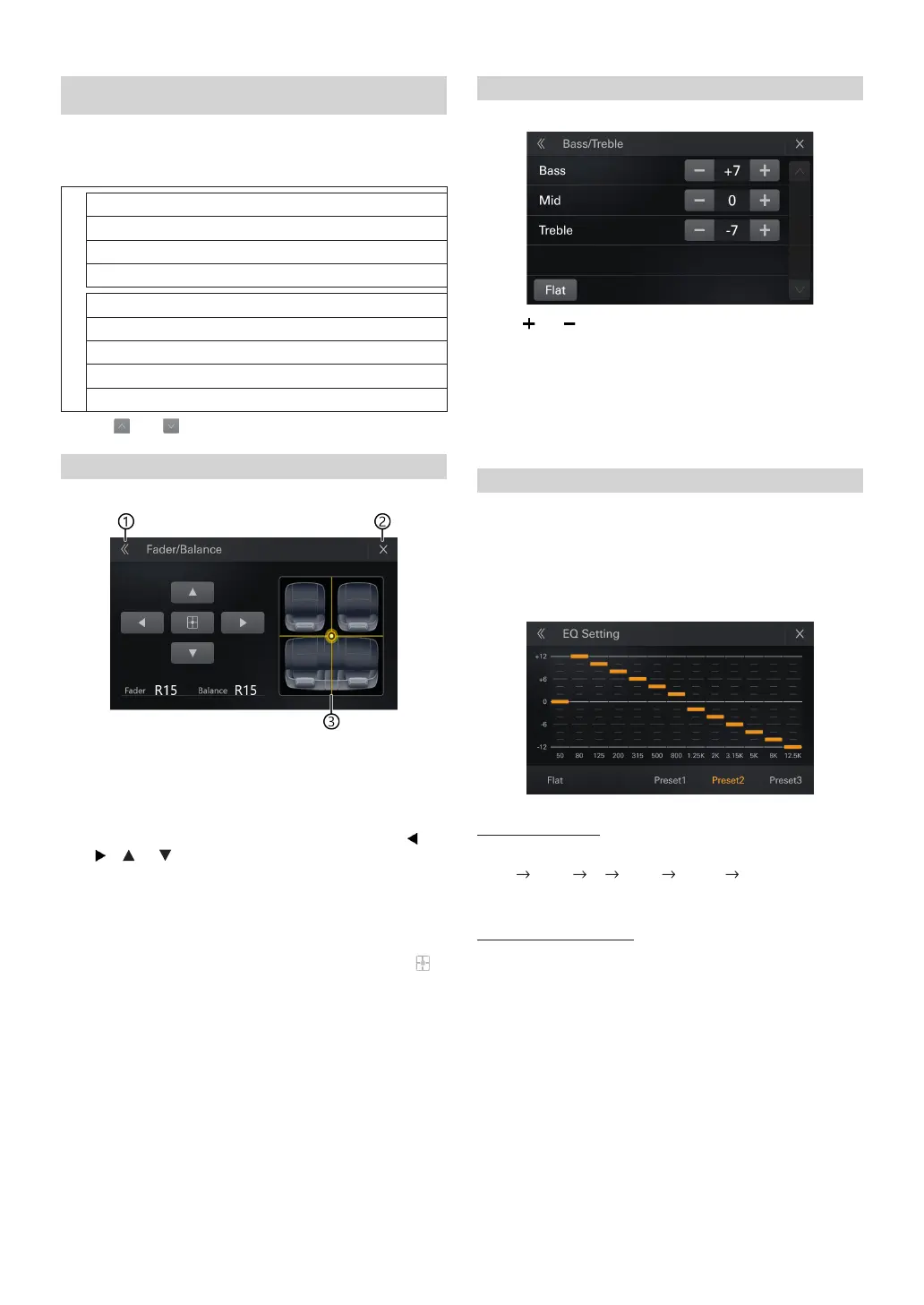
Setting the Fader/Balance
A
Back
Exit[Fader/Balance]Return [SOUND].
B
Close
Close the current screen and return to the source screen
C
Fader/Balance Image area
Touch the desired point within the image area, or touch [ ],
[ ], [ ] or ].
Fader:
[15]Front to [15]Rear
Balance:
[15]Left to [15]Right
•
To reset to the initial setting (Fader: F=R, Balance: L=R), touch [ ].
Adjusting the Bass/Middle/Treble
Touch [ ] or [ ] for each item to be adjusted.
Setting item:
Bass, Middle, Treble
Setting contents:
-7 to 7 (Initial setting: 0)
•
To reset the initial setting (Bass: 0, Middle: 0, Treble: 0), touch [Flat].
•
When the Defeat setting is [On], you cannot perform the set up.
Adjusting the Parametric Equalizer Curve (EQ)
Setting item:
EQ
•
When the Defeat setting is [On], you cannot perform the set up.
1
Adjust the EQ to your preference.
Adjusting the Band
Touch [Band] to select the band to be adjusted.
Band1
Band2
•••
Band8
Band13
Band1
•
You can select a band directly by touching the screen.
Adjusting the Frequency
Touch of “Frequency” to adjust the frequency of the selected band














 To Next Page