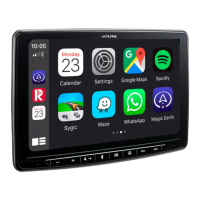
9. Check “Firmware Version” in Setup: → General → About → Firmware Version If the “Firmware Version”
number is displayed as:
X903D-F. X903D-V447, X903D-G6/-G7/-0C3: Th4010.1.4010.1.4010″
INE-F904D. INE-F904T6, X803D-U, X803D-T6/-P6C/-A3/-TT, INE-W720D, INBIN720DM INE-W720-E46/-
LEON/-ML/-S4539/-500X/-500MCA, X703D-F/-A4/-A5/-Q5: “1.4000.1.4000.1.4000” in SETUP menu of the
Alpine Head Unit, this update procedure has been successful.
ALPS ALPINE Europe GmbH, Alpine Brand
Contents [ hide
1 File Downloads
2 Related Manuals
File Downloads
ALPINE Instructions
Software Update Procedure, INE-F904D, X903d, X803D, X703D, INE-
W720D
Download
[optimized]
Download
ALPINE Instructions
Software Update Procedure, INE-F904DC, X903DC, X803DC, INE-W720DC
Download
[optimized]
Download
Related Manuals
1. LG Stylo 6 Software Update Instructions LG Stylo 6 Software Update Instructions Smartphone Product Note –...
2. Acura RDX Software Update Display Audio/Navigation Audio System Software Installation Guide RDX
Software Update Display Audio/Navigation Audio System Software Over the...
3. Why do I need to update my device software? Why do I need to update my device software? Running...
4. Alpine Metal Windmill Stake User Manual User Manual Alpine Metal Windmill Stake Item # KIY102RD, KIY102BL,...
5. Alpine Solar Bluetooth Rock Speaker User Manual Alpine Solar Bluetooth Rock Speaker WHAT’S INCLUDED
FEATURES CHARGING...
6. Alpine Two Jars on Tree Branch Tabletop Fountain Owner’s Manual Alpine Two Jars on Tree Branch Tabletop
Fountain Owner’s Manual...


 To Previous Page
 Loading...