12-EN
Accessory List
• Head unit .............................................................................1
• Power Cable ........................................................................1
• Mounting Sleeve..................................................................1
• Bracket key..........................................................................2
• Flush Head Screw (M5 × 8).................................................6
• Screw (M5 × 8) ...................................................................8
• Front Frame .........................................................................1
• USB extension cable ..........................................................1
• Microphone .........................................................................1
• Owner’s Manual .............................................................1 set
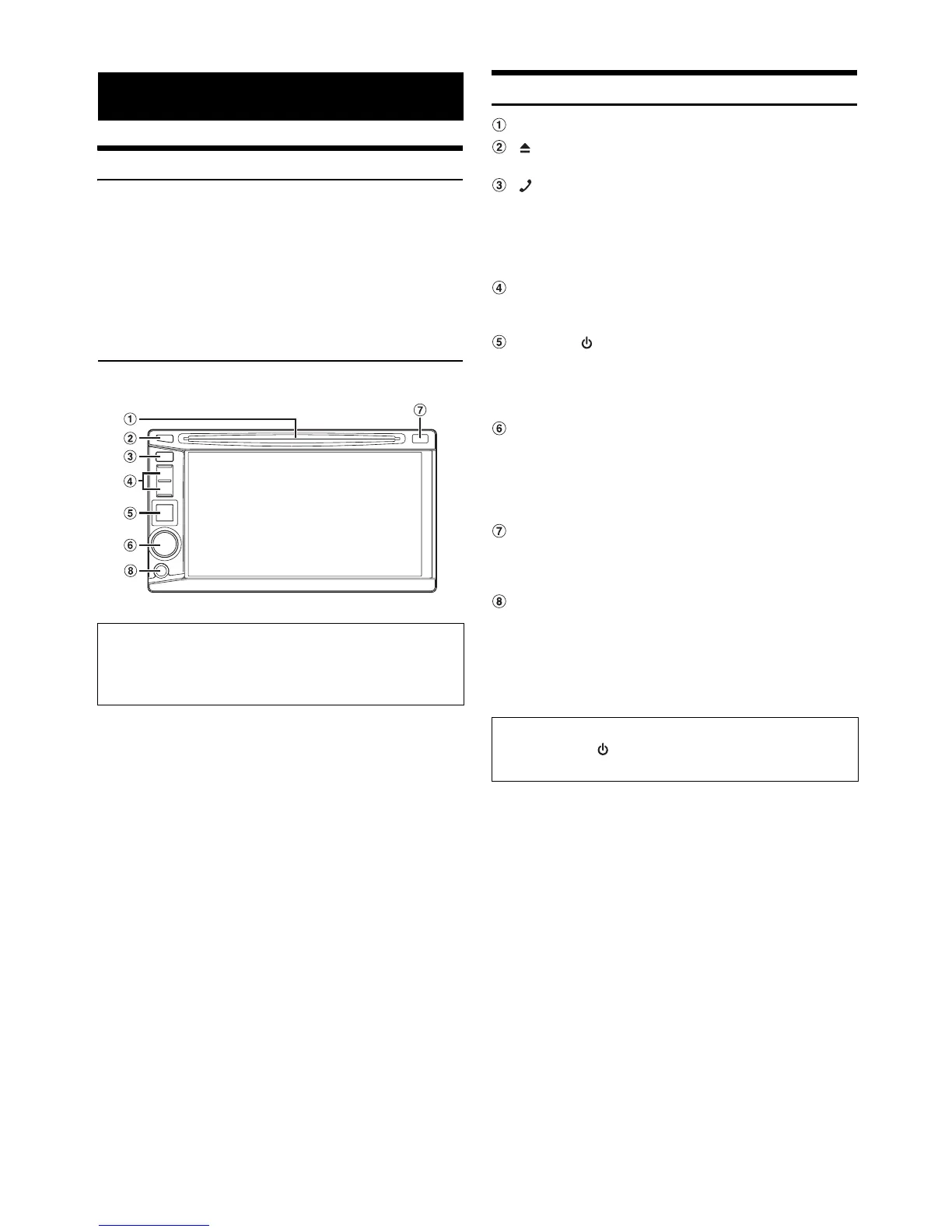
Location of Controls
DISC Slot
button
Ejects a disc.
(Phone) button
• Press to display the Telephone Menu screen.
• Press and hold for at least 2 seconds to activate Voice
Dial mode.
(When BLUETOOTH IN is set to HFP or HFP+AUDIO
(page 38).)
Track tune button
Press to select the desired Radio preset station/track/file/
chapter.
SOURCE/ button
• Turns the power on.
• Press and hold for at least 3 seconds to turn the power
off.
• Recalls the SOURCE selection screen.
Rotary encoder/MUTE/AUDIO
• Adjust the volume by turning to the left or right.
• Press to activate/deactivate mute mode.
• Press and hold for at least 2 seconds to display the
Audio shortcut screen. The Bass level*
1
, Treble level*
1
,
and Subwoofer level*
2
can be adjusted in this mode.
Remote Sensor/Dimmer Sensor
• Point the optional remote control transmitter towards the
remote sensor within a range of 2 meters.
• Senses the brightness of the car interior.
Front AUX Input Terminal
Connects a portable music player, etc., to the system. For
details, see “Operating Auxiliary Devices (Optional)”
(page 47).
*
1
Adjustable only when Defeat is OFF.
*
2
Adjustable only when Subwoofer is ON.
Getting Started
Connectable to Remote Control Interface Box
You can operate this unit from the vehicle’s control unit when
an Alpine Remote Control Interface Box (optional) is
connected. For details, contact your Alpine dealer.
• The buttons on the face of this unit are shown in bold
(e.g. SOURCE/ ). The onscreen buttons that appear in the
display are shown in bold enclosed by [ ] (e.g.[BAND]).



 To Next Page