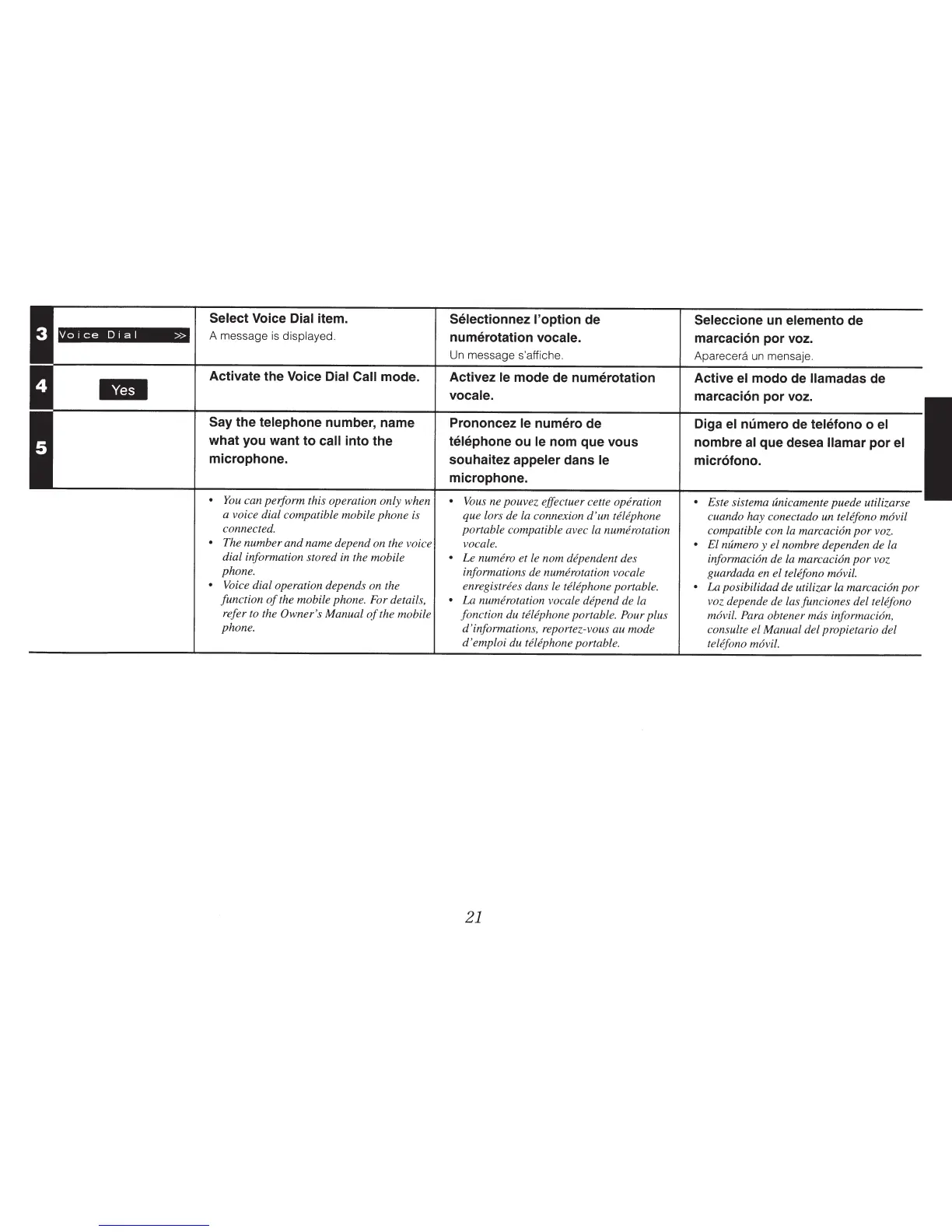
Voice
Dial
>>
Select Voice Dial
item.
A message
is
displayed.
Activate the
Voice Dial Call
mode.
Say
the telephone
number, name
what you want to
call
into the
microphone.
•
You
can perform this operation only when
a voice dial compatible mobile
phone
is
connected.
•
The
number
and
name depend on the voice
dial information stored
in
the mobile
phone.
•
Voice dial operation depends on the
function
of
the mobile phone. For details,
refer to the Owner's Manual
of
the mobile
phone.
Selectionnez l'option de
numerotation
vocale.
Un
message s'affiche.
Activez le
mode de numerotation
vocal e.
Prononcez
le
numero de
telephone
ou
le
nom que
vous
souhaitez
appeler
dans
le
microphone.
•
Vous ne pouvez effectuer cette operation
que lors de la connexion
d'un
telephone
portable compatible avec la numerotation
vocale.
•
Le
numero
et
le nom dependent des
informations de numerotation vocale
enregistrees dans le
telephone
portable.
•
La
numerotation vocale depend de la
fonction du
telephone portable.
Pour
plus
d'informations, reportez-vous au mode
d 'emploi du telephone
portable.
21
Seleccione
un elemento
de
marcaci6n por voz.
Aparecera
un
mensaje.
Active
el
modo de
llamadas
de
marcaci6n por voz.
Diga
el
numero
de
telefono
o el
nombre
al
que desea
llamar
por
el
micr6fono.
• Este sistema unicamente
puede
utilizarse
cuando hay conectado un
telefono movil
compatible con la marcacion
por
voz.
•
El numero y el nombre dependen de la
informacion
de la
marcacion
por
voz
guardada en el telefono
movil.
•
La
posibilidad de utilizar la
marcacion
por
voz depende de las funciones del telefono
movil. Para
obtener
mas
informacion,
consulte el Manual del propietario del
telefono
movil.



 To Next Page