65-EN
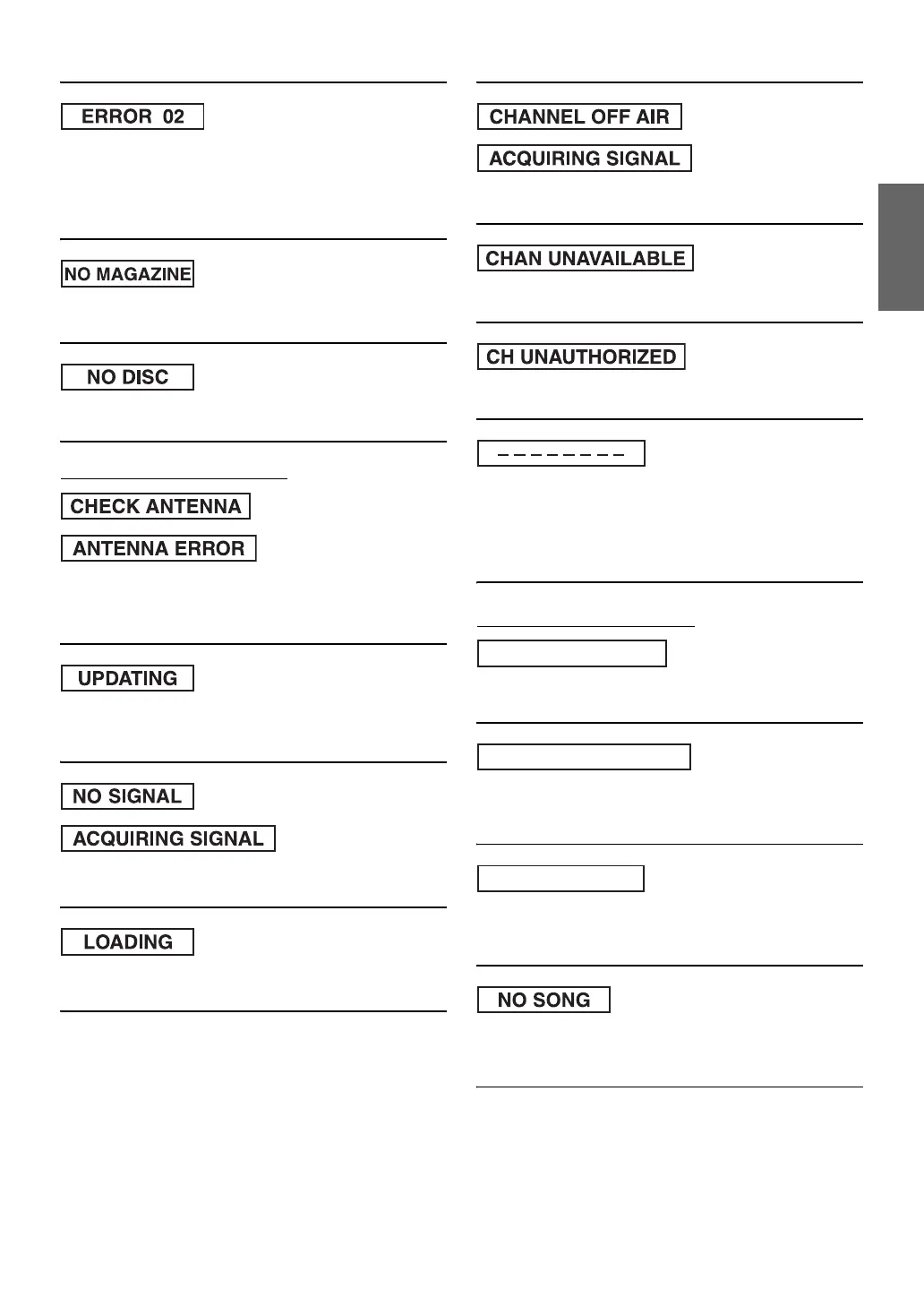
• A disc is left inside the CD Changer.
- Press the eject button to activate the eject function. When the
CD Changer finishes the eject function, insert an empty CD
magazine into the CD Changer to receive the disc left inside
the CD Changer.
• No magazine is loaded into the CD Changer.
- Insert a magazine.
• No indicated disc.
- Choose another disc.
Indication for SAT Receiver Mode
• The XM or SIRIUS antenna is not connected to the XM or
SIRIUS radio module.
- Check whether the XM or SIRIUS antenna cable is attached
securely to the XM or SIRIUS radio module.
• Radio is being updated with latest encryption code.
- Wait until encryption code is being updated. Channels
0 and 1 should function normally.
• XM or SIRIUS signal is too weak at the current location.
- Wait until the car reaches a location with a stronger signal.
• Radio is acquiring audio or program information.
- Wait until the radio has received the information.
• The channel currently selected has stopped broadcasting.
- Select another channel.
• Unavailable channel.
- Choose another channel.
• Unauthorized channel.
- Choose another channel.
• The user has selected a channel number that does not exist or is
not subscribed to.
- The unit will revert back to the previously selected channel.
• There is no artist name/feature, song/program title, or additional
information associated with the channel at that time.
- No action needed. (XM mode)
Indication for iPhone/iPod Mode
• Abnormal current is run to the USB connector device.
- Attempt to connect another iPhone/iPod.
• An iPhone/iPod that is not supported by the unit is connected.
- Connect an iPhone/iPod that is supported by the unit.
- Reset the iPod.
• An iPhone/iPod is not connected.
- Make sure the iPhone/iPod is correctly connected and the cable
is not excessively bent.
• There are no songs in the iPhone/iPod.
- Download songs to the iPhone/iPod and connect to the
iXA-W404.
(XM mode)
(SIRIUS mode)
(XM mode)
(SIRIUS mode)
(XM mode)
(SIRIUS mode)
(XM mode)
(XM mode)
CURRENT ERROR
USB DEVICE ERROR
NO USB DEVICE


 To Next Page