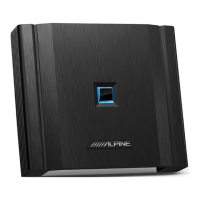
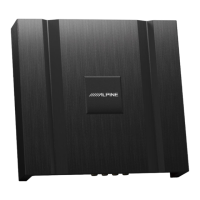
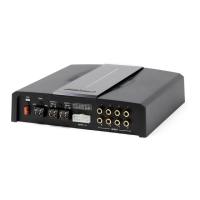
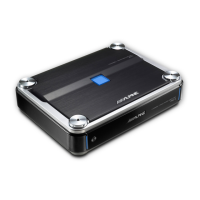
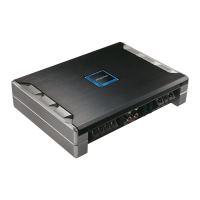
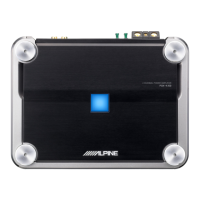
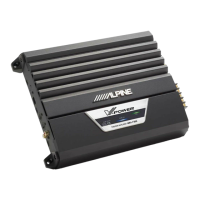
The Alpine PXE-X120-8 is a 12-sound track high-sound-quality audio processing amplifier designed to enhance the audio experience in vehicles. This device serves as a central hub for audio signal processing, offering extensive tuning capabilities through both mobile applications and PC software, ensuring optimal sound reproduction.
Function Description:
The PXE-X120-8 acts as a sophisticated audio processor and amplifier, capable of handling multiple audio input sources and delivering high-quality output to various speakers. Its core function is to allow precise control over audio parameters, enabling users to customize their sound environment.
Key functions include:
- Audio Signal Processing: The device features a 12-sound track architecture, supporting high-resolution audio. It incorporates a parametric EQ and graphic EQ for detailed frequency adjustments, a crossover for signal division, and time correction for precise sound staging.
- Multiple Input Sources: It supports a wide array of input options, including high-voltage-level inputs (H1- to H12+), RCA audio inputs, optical/coaxial digital inputs, and Bluetooth® connectivity. This versatility allows integration with various vehicle audio players and external devices.
- Amplification: The unit includes a built-in power amplifier, providing amplification for speakers connected directly to its high-voltage-level outputs. It also offers RCA audio outputs for connecting external power amplifiers, allowing for flexible system expansion.
- Sound Zone Control: A unique feature is the sound zone switch, which enables flexible matching of audio sources for front and rear sound fields. This allows for independent audio settings and sources for different areas of the vehicle, such as playing navigation tones in the front while entertainment is played in the rear.
- Tuning and Control: The device can be controlled and tuned via a dedicated mobile application ("Alpine Music") for both iPhone and Android, as well as PC software. A wired controller (sold separately) can also be used for basic functions like volume adjustment, audio source selection, and data recall.
- Protection and Safety: The device includes a protection display lamp to indicate operational status and potential issues. It is designed for 12V negative-grounded vehicles and emphasizes professional installation to prevent accidents.
Important Technical Specifications:
The PXE-X120-8 boasts impressive technical specifications that underscore its high-quality audio capabilities:
- Dynamic Range: ≥100dB
- SNR (RCA): ≥100dB
- Background Noise:
- High-voltage-level CH1 ~ CH4: 150uVrms
- CH5 ~ CH8: 105.6uVrms
- RCA: 15.5uVrms
- Channel Resolution: >80dB
- THD (Total Harmonic Distortion): <0.05%
- Input Voltage:
- High-voltage-level: 30Vpp
- RCA: 6.5Vpp
- Output Voltage:
- High-voltage-level CH1 ~ CH4: 40Vpp
- CH5 ~ CH8: 28Vpp
- RCA: 6.5Vpp
- Rated Power (10%THD, 14.4V, 1kHz, 4Ω):
- CH1 ~ CH4: 50W
- CH5 ~ CH8: 25W
- Maximum Power (10%THD, 14.4V, 1kHz, 4Ω):
- CH1 ~ CH4: 100W
- CH5 ~ CH8: 50W
- Input/Output Sensitivity (RCA): 1:1 (no power amplification)
- Frequency Response: 20Hz ~ 40kHz
- System Sampling Rate: 96kHz/24bit
- Input Impedance:
- RCA: 20kΩ
- High voltage level: 4.7Ω
- Output Impedance: 51Ω
- Operating Voltage: 9 ~ 16V
- Quiescent Current: ≤3mA (in off state)
- Stand-by Power Consumption: <0.1W
- REM Startup Input: High voltage level (H1-/H1+), ACC optional
- REM Startup Output: 12V (0.2A)
- Startup Time: 10s
- Operating Ambient Temperature: -20 ~ 70°C
- Storage Temperature: -40 ~ 85°C
- Net Weight: 2.4kg
- Dimensions: 228.2mm × 194.5mm × 45mm
Usage Features:
The PXE-X120-8 is designed for user-friendly operation and extensive customization:
-
Mobile APP Control: The "Alpine Music" app provides a comprehensive interface for tuning.
- Master Volume Control: Adjust the overall volume from 0 to 35.
- Mute Function: Quickly mute/unmute the audio.
- Connection Indicator: Displays Bluetooth connection status (red for disconnected, green for connected).
- Menu Bar: Access various settings like data encryption, DSP treble protection, built-in power amplifier settings, sound effect management (share, save, online, local), shutdown delay, X-Over divider data, device parameter reset, EQ gain step size, channel gain step size, device temperature, voltage, and version number.
- Interface Selection: Navigate between Homepage, EQ, Channel, Delay, and Frequency Combination pages for specific tuning functions.
- Homepage (Full Sound Field): Switch sound zones on/off, select master and auxiliary audio sources (optical, coaxial, Bluetooth, high/low voltage level), adjust master audio source attenuation (0-100%), and save/recall pre-set sound effects.
- Homepage (Sound Zone): When the sound zone switch is on, it allows independent channel settings (0-35 volume range) and audio source selection for Sound Zone I and Sound Zone II. Channels in different sound fields are mutually exclusive, and master/auxiliary audio sources within a zone are mutually exclusive.
- EQ Page: Select output channels (12 available), switch between Parametric EQ and Graphic EQ modes (note: mode switch clears settings), view EQ curve, adjust gain (-12.0dB to +12.0dB), and fine-tune Allpass, Frequency, Q value, and Gain. Reset and restore EQ settings are also available.
- Channel Page: Mute/unmute all channels, adjust channel volume (-60dB to +6dB), select channel phase (normal/reverse), choose channel type from a pull-down menu, adjust bass phase (0°-360°), select debugging groups, reset channel type to factory settings, turn on/off high-pass/low-pass filters, select filter type (Linkwitz-Riley, Butterworth, Bessel), and set divider slope (-6dB/Oct to -48dB/Oct) and frequency (20Hz to 40kHz).
- Delay Page: Select speakers for delay adjustment, set delay values (0.000-20.000ms, 0-692cm, 0-273 inches), choose delay units (ms, cm, inch), and manage 6 delay groups per channel, including muting and phase adjustments.
- Frequency Combination Page: Keep default "Passive" setting for active/passive output (changing it loses sound mixer settings), select channel type, and adjust input channel volume (0-100) to achieve sound mixing and frequency mixing. It is recommended to set total channel volume to 100 to avoid clipping.
-
PC Software Control: The PC software offers similar comprehensive tuning capabilities, mirroring the mobile app's functionalities for detailed adjustments and system management.
- File Management: Load and save scene files.
- Options: Configure DSP treble protection, firmware updates, noise gate, built-in power amplifier, X-Over divider data, sound zone switch, factory reset, shutdown delay, language (English/Chinese), and view version information.
- Encryption: Secure tuned sound effect data with a 6-digit password.
- Device Monitoring: Display device temperature and system operation voltage.
- Clipping Distortion Indicator: Alerts users to adjust signals to avoid distortion (yellow for clipping, gray for balanced).
Maintenance Features:
The device is designed with consideration for longevity and ease of maintenance:
- Regular Cleaning: The product should be cleaned regularly with a soft, dry cloth. For stubborn dirt, only water should be used to dampen the cloth, as other solvents may cause damage.
- Professional Repair: In case of problems, users are advised not to attempt repairs themselves. The product should be returned to an authorized Alpine dealer or service center for professional repair to prevent personal injury or further product damage.
- Installation Guidelines: The manual provides clear instructions on suitable installation sites, advising against direct sunlight, hot sources, high humidity, water sources, dusty sites, and environments with violent vibration to ensure optimal performance and lifespan.
- System Matching: When using active division mode for speakers, it is crucial to ensure the high-pitch frequency division point is above 1500 Hz to prevent damage to high-pitch speakers.
- Safety Precautions: The manual emphasizes keeping small items like bolts and screws out of reach of children to prevent ingestion and severe damage. It also warns against using distracting functions while driving and recommends stopping the vehicle completely before making adjustments.
- Environmental Responsibility: Electronic products should be discarded via appropriate recycling channels to minimize electronic waste pollution.

 Need help?

 To Next Page
 General