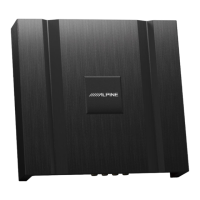
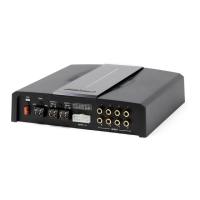
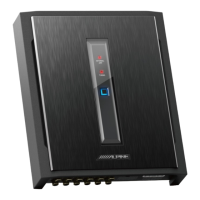
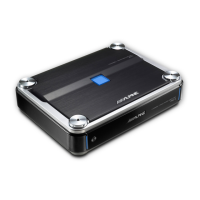
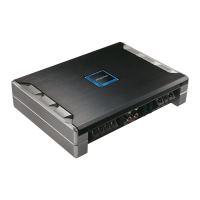
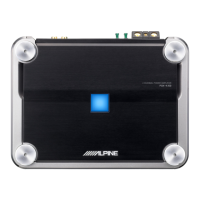
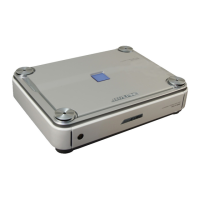
The Alpine PXE-M60-4 is a 6-channel audio processor amplifier designed to enhance in-car audio systems. It offers a comprehensive suite of features for sound tuning and customization, accessible via both mobile app and PC software.
Function Description:
The PXE-M60-4 serves as a central hub for audio processing, taking input from a vehicle's audio player and outputting to loudspeakers and external power amplifiers. It integrates a 6-channel audio processor with an amplifier, allowing for precise control over various audio parameters. Key functions include:
- High Voltage Level Input/Output: Connects to the power output of the vehicle audio player and to loudspeakers.
- Input Select Switch: Allows the device to be started by either ACC (accessory power) or HOST (high voltage input signal FL-/FL+).
- RCA Audio Out: Provides a set of RCA audio signal outputs for connection to external power amplifiers.
- USB 2.0 Interface: Facilitates connection to a computer for detailed sound tuning and settings.
- Wired Controller Interface: Supports an optional wired controller or Alpine media player for system extension.
- Bluetooth Connectivity: The device is embedded with Bluetooth, enabling wireless control and audio streaming.
Important Technical Specifications:
The PXE-M60-4 boasts robust specifications for high-fidelity audio:
- Dynamic Range: ≥98dB
- SNR (RCA): ≥95dB
- Background Noise: High level: 75uVrms; RCA: 12uVrms
- Channel Resolution: ≥75dB
- THD: ≤0.01%
- Input Voltage: High level: 28Vpp
- Output Voltage: High level: 28Vpp; RCA: 6.5Vpp
- Rated Power: 4CHX25W (4Ω, 14.4V, 1kHz, 10%THD)
- Maximum Power: 4CHX50W (4Ω, 14.4V, 1kHz, 10%THD)
- Input/Output Sensitivity: 1:1.25 (no power amplification)
- Frequency Response: 20Hz ~ 20kHz
- System Sampling Rate: 48kHz/24bit
- Input Impedance: High level: 20Ω
- Output Impedance: 4Ω
- Operating Voltage: 9 ~ 16V
- Quiescent Current: ≤2.3mA (in off state)
- Stand-by Power Consumption: ≤0.1W
- REM Startup Input: High level (FL-/FL+) or AAC optional
- REM Startup Output: 12V (0.2A)
- Startup Time: 10s
- Operating Ambient Temperature: -20~60°C
- Storage Temperature: -40~85°C
- Net Weight: 1.2kg
- Dimensions: 160mm X 140mm X 38mm
Functional Parameters:
- Input Signals: 4 channels of high level, high resolution Bluetooth.
- Output Signals: 4 channels of high level, 2 channels of RCA audio.
- Signal Gain of Output Channel: Range: mute, -60dB ~ +6dB.
- Output Signal Equalizer:
- Type: parametric EQ, graphic EQ.
- Frequency: 20Hz ~ 20kHz, resolution: 1Hz.
- Q value (slope or gradient): 0.404~28.852.
- Gain: -12.0dB ~ +12.0dB, resolution: 0.1dB ~ 0.5dB ~ 1.0dB.
- Output Signal Frequency Divider: Each output channel is equipped with independent multi-order high-pass filter.
- Filter type: Linkwitz-Riley, Bessel, Butterworth.
- Filter cross-over frequency: 20Hz ~ 20kHz, resolution: 1Hz.
- Filter slope (gradient): -6dB/Oct~-48dB/Oct.
- Output Phase: Normal phase or reverse phase (0°/180°).
- Output Delay: 0.000~7.354ms, 0~254cm, 0~100inch.
- Pre-set Sound Effects: Multiple sets of pre-set sound effects data can be saved in the device, and online sound effects can be called.
Usage Features:
The PXE-M60-4 offers flexible control through a mobile app (for both iPhone and Android) and PC software, catering to both general users and professional tuners.
Mobile App (General User Mode):
- Master Volume Control: Drag and rotate fader or use "+" and "-" buttons (range 0-35).
- Mute Button: Mutes the master volume.
- Connection Indicator: Shows Bluetooth connection status (red for disconnected, green for connected).
- Menu Bar: Allows checking device version.
- Mode Switch: Toggles between General User and Professional User modes (General User is default).
- Homepage: Supports quick operations like audio source switching, pre-set sound effects recall and saving, and device version check.
- Master Audio Source Selection: Choose between High Level and Bluetooth.
- Master Audio Source Attenuation: Adjust attenuation from 0% to 100%.
- Auxiliary Audio Source Selection: Choose between High Level, Bluetooth, and OFF.
- Pre-set Sound Effects: Save or recall multiple pre-set sound effects (Recall, Save, Delete options).
Mobile App (Professional User Mode):
Requires a 6-digit password ("888888") to access. Offers advanced tuning capabilities across five pages: Homepage, EQ, Channel, Delay, and Frequency Combination.
- Menu Bar: Provides options for data encryption, shutdown delay, sharing/saving/selecting online/local sound effects, checking device temperature, setting EQ gain step, and checking version number.
- Interface Selection: Accesses EQ, Channel, Delay, and Frequency Combination pages.
- EQ Page:
- Output Channel Selection: Slide left/right to select one of 6 channels for EQ adjustment.
- Parametric EQ/Graphic EQ Switch: Toggles between modes (switching loses previous settings).
- Gain Adjustment: Pull fader up/down (range -12.0dB to +12.0dB).
- Frequency, Q Value, Gain Adjustment: Adjustable in Parametric EQ; gain adjustable, frequency/Q fixed in Graphic EQ.
- Reset EQ: Resets EQ settings.
- Restore EQ/Direct EQ: Switches tuned EQ data to direct state, or restores previous data.
- Channel Page:
- Debugging Modes: "Copy channel EQ/volume from Left to Right" or "Copy channel EQ/volume from Right to Left".
- Locking: Locks the current channel type.
- Reset Channel Type: "Clear" for Empty, "Default" for Factory setting.
- Channel Gain: Adjust fader left/right (-60dB to +6dB); speaker button for mute.
- Channel Phase: Select Normal or Reverse phase.
- Channel Type: Select output channel type from pop-up window.
- Divider: Turn low-pass filter on/off.
- Filter Type: Select Linkwitz-Riley, Butterworth, or Bessel (not settable if slope is -6dB/Oct).
- Frequency Divider Slope: Select slope from -6dB/Oct to -48dB/Oct.
- Divider Frequency: Select frequency between 20Hz and 20kHz.
- Delay Page:
- Speaker Selection: Select speaker of corresponding channel; click to mute/unmute.
- Delay Setting: Adjust delay via fader or "+"/"-" buttons.
- Unit of Delay: Choose ms, cm, or inch (ranges: 0.000~7.354ms, 0~254cm, 0~100inch).
- Delay Group: 3 delay groups available per channel.
- Frequency Combination Page:
- Active/Passive Output: Default "Passive" (changing loses sound mixer settings).
- Input Channel: Adjust volume of each audio source via fader or "+"/"-" for sound/frequency mixing. Total channel volume should be 100 to avoid clipping.
PC Software Interface:
Offers a comprehensive graphical interface for detailed sound tuning and system management.
- Temperature Display: Detects device surface temperature.
- File Management: Load/save scene files (individual or all).
- Options: Firmware update, noise gate, factory reset, shutdown delay, language switch, version check.
- Encryption: Set 6-digit password for sound effect data.
- EQ Gain Step Size: Choose step size (0.1dB, 0.5dB, 1.0dB).
- Master Volume: Adjust fader (0-35).
- Homepage: Master audio source selection (High Level, Bluetooth), Mix audio source selection (High Level, Bluetooth, OFF), master audio source attenuation, pre-set sound effects recall/saving, online sound effects.
- EQ: Access professional tuning interface.
- TCR (Time Correction): Set delay value, unit, and delay group.
- Mix: Sound mixing and frequency mixing settings.
- Output Channel Display: Shows current output channel curve.
- EQ Curve: Displays current EQ curve status; set frequency, Q value, and gain.
- Frequency, Q Value, Gain: Adjusts these parameters for the output channel.
- Parametric EQ, Graphic EQ: Switches between modes (switching loses settings).
- Low-pass Filter: On/off, filter type (Linkwitz-Riley, Butterworth, Bessel), divider frequency (20Hz-20kHz), divider slope (-6dB/Oct to -48dB/Oct).
- High-pass Filter: On/off, filter type (Linkwitz-Riley, Butterworth, Bessel), divider frequency (20Hz-20kHz), divider slope (-6dB/Oct to -48dB/Oct).
- Channel Phase: Select normal or reverse phase.
- Channel Gain: Adjust fader (-60dB to +6dB).
- Reset Channel Type: "Clear" for Empty, "Default" for Factory setting.
- Locking: Locks current channel type.
- Sync: "Copy channel EQ/volume from left to right" or "Copy channel EQ/volume from right to left".
- Direct EQ, Restore EQ: Switches tuned EQ data to direct state, or restores previous data.
- Reset EQ: Resets EQ settings.
- Output Channel: Configure type of output channel; mute speaker.
- Connection Indicator: Connects PC to device via USB cable; click again to disconnect.
Maintenance Features:
- Product Maintenance: Regularly clean with a soft, dry cloth. For tough stains, use water to dampen the cloth; avoid other solvents.
- Repair: In case of problems, do not attempt self-repair. Return the product to an authorized Alpine dealer or service center.
- Temperature: Ensure the vehicle's internal temperature is between -20°C and +60°C before starting the device.
- System Matching: When using active division mode with PXE-640E-EL, ensure crossover frequency is above 1500 Hz to prevent tweeter damage.
- Installation Environment: Avoid direct sunlight, hot sources, high humidity, water sources, dusty environments, or areas with violent vibration.
- Disposal: Electronic products should be discarded via an appropriate recycling channel to reduce electronic waste pollution.
Safety Precautions:
- Prohibited Actions: Do not disassemble or refit the device, as this may cause damage, fire, or electrical hazard.
- Mandatory Operations: Use device functions that may influence attention only when the vehicle is stopped completely.
- Warning: Maintain audible volume while driving to hear outside noise. Excessive volume can cause permanent hearing damage.
- Caution: Stop using the device immediately if problems occur.
- Power Supply: Suitable only for 12V negative-grounded vehicles.
- Wiring/Installation: Requires professional expertise for wiring and installation.
- Children: Keep small items (bolts, screws) out of reach of children.
- Driving Distraction: Do NOT use functions that may distract you while driving.

 Need help?

 To Next Page
 General