12
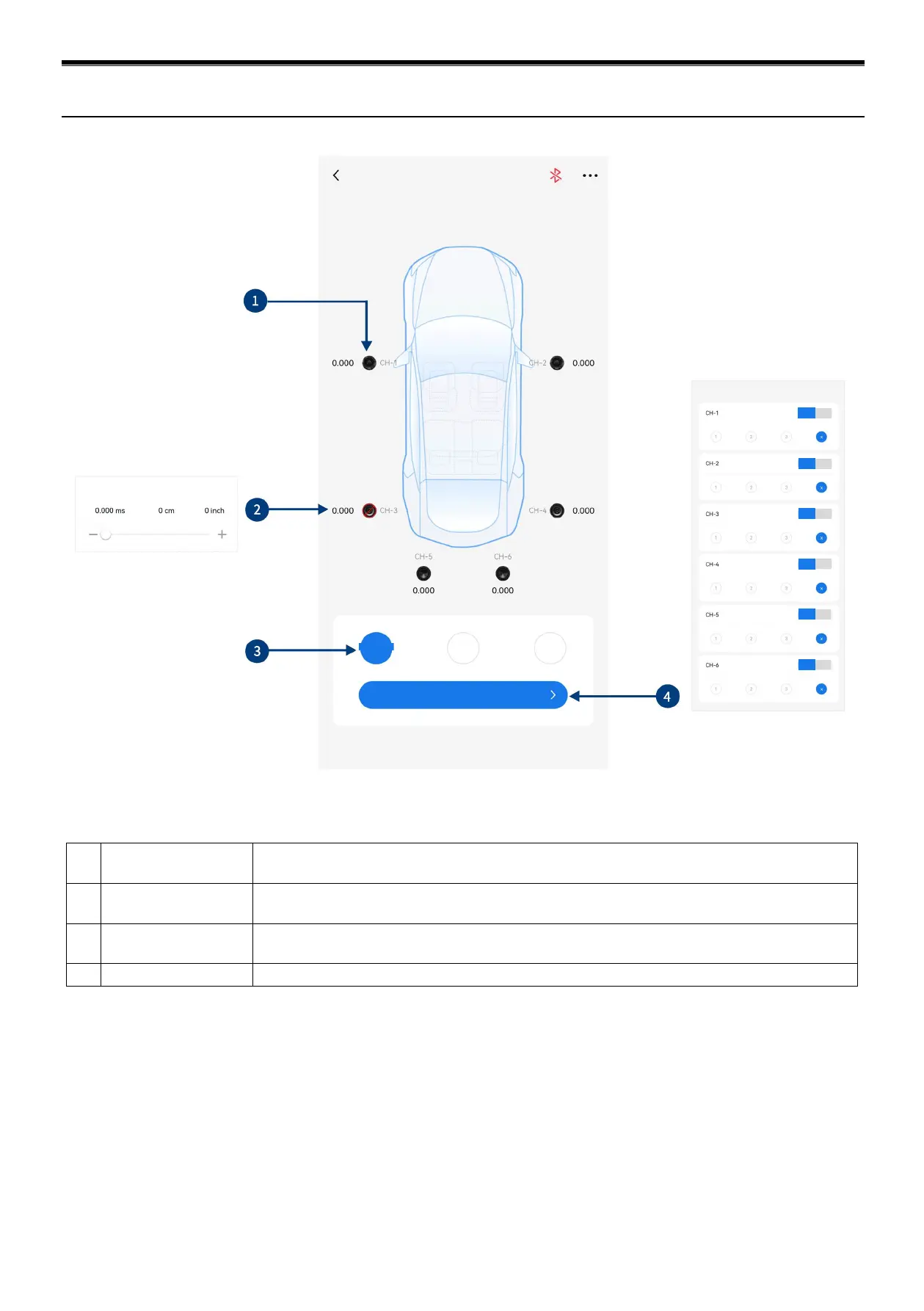
1 Speaker
Select the speaker of the corresponding channel, click the speaker to mute it, click it again to
unmute.
2 Delay setting
Select the corresponding speaker, push the fader left and right on the pop-up window to adjust
the delay, or click "+" and "-" to adjust the delay.
3 Unit of delay
Units of delay to choose from include ms, cm, and inch. Adjusting range: 0.000 ~ 7.354
milliseconds, 0 ~ 254 centimeters, and 0 ~ 100 inches.
There are 3 delay groups to choose from for each channel.
Rear right full frequency
Front right full frequency
Front left full frequency
Diagram of Mobile App (Delay)


 To Next Page