13
1
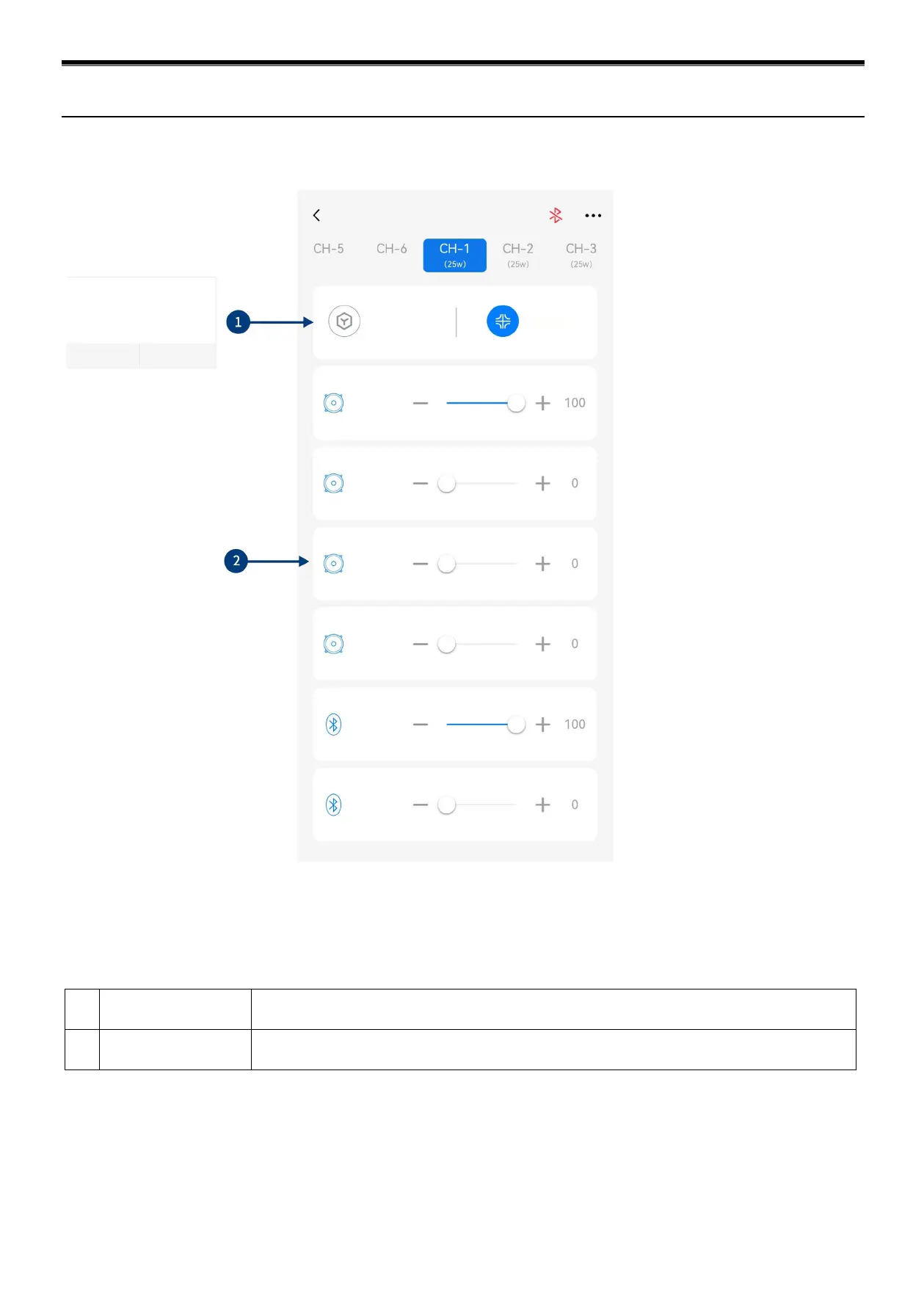
Keep the default setting as "Passive".
Warning: if changed, you will lose the sound mixer setting of this channel.
2 Input channel
Push the fader left and right or press "+" and "-" to adjust the volume of each audio source in the
channel to achieve the purpose of sound mixing and frequency mixing.
Caution: It is strongly recommended to set the total volume of a channel to 100 to avoid clipping.
Description of mobile APP - Frequency
combination
Frequency
combination (CH-1)
Switch prompt
If you switch mode, the set data will be cleared.
Are you sure to continue?
Diagram of Mobile App (Frequency Combination)


 To Next Page