8
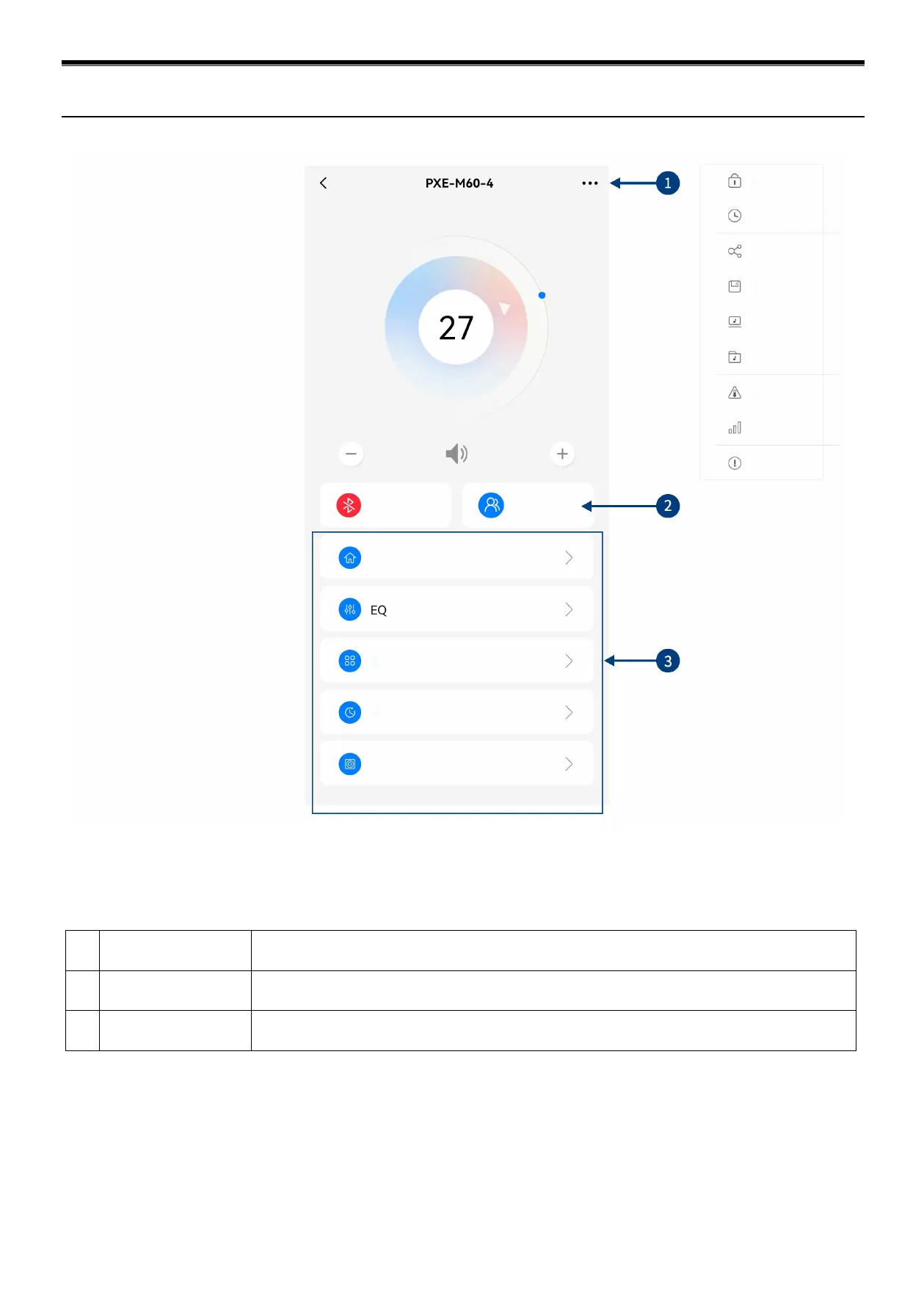
1 Menu bar
You can encrypt data, set shutdown delay, share sound effect, save sound effect, select online
effect, select local effect, check device temperature, set EQ gain step, and check version number.
2 Mode switch
Switch between General User mode and Professional User mode. Type in 6-digit password
"888888" to enter Professional User mode, which supports professional tuning operation.
3 Interface selection
Profession User mode has 5 pages of different functions of tuning; Homepage, EQ,
Channel, Delay and Frequency combination.
Diagram of Mobile App (Professional User)


 To Next Page