9
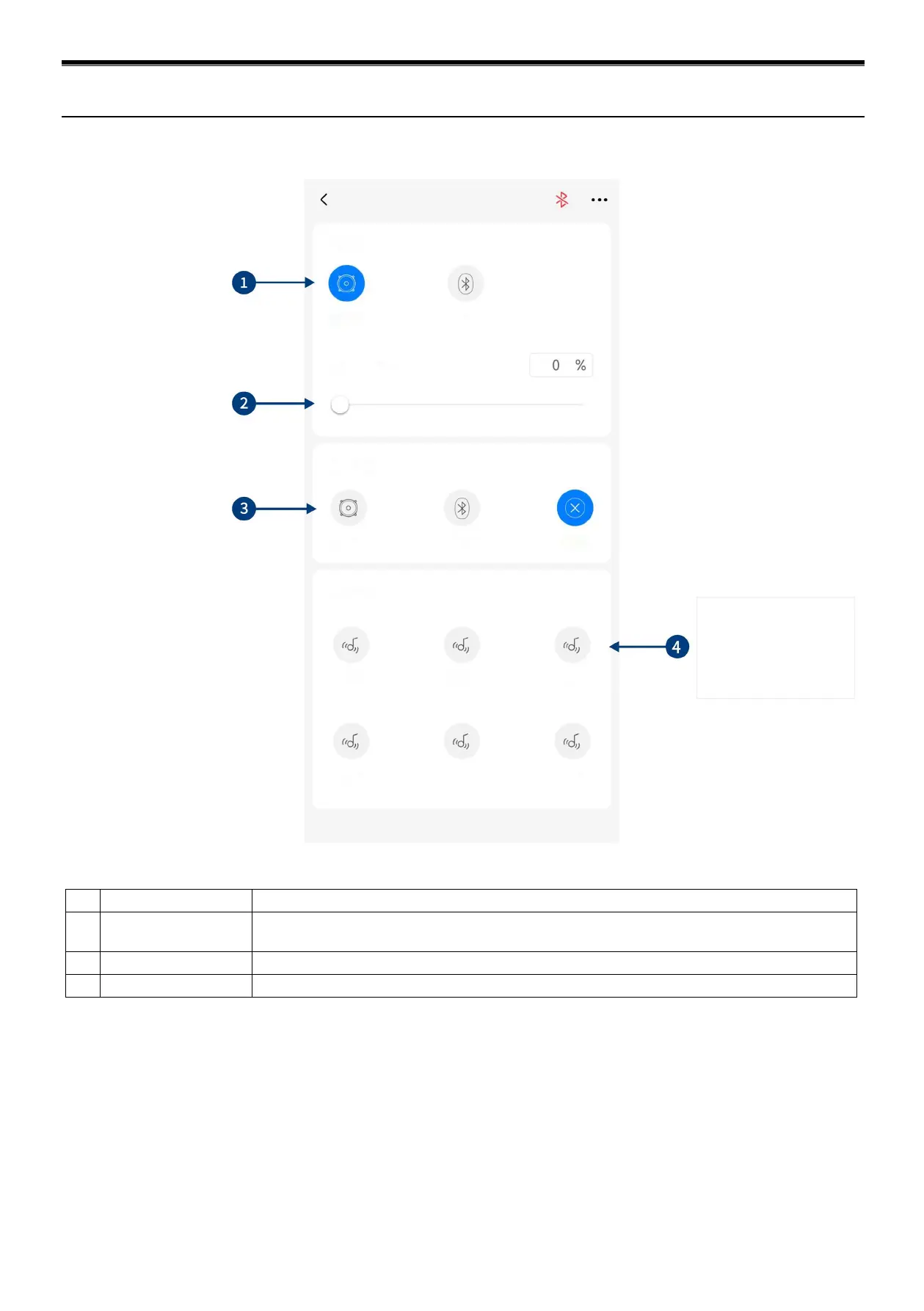
Select master audio source (High Level and Bluetooth).
2
Master audio source
attenuation
The higher the attenuation of master audio source, the lower the master volume is. The range of
attenuation is 0% ~ 100%.
Select auxiliary audio source (High Level, Bluetooth and OFF).
Save or recall multiple pre-set sound effects.
Caution: If the current audio source mode is selected, this mode cannot be superimposed any more. Otherwise, the auxiliary
audio source will be invalid.
Master audio source attenuation
Diagram of Mobile App (Home Page)


 To Next Page