7
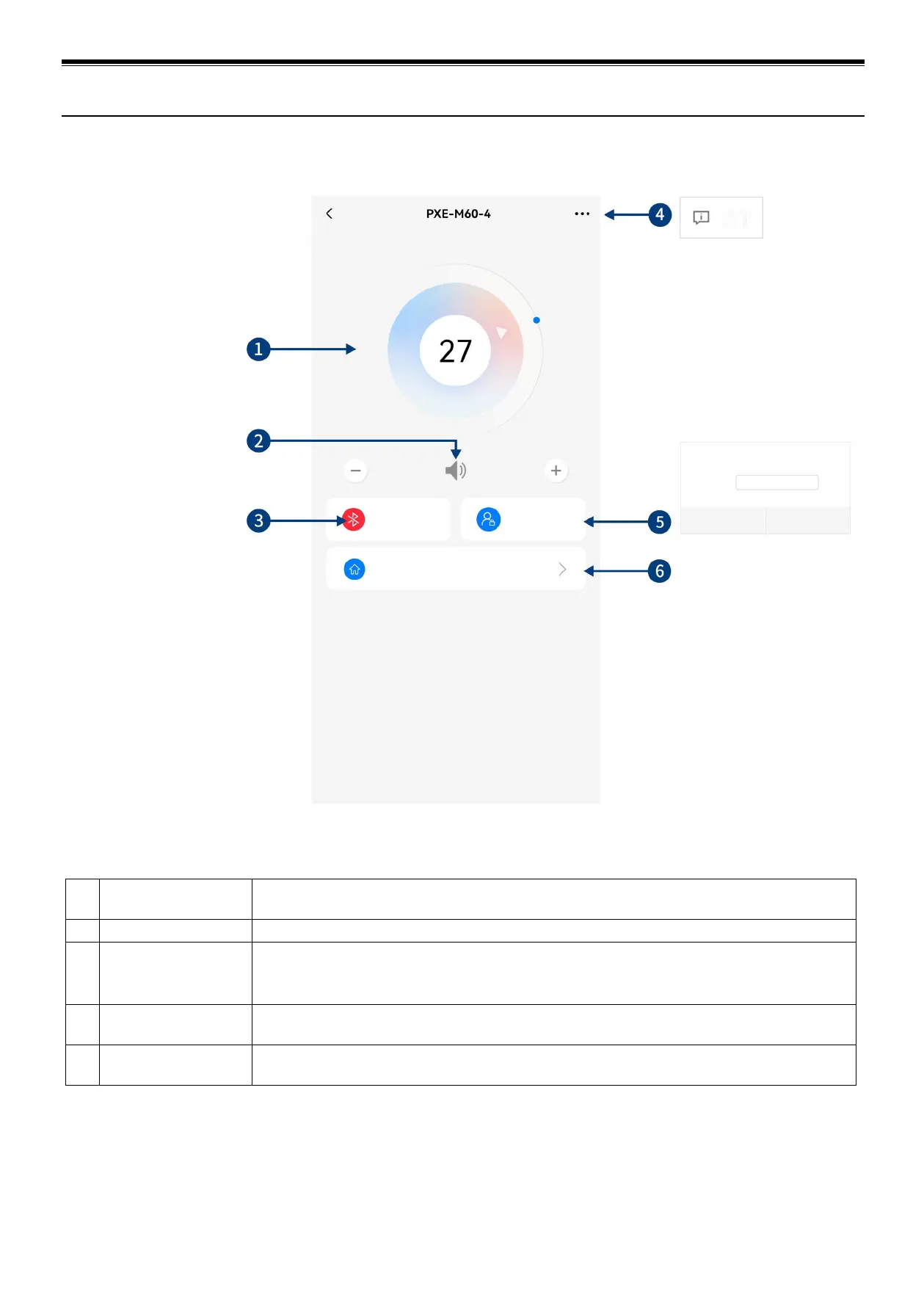
1 Master volume
Drag and rotate the volume adjustment fader or click "+" and "-" to adjust the master volume. The
volume adjusting range is 0~35.
3 Connection indicator
When the Bluetooth icon is red, the mobile phone Bluetooth is not connected; when it is green,
the mobile phone Bluetooth is connected.
5 Mode switch
Switch between General User mode and Professional User mode (General User is selected by
default).
6 Homepage
General User mode only supports quick operations including audio source switch, pre-set sound
effects recall and saving, and device version check.
Please type in a six-digit password
Diagram of Mobile App (General User)


 To Next Page