- 3 -
Operating the unit
1.
The unit supports the following operation:
· Turning the Rotary Knob: Volume up/down
· Pressing the Rotary Knob: Camera screen display
*
Press the knob to toggle between front and rear camera (if present).
· Pressing and holding the Rotary Knob: Camera screen display o
If the device does not function after making a connection, follow the
procedure on page 2 to replace the battery and then try reconnecting.
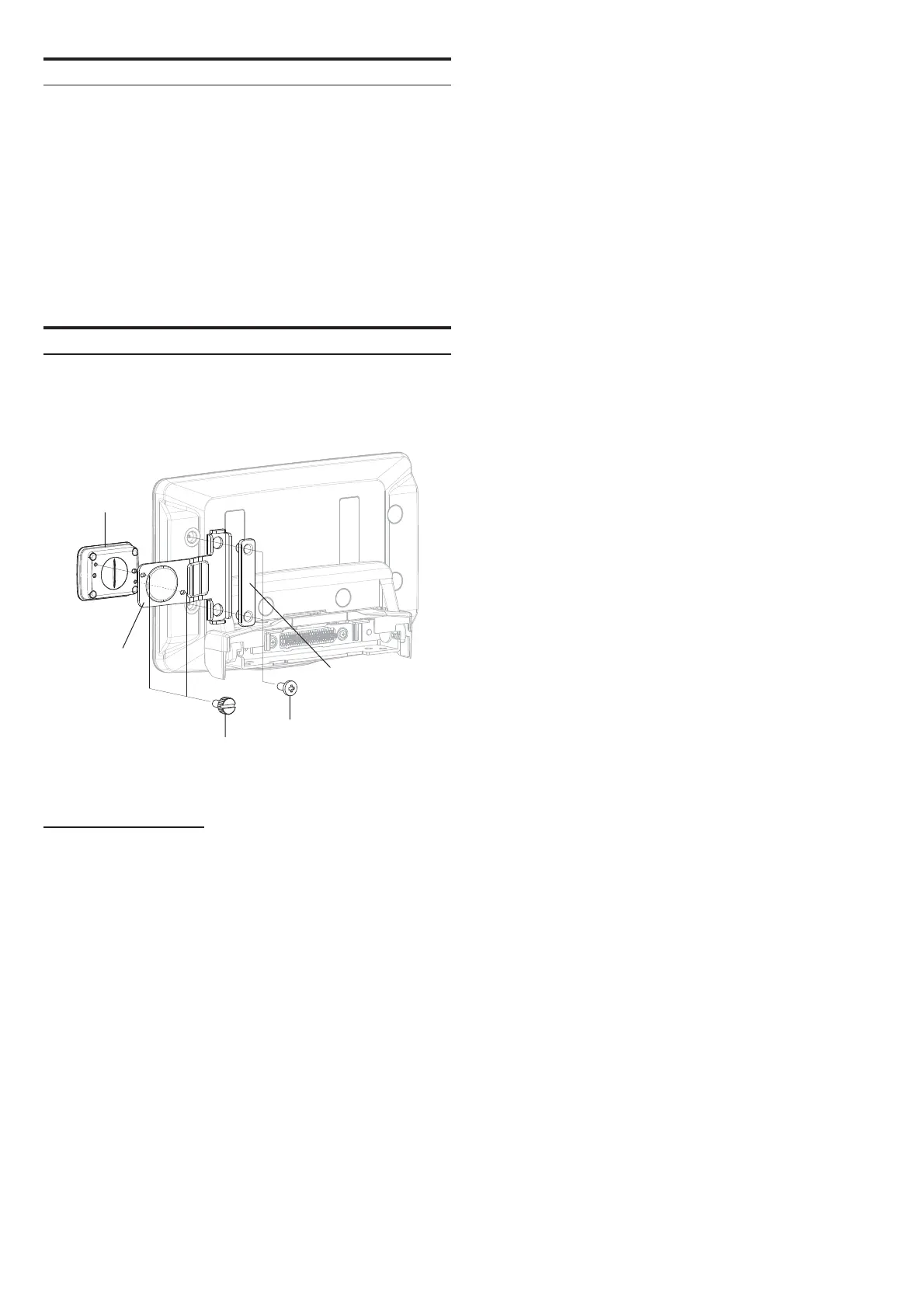
Mounting example
1.
The enclosed mounting bracket can be used to mount the unit to
iLX-F509A/F511A. (The unit can be mounted on the left or right
side).
RUE-BK01A
Mounting
Bracket1
Mounting
Bracket2
Screw1
Screw2
Bluetooth SECTION
Bluetooth Speci cation Bluetooth LE class 2
2,402 to 2,480 MHz
[max. ‐3.62dBm / 0.8mW (EIRP)]
Pro le HOGP



 To Previous Page