FR
ES
DE
SE
IT
7-EN
Switching Display Modes
1 Press the DISPLAY button or press and hold the
SETUP button for at least 2 seconds. Each press
changes the display modes as follows:
MODE 1 MODE 2 MODE 3 MODE 4
(WIDE) (ZOOM) (CINEMA) (NORMAL)
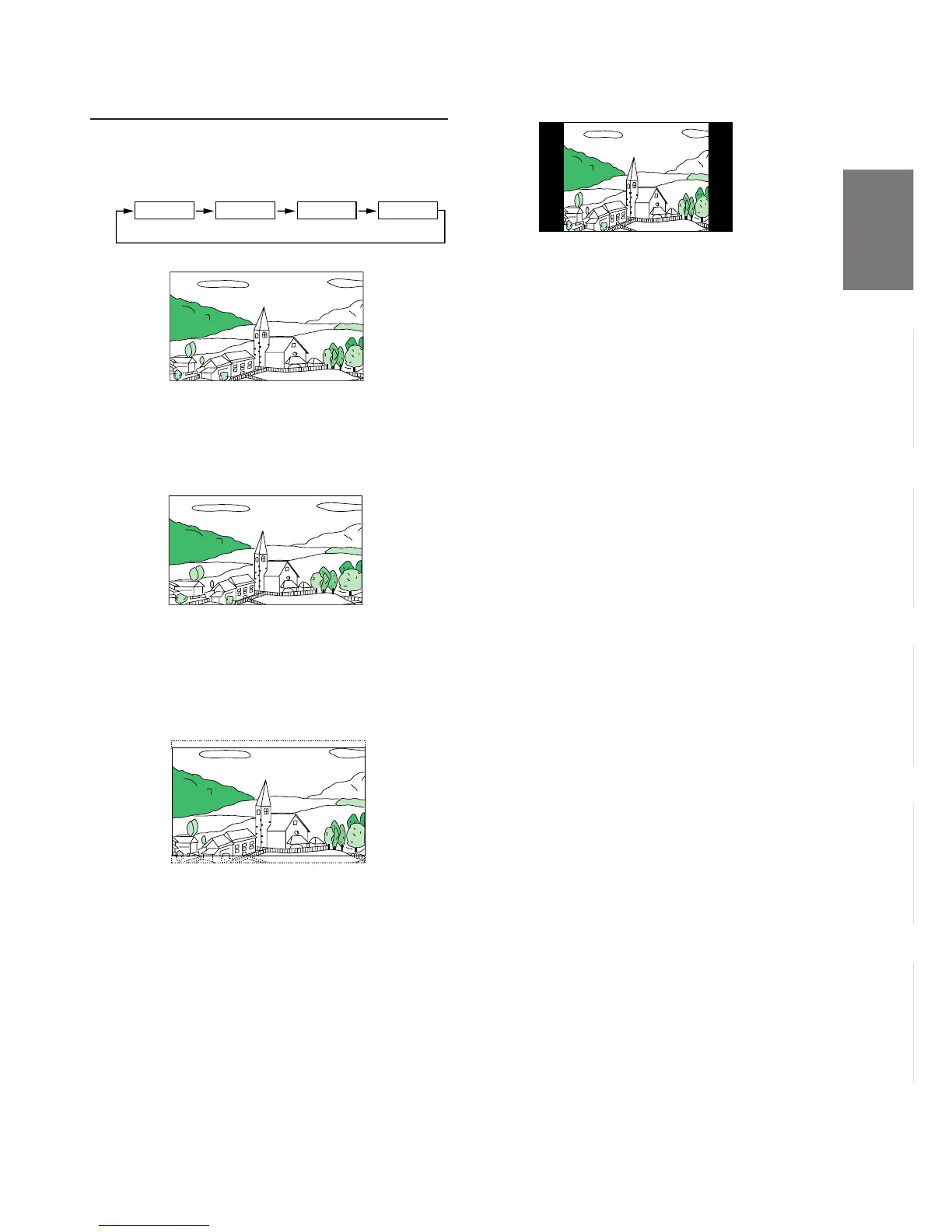
MODE 1 (WIDE)
MODE 3 (CINEMA)
MODE 2 (ZOOM)
Stretches the normal image evenly in a
horizontal direction so that it is displayed on the
entire screen.
Stretches the normal image evenly in a
horizontal direction so that it is displayed on the
entire screen. The stretching ratio increases the
closer to the left or right edge of the screen.
Stretches the normal image horizontally and
vertically.
The top and bottom of the screen is cut slightly
to adapt it to a cinema size image with a
proportion of 16:9.
A normal television broadcasting (4:3) image is
displayed in the center (normal image).
MODE 4 (NORMAL)


 To Next Page