11
Sound setting
Audio setting
You can set this device flexibly based on your preference and purpose. You can change audio settings in the
sound setting menu.
Use steps 1 to 5 to choose any setting mode to change the setting. For a detailed description of the selected
setting items, please refer to the applicable sections below.
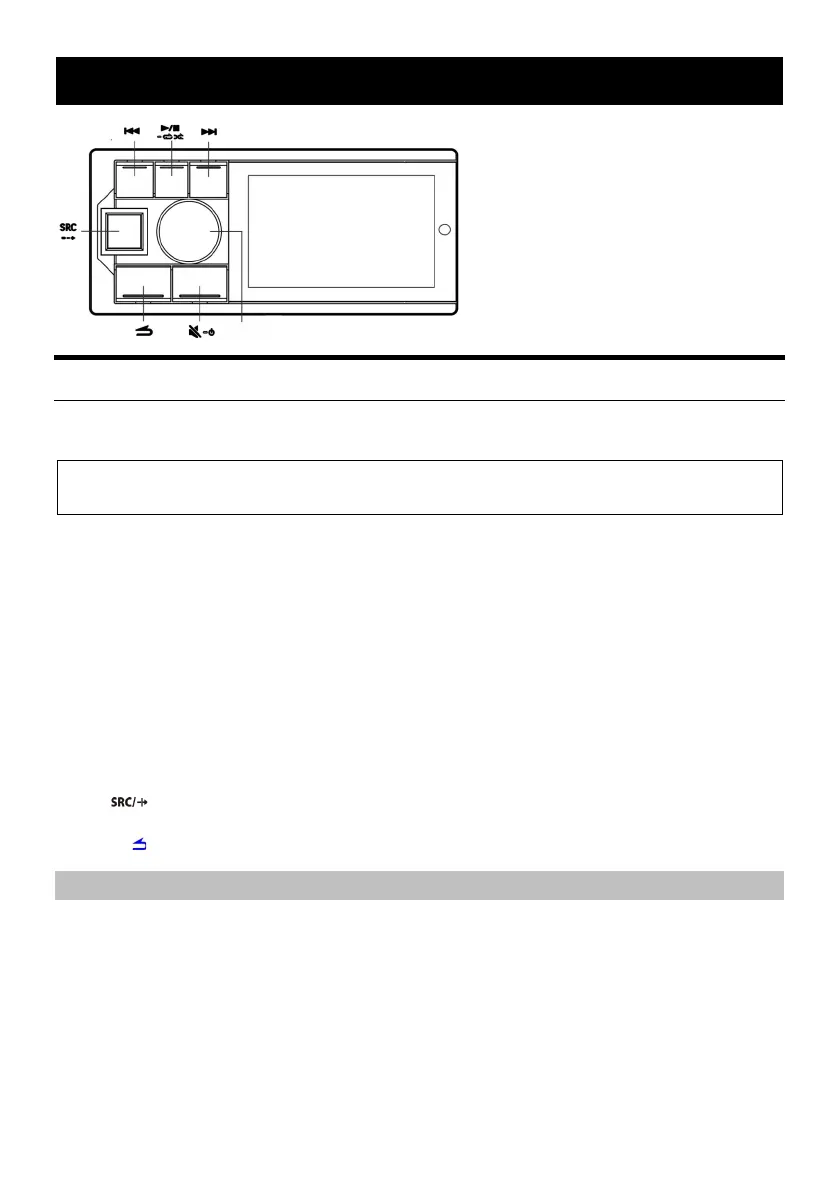
1 Press and hold the knob for at least 2 seconds to enter the settings interface.
2 Turn the knob to select “Sound Effect Setting” and then short press the knob.
Preset Equalizer
*1
↔ Sound Effect Setting ↔ Sound Effect Clear Setting ↔ General ↔ Bluetooth
*1 When “Sound Effect Clear Setting” is enabled, adjustments cannot be made.
3 Turn the knob to select the “Sound Effect Setting” menu and then short press the knob.
Treble
*2
↔Bass
*2
↔Mega Bass↔Parametric Equalizer↔Channel Balance↔Fader
*3
↔Input Source
Volume↔Time Correction↔Divider Settings
*4
↔Sound Setting Storage
*2 Any change made to the “Preset Equalizer” or “Parametric Equalizer” will be reflected in the settings of
the other.
*3 When the “Divider Settings” is set to “Active Divide by 3”, adjustment cannot be made. Please refer to
“About the divider” for more information.
*4 Depending on the “Divider Settings”, the setting items may be different. Please refer to “About the
divider” for more information.
4 Turn the knob to change the setting or enter the next level, and then short press the knob.
5 Press to deactivate setting mode.
Note:
Press to return to the previous sound menu mode.
Preset equalizer
A total of 10 typical equalizer settings will be preset in the factory for a variety of audio source materials.
Standard (initial setting) ↔ Popular ↔ Rock ↔ News ↔ Jazz ↔ Electronic ↔ Hip-hop ↔ Light music ↔
Country ↔ Classic ↔ Custom
Note:
The "Custom" item will be displayed when adjustment is made to the Bass/Treble or Parametric
Equalizer settings, and the “Custom” item will be displayed.



 To Next Page