Chevrolet/GMC
FULL SIZE TRUCK z 16/17
Set Up Guide
1 Turn the vehicle’s Ignition switch to ACC.
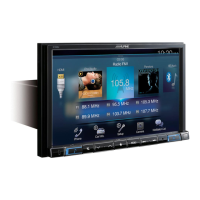
2 Turn ON the X110-SLV by pressing any key.
3 Select the user language and press OK.
4 Press and release the parking brake twice.
5 If a camera is present, turn it ON in the system menu.
(MENU/SETUP/SYSTEM/CAMERA/CAMERA SELECT)
6 AUDIO MUTE ON REVERSE- By default, when the vehicle is shifted into reverse the AUDIO will MUTE. If this
feature is not desired turn it off in the AUDIO MENU (MENU/SETUP/SOUND/MUTE WHILE BACKING UP)
7 Set the DVD player. (MENU/SETUP/SOURCE/HDMI)
8 When the KCX-630HD (HDMI SELECTOR) is present be sure to turn it ON in the SETUP MENU. (MENU/
SYSTEM/EXTERNAL ACCESSORIES/HDMI SELECTOR)
9 When the KAC-001 (External Accessory Control Module) is present be sure to turn it ON in the SETUP MENU.
(MENU/SYSTEM/EXTERNAL ACCESSORIES/EXTERNAL ACCESSORY CTLR)
10 Vehicle information- Set the desired gauge information.
(MENU/VEHICLE INFO/GAUGES/CAR SETTINGS)


 To Next Page