AlpsAV.com
7
INSTALLATION INSTRUCTIONS
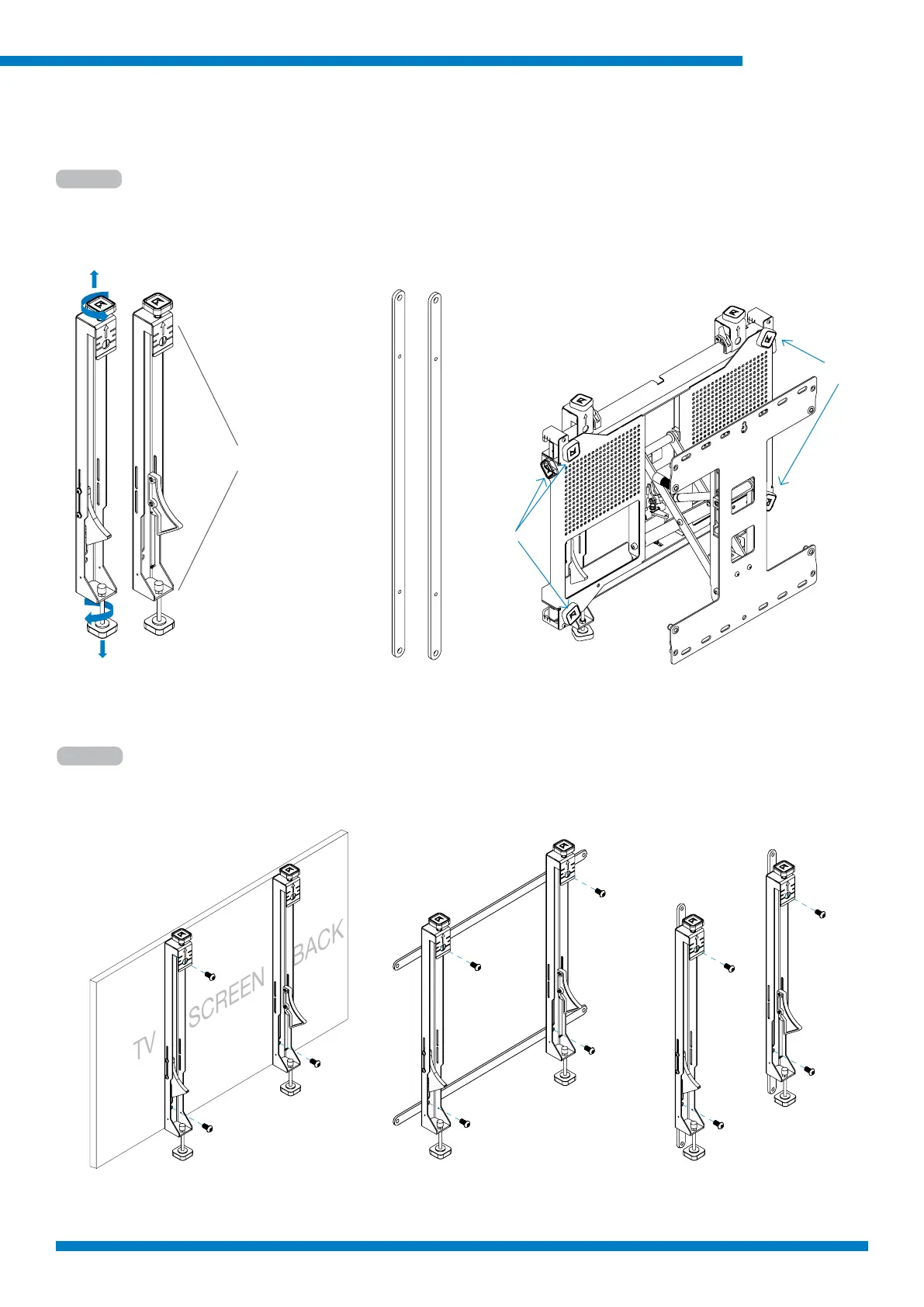
Step 1
Open top and bottom
Handwheels
Interface Arms Extension Arms
Step 2
Attach the interface adaptors to the at screen
The interface arms t from VESA 200 x 100mm through 400 x 400mm.
For 600 x 400mm or 400 x 600mm use supplied extension arms.
For VESA 600x400 LandscapeVESA 400x400
(Shown)
For VESA 400x600 Portrait
Unpack and check all parts
Open top and bottom handwheels on Interface Arms (closed for shipment).
Check depth and lateral adjustment knobs are centered in adjustment range.
Center
Center



 To Next Page