Installation guide
8
SINGLE SCREEN INSTALLATION
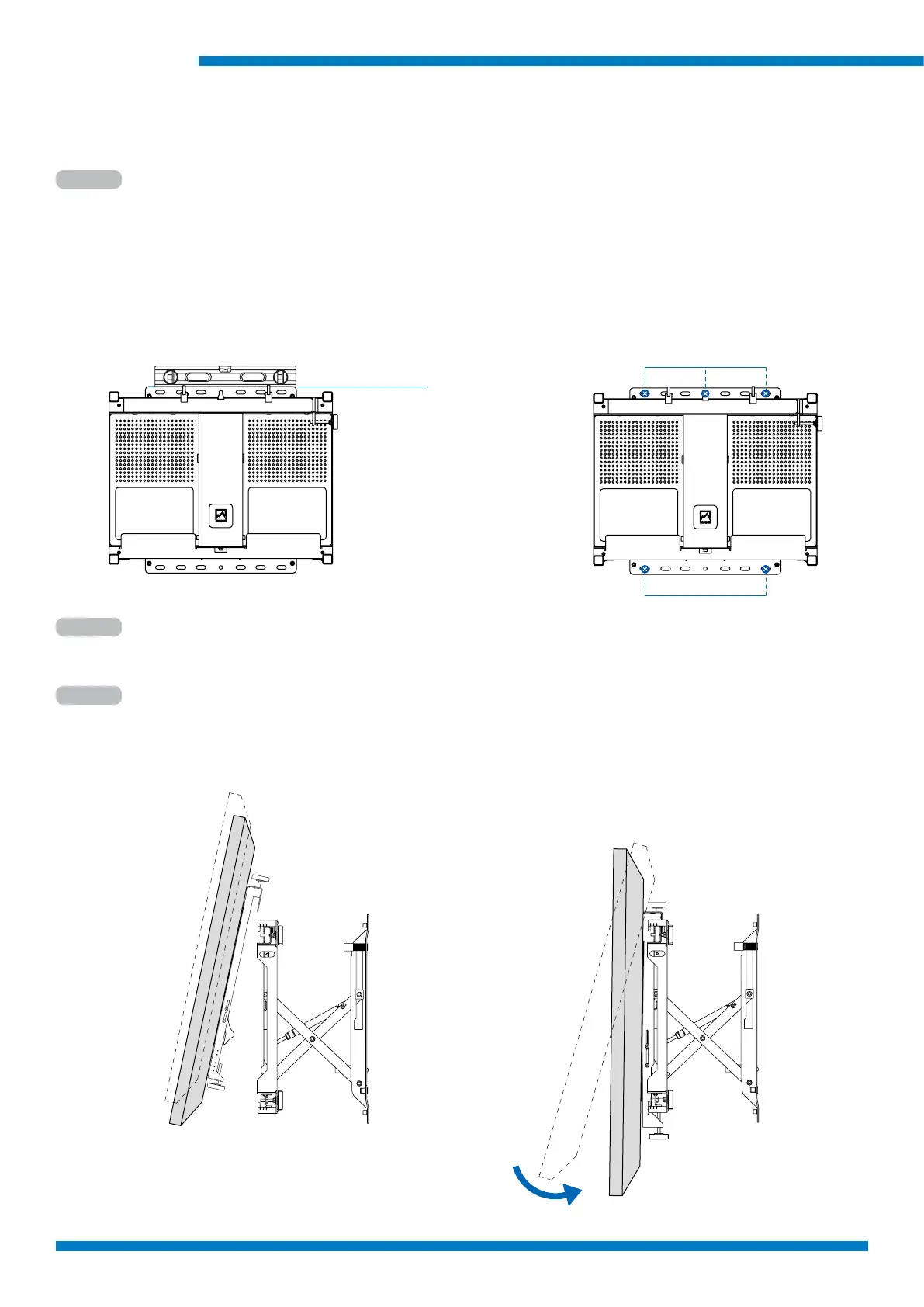
Step 1
Step 2
Tighten all bolts
Step 3
Extend Mount from wall
At slight angle hook arms onto top of frame atten screen onto mount base until it clicks into
position
Measure, mark and drill holes
Use level to check alignment.
Tighten all wall bolts (5 pcs recommened).
Wall xing holes
Level
Use minimum 2 wall bolts (3 recommended) at
Top and 2 wall bolts bottom of mount. Heavier
screen should have 3 bolts including center top
keyhole location.



 To Next Page