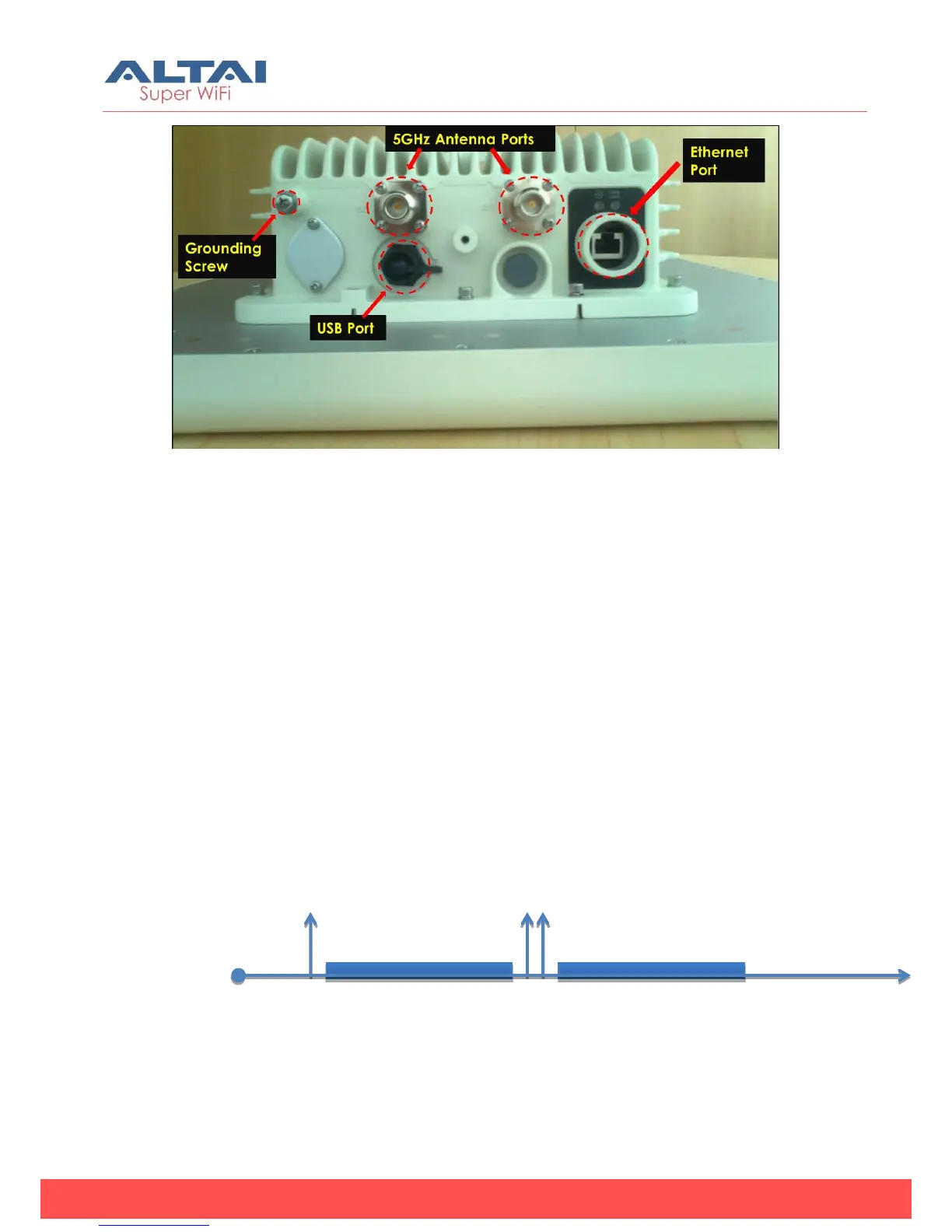
Figure 2. bottom-view of A8-Ein (ac)
Reset back to factory default via reset button
Hardware reset button have 2 functions:
Soft-reboot [equivalent to UI: Reboot).
o Press & Hold the reset button until you see Power LED blink
once
o Then release it immediately
Reset to factory default [equivalent to UI: Reset factory (NOT
retain network address)]
o Press & Hold the reset button until you see Power LED blink
once
o Continue pressing the button until you see Power LED blink
twice consecutively
o Then release it immediately


 To Next Page