13
Altai Technologies Ltd. All rights reserved
5. Connect with Cloud-based controller – AltaiCare
Network Scenario:
Note: For AltaiCare support, A2c should operate in Switch Mode (Section 3).
1. Users can manage their A2c and set up their hotspot service for
subscribers with AltaiCare, which is a cloud-based system.
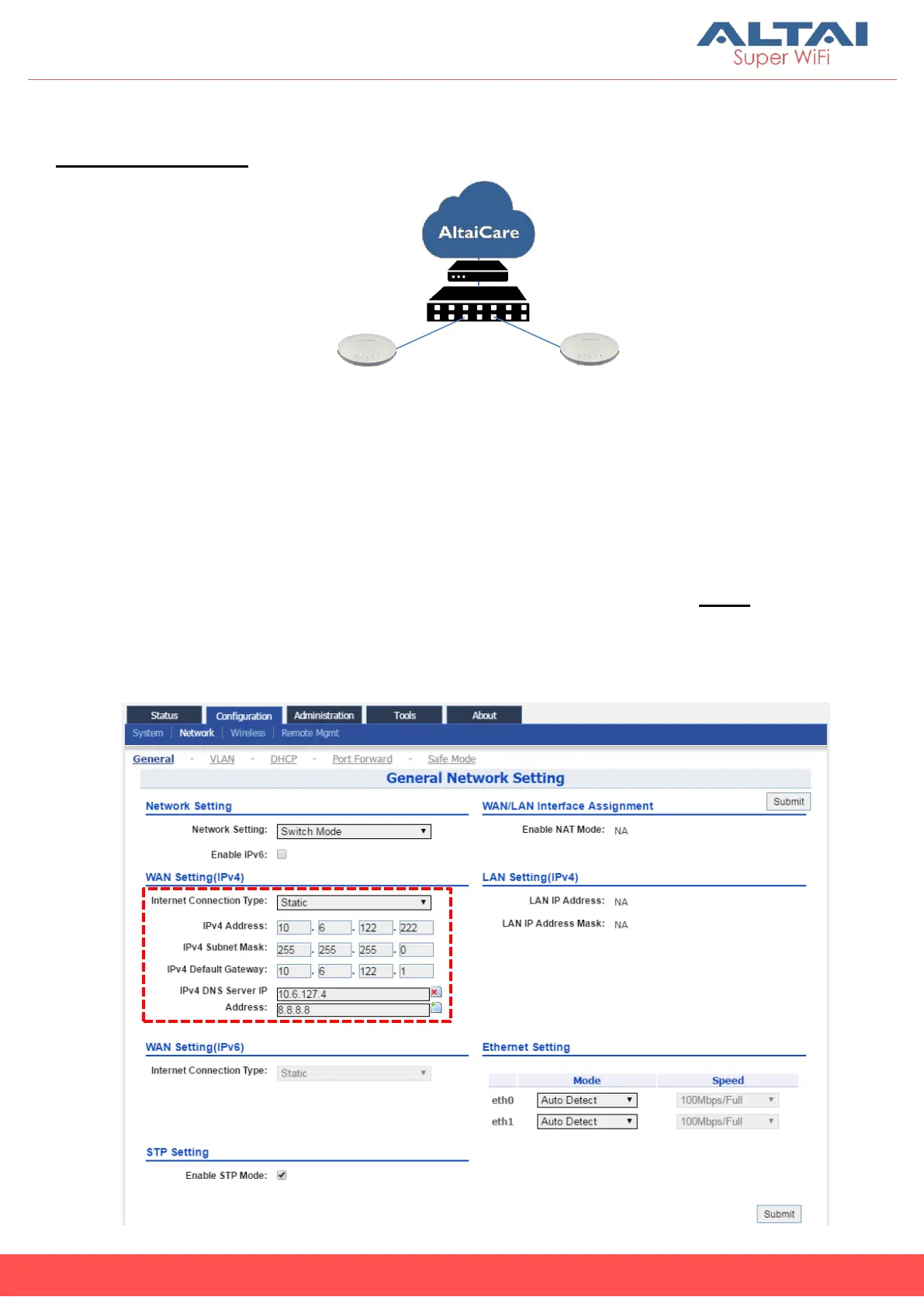
2. Go to Configuration > Network > General. Make sure A2c can reach
Internet and communicate with AltaiCare by inputting valid IP settings
either via DHCP or with Static IP configuration. Google Public DNS Server
can be considered, e.g. 8.8.8.8 or 8.8.4.4 if you are not sure about the ISP
DNS’s Server IP.



 To Next Page