EasyManua.ls Logo

Altair WBP-202 - User Manual

Altair WBP-202
17 pages
Print Icon
To Next Page IconTo Next Page
Loading...
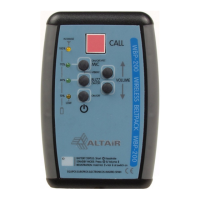
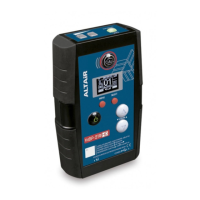
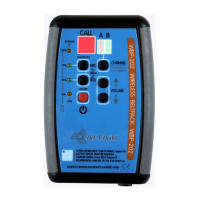
WBP-202
WIRELESS DUAL CHANNEL MANAGER BELTPACK
WB-200 SERIES WIRELESS INTERCOM SYSTEM
OWNERS MANUAL
Issue May 09
CEINTURE PACK HF
BELPACK EINHEIT
AUDIO ELECTRONICS DESIGN
AUDIO ELECTRONICS DESIGN AUDIO ELECTRONICS DESIGN
AUDIO ELECTRONICS DESIGN
EQUIPOS EUROPEOS ELECTRÓNICOS, S.A.L
Avda. de la Industria, 50. 28760 TRES CANTOS-MADRID (SPAIN).
34-91-761 65 80 34-91-804 43 58 altair@altairaudio.com
www.altairaudio.com

Questions and Answers

  • C
    cohenjohnAug 19, 2025
    What to do if my Altair Intercom System beltpack suddenly switches off?
    • C
      Cody TrujilloSep 12, 2025
      If your Altair Intercom System beltpack switches off suddenly and is very sensitive to lateral strikes, there could be a few reasons. The base unit might be switched off or out of range, or the batteries might be low, so check the battery status and charge if needed. Also, there might be a battery contact failure; if this is the case, please refer to previous notes regarding battery contact issues.
  • T
    Tonya SmithAug 21, 2025
    Why is the charger LED always green when charging my Altair Intercom System?
    • R
      Ricky SmithAug 21, 2025
      If the charger LED is always green when charging your Altair Intercom System, first check the charger plug contacts and try another plug. You can also try charging another beltpack to verify the charger. If the batteries are very low, wait for 10 minutes while connected to the charger and try again. As a last resort, try a small external battery charge before attempting to charge normally.
  • C
    Calvin Morgan MDAug 23, 2025
    How to troubleshoot mic or headphone failure on Altair Intercom System?
    • D
      David HuangAug 23, 2025
      To troubleshoot a microphone or headphone failure in your Altair Intercom System, begin by checking the volume and mic gain settings. If the issue persists, test the beltpack with another headset to identify whether the problem lies with the headset or the beltpack itself.
  • D
    Denise SmithAug 26, 2025
    What to do if Altair Intercom System unit refuses to charge after long period of not in use?
    • J
      Jonathan JamesAug 26, 2025
      If your Altair Intercom System unit refuses to charge after a long period of not being used, connect it to the charger and wait for 10 minutes to see if it starts charging normally.
  • E
    Ernest RossAug 28, 2025
    How to fix bad coverage in some areas with Altair Intercom System?
    • J
      jon93Aug 28, 2025
      If you are experiencing bad coverage in some areas with your Altair Intercom System, try repositioning the base unit to a better location. You might also consider installing a higher gain directional antenna on the base unit to improve coverage.
  • T
    Thomas KirkAug 30, 2025
    Why does my Altair Intercom System beltpack switch off immediately after switch on?
    • K
      Kimberly LarsonAug 30, 2025
      If your Altair Intercom System beltpack switches off immediately after being switched on, the batteries may be low; check the battery status and charge them if necessary. Another potential cause is a battery contact failure. To resolve this, open the unit, remove the batteries, force the contacts inwards, clean them, and then reinsert the batteries correctly.
  • S
    Scott VargasSep 1, 2025
    What to do if my Altair Intercom System has poor charge?
    • I
      Ian JacksonSep 2, 2025
      To address poor charging with your Altair Intercom System, disconnect the charger and try again, ensuring the charge time is around 2 to 3 hours. A possible battery contact failure could also be the cause. Please refer to previous notes for guidance on resolving battery contact issues.
  • K
    Kent BradySep 4, 2025
    What to do if my Altair Intercom System beltpack refuses to switch off?
    • T
      Tracy CookSep 4, 2025
      If your Altair Intercom System beltpack won't switch off, wait 10 minutes for the unit to switch off automatically. If auto shut-off isn't working, open the unit and remove and reinsert the center battery to perform a full reset.
  • J
    Justin GrantSep 6, 2025
    How to fix abnormal low range on Altair Intercom System?
    • G
      Gloria BarkerSep 6, 2025
      To resolve an abnormal low range issue with your Altair Intercom System, switch off the base station with the beltpacks on, wait for 30 seconds, and then switch it back on to reorganize the links.
  • K
    Katherine NavarroSep 8, 2025
    What to do if Altair Intercom System beltpack does not link with base station?
    • L
      lewisericSep 8, 2025
      If your Altair Intercom System beltpack switches on but doesn't link with the base station, it might not be registered. If the base station has free registers, register it normally. If you have multiple systems, the beltpack may belong to another system. If the beltpack comes from a service, the registers might be changed, requiring you to register the entire system again. Refer to the manual for instructions.

Summary

Switches, Controls, Adjustments, and Connectors

Front Panel Overview

Describes the layout and components on the front of the beltpack unit.

Rear Panel Overview

Describes the layout and components on the rear of the beltpack unit.

Beltpack Operation and Functions

Channel Selection Switch Operation

Explains the function and operation of the channel selection switch.

Call Switch Functionality

Explains the function and operation of the call switch for signaling.

Mic On;Off and Push-to-Talk Switch

Describes the microphone on/off and push-to-talk functionality.

Volume Up;Down Switch Operation

Details how to adjust the headphone volume level.

Microphone Gain Adjustment

How to adjust the microphone input gain level for optimal audio.

Beltpack Registration Process

Step-by-step guide to registering the beltpack with a base station.

Special Operations for Beltpack

Activating Microphone Phantom Power

How to enable or disable phantom power for microphones via an internal jumper.

Special Recommendations for Use

Troubleshooting Common Issues

Abnormal Low Range Troubleshooting

Solutions for poor signal range and connectivity issues.

Beltpack Fails to Link with Base Station

Steps to resolve issues when the beltpack fails to connect to the base station.

Beltpack Shuts Off Immediately After Power-On

Troubleshooting steps for the beltpack shutting down immediately after power-on.

Poor Beltpack Battery Charge

Steps to resolve issues related to the beltpack not charging properly.

Sudden Beltpack Switch-Off

Addresses sudden power-off issues and sensitivity to physical impact.

Improving Coverage in Problematic Areas

Tips for improving signal coverage in specific locations.

Altair WBPC-200 Battery Charger Guide

Warranty Information

Altair WBP-202 Specifications

General IconGeneral
BrandAltair
ModelWBP-202
CategoryIntercom System
LanguageEnglish

Related product manuals