PLACEMENT OF SPEAKERS
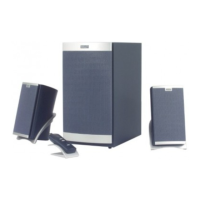
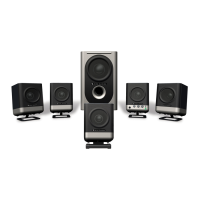
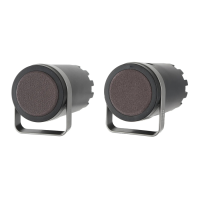
All stereo information is heard from the satellite speakers. The
Subwoofer contains no stereo information and sound is non-directional.
As a result, the Subwoofer does not necessarily have to be placed in any
particular relationship to the Satellites. Placing the Subwoofer on the
floor close to the wall or corner of a room provides maximum bass
efficiency.
WARNING: The Subwoofer is not magnetically shielded. The
Subwoofer should NOT be placed near video display devices such as a
TV or computer monitor. The subwoofer should NOT be placed near
computer hard drives. Position the subwoofer at least 2’ (.6 m) away
from computer hard drives, or any other media that uses magnetic
encoding.
The Satellite speakers are magnetically shielded and can be placed close
to a video display (TV, computer monitor) without distorting the video
image. Best stereo effect is obtained by placing the speakers as far
apart as their wiring allows.
HOW TO ENHANCE
PRESENTATIONS
WITH DIALOGUE
The 621 output jack (step 5, CONNECTIONS) is connected to a
computer sound card. A CD player or other audio source can be plugged
into the unused input (AUX INPUT). Mixing of the computer audio output
with another audio source can be accomplished by using the Volume
Control or On/Off switch on the second audio source. A typical example
may be as follows:
A lecturer may want to interject dialogue into a multimedia presentation.
If the lecturer has a wireless FM microphone system the output of the
microphone receiver can be connected to the unused input on
the 621. When the lecturer wishes to make a comment, he either turns
on the microphone switch to speak or he can raise or lower the
microphone volume control to mix his voice with the computer audio
program. Any other audio device can operate in the same manner.
Note: Microphone location in relation tho the speakers is important.
Position the microphone so that the speakers are located between the
microphone and the audience, or so that the microphone is behind the
speakers. If the microphone is placed in front of the speakers, feedback
will result.
OTHER USES FOR
THE AUXILIARY INPUT
You may elect to hook up your Stereo system or Stereo TV to the
Auxiliary input so that your speakers may be used for these devices
when your primary audio device is not in use. You can also connect your
modem audio-out to the second input.
SPECIFICATIONS
Total System Power 200 watts
Frequency Response 35 Hz - 20 kHz
Inputs 2 (Main and Auxiliary)
Signal to Noise Ratio @ 1 kHz input > 65 dB
Crossover Frequency 100 Hz
System THD (distortion) < 0.1 % THD @ -10 dB
full scale input voltage
Input Impedance 10k ohms
Satellite Amplified Speakers
Drivers (per satellite) 1" tweeter (24 mm)
3" mid-range (75 mm)
Subwoofer
Speaker Drivers 6.5" (165 mm)
Power Requirements
USA/Canada/and applicable
Latin American countries 120v 60 Hz AC
Europe/United Kingdom
applicable Asian countries
Argentina, Chile and Uruguay 230v 50 Hz AC
ETL / cETL / CE / NOM / IRAM Approved



 To Next Page