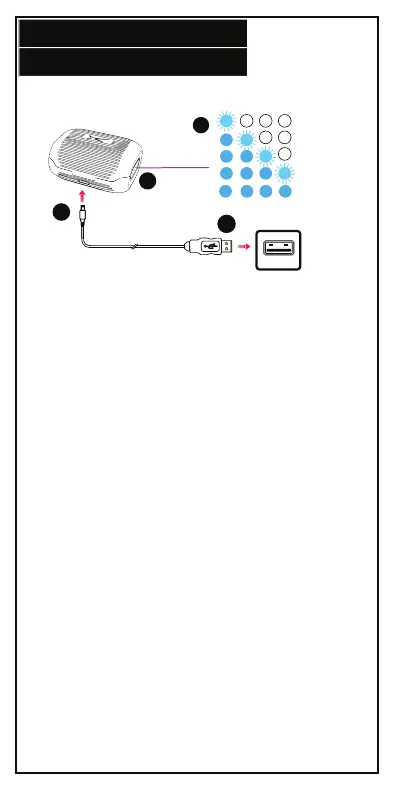
CHARGING
4.
Charging Case Battery Level
1. To power the charging case, insert the USB-C cable into
the charging port located at the back of the charging case.
2. Insert the standard USB cable into any suitable USB port.
3. The Battery Level LED Indicators will light up according to
the battery capacity.
4. You can see the case battery level at any time by
pressing the button on the right hand side of the case.
1
2
0-24%
25-49%
50-74%
75-99%
100%
3
4


 To Next Page