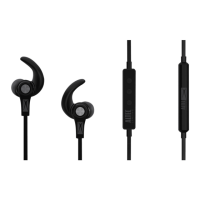
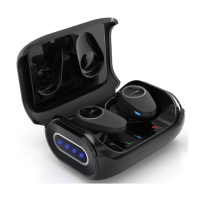
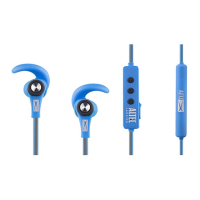
The Altec Lansing Hydrabuds Sport (MZX6100) are truly wireless earbuds designed for active use, featuring voice commands and Bragi-enabled technology. These earbuds are sweat and dustproof with an IP66 rating, making them suitable for various environments and activities.
Function Description:
The Hydrabuds Sport earbuds provide a seamless audio experience with Bluetooth 5.2 connectivity, allowing users to listen to music and manage calls wirelessly. They support multipoint Bluetooth connection, enabling simultaneous pairing with up to two devices, such as a smartphone and a computer, for easy switching between audio sources. The earbuds feature multifunction buttons on each earbud for controlling music playback, managing calls, and activating voice assistants. Voice commands are a key feature, allowing hands-free control of various functions by simply saying "Hey Hydra" followed by commands like "Play," "Pause," "Next," "Volume Up/Down," "Ambient ON/OFF," "Spotify," "Assistant," and "End Call." For incoming calls, users can directly say "Accept" or "Reject." The earbuds also include an ambient awareness mode to let in surrounding sounds and a low latency mode optimized for gaming and video synchronization.
Important Technical Specifications:
- Sweat and Dustproof Rating: IP66
- Battery Type: Lithium Polymer Battery
- Bluetooth Version: V5.2
- Bluetooth Range: 50 ft
- Earbud Battery Capacity: 50mAh
- Charging Case Battery Capacity: 500mAh
- Earbud Charging Time: Approximately 1 hour
- Fast Charge Time: 10 minutes for 2 hours playtime
- Play Time: Approximately 8 hours (earbuds)
- Total Play Time with Case: 32 hours (case holds 3 charges)
Usage Features:
- Powering ON/Pairing: The earbuds automatically connect to each other and enter pairing mode when the charging case is opened.
- Bluetooth Connection: To pair, users navigate to the Bluetooth settings on their phone, ensure Bluetooth is ON, and select "AL HydraBuds Sport" from available devices. The earbuds will automatically reconnect to previously paired devices.
- Music Controls:
- Play/Pause: Press either earbud once.
- Volume Up: Press the right earbud twice.
- Volume Down: Press the left earbud twice.
- Next Track: Press the right earbud three times.
- Previous Track: Press the left earbud three times.
- Call Controls:
- Answer/End Call: Press either earbud once.
- Reject Call: Press and hold either earbud.
- Switch Call: Press and hold either earbud.
- Voice Assistant: Press and hold either earbud until the first beep, then release, to activate the phone's voice assistant.
- Spotify Tap™: Press and hold either earbud until the first beep, then release, to activate Spotify Tap. This resumes playback or plays new music.
- Ambient Awareness Mode: Press the left earbud to toggle ON/OFF.
- Low Latency Mode: Press and hold either earbud until the second beep, then release, to toggle ON/OFF. This mode reduces audio delay for better synchronization in videos and games.
- Pairing a New Device: Turn off Bluetooth on the current device, or press and hold either earbud to disconnect and enter pairing mode.
- Hydrabuds App: A dedicated app for iOS and Android allows users to enable hands-free voice control, customize button actions, browse advanced features, and update firmware. The app also provides notifications for firmware updates to ensure optimal performance.
Maintenance Features:
- Charging: The charging case is powered via a USB-C cable inserted into the port at the back. The case's battery level LED indicators light up according to capacity (0-24%, 25-49%, 50-74%, 75-99%, 100%). The case battery level can be checked at any time by pressing the button on its right side.
- Cleaning: Use a soft cloth or paper towel to clean the earbuds. Avoid harsh chemicals or detergents.
- Storage: When not in use, store the earbuds in a cool, dry place.
- Reset:
- Factory Reset: Disconnect from Bluetooth and remove from the case. Press and hold for 6 seconds until red and blue lights flash. This erases all settings.
- Hardware Reset: Disconnect from Bluetooth and remove from the case. Press and hold for 10 seconds until red and blue lights flash, then press again to power on. This restarts the earphones and is useful if they become unresponsive.
- Firmware Updates: The Hydrabuds App will notify users of available firmware updates, which should be installed to ensure the best performance and user experience.
Safety Precautions:
- Read all instructions before use.
- Do not use near water or on wet surfaces.
- Clean with a clean cloth.
- Keep small pieces away from children to prevent choking hazards.
- Avoid exposure to excessive heat or fire.
- Do not expose to temperatures above 100°F.
- Do not attempt to repair the product yourself; contact a qualified service center.
- Do not drop, crush, or expose to excessive physical force.
- Not intended for commercial use.
- When charging, ensure charging cables are well-ventilated and do not cover the charging cable with flammable materials.
- Do not tug or yank on cables; connect and disconnect carefully.
- Recycle or dispose of earphones properly according to local laws and regulations.

 Need help?
 General

 To Next Page