
 Need help?
Do you have a question about the Altec Lansing JACKET H2O III and is the answer not in the manual?
Connect the USB cable to the AC adapter to charge the speaker's internal battery. A full charge takes approximately 4 hours.
Automatically enters pairing mode on first power-on; LED flashes rapidly. Successful pairing results in a steady blue light.
Press + and - buttons simultaneously to re-enter pairing mode for new devices.
Power on speaker, access Bluetooth Manager, and select 'The Jacket H2O 3' to start connecting.
Covers defects in material or workmanship under normal usage for one year. Not transferable.
Contact 1-855-292-4087 or visit alteclansing.com. Proof of purchase is required.
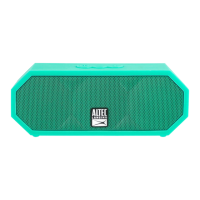
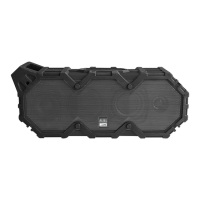
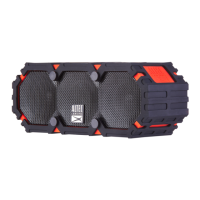
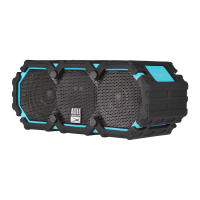
The Altec Lansing Jacket H2O III is a rugged Bluetooth speaker designed for portability and durability, offering a robust audio experience in various environments. Its primary function is to play audio wirelessly from Bluetooth-enabled devices, but it also supports wired connections via an auxiliary input. The speaker is built to withstand challenging conditions, making it suitable for outdoor adventures and active lifestyles.
One of the key usage features of the Jacket H2O III is its straightforward pairing process. When powered on for the first time, the speaker automatically enters pairing mode, indicated by a rapidly flashing LED light, making it easy to connect to a new Bluetooth audio source. For subsequent connections or pairing with additional devices, users can manually activate pairing mode by simultaneously pressing the play/pause and minus buttons. This flexibility allows multiple users to connect their devices or switch between sources as needed. The speaker provides audible tones and a steady blue LED light to confirm successful pairing, ensuring a clear user experience.
The control interface is intuitive, featuring easily identifiable buttons for various functions. Users can power the device on or off by holding the power button for two seconds. Basic playback controls include pressing the play/pause button to start or stop music. Volume adjustments are made by pressing the plus or minus buttons. For track navigation, holding the plus button advances to the next track, while holding the minus button returns to the previous one. The speaker also supports hands-free calling, allowing users to answer or end calls by pressing the play/pause button when a call comes in.
A standout feature is the Stereo Plus Pairing capability, which allows two Jacket H2O III speakers to be connected wirelessly to create a more immersive stereo sound experience. To activate this, one speaker should already be turned on, paired, and playing music. The second speaker is then powered on, and both speakers' plus and minus buttons are held simultaneously for two seconds. This feature significantly enhances the audio output, making it ideal for larger spaces or gatherings where a single speaker might not suffice.
Beyond wireless connectivity, the Jacket H2O III offers versatility with its 3.5mm auxiliary input. This allows users to connect non-Bluetooth audio devices using the included auxiliary cable, ensuring compatibility with a wide range of older or specialized audio sources. This wired option provides a reliable alternative when Bluetooth is not available or preferred.
The speaker is designed for extended use, featuring a long-lasting internal battery. A full charge typically takes approximately four hours, indicated by an orange LED light that turns off once charging is complete. This efficient charging mechanism ensures that the speaker is ready for use without prolonged downtime.
In terms of maintenance features, the Jacket H2O III is engineered for ruggedness. It boasts an IP67 waterproof, sandproof, and everything-proof rating, meaning it can withstand immersion in water, exposure to sand, and other environmental challenges. This robust construction ensures durability and reliability in diverse outdoor settings. Furthermore, the speaker is designed to float in water, adding an extra layer of convenience and peace of mind for activities near water bodies. For users who expose the product to salt water, it is recommended to rinse it with tap water to maintain its long-term performance, a simple yet effective maintenance step to prolong the device's lifespan. The overall design emphasizes resilience, minimizing the need for complex maintenance routines and allowing users to focus on enjoying their music.
 General
| Type | Portable Bluetooth Speaker |
|---|---|
| Speakerphone | Yes |
| Built-in Microphone | Yes |
| Colors Available | Black, Blue, Red |
| Water Resistance | IP67 |
| Speaker Drivers | 2 |
| Bluetooth Version | 4.2 |
| Bluetooth Range | Up to 100ft |







 To Next Page