LIGHTING CONTROL
Lights
(Noted: Cone’s light will be displayed while unit is playing music)
Briefly press the LIGHTS button for lighting control:
LED 1: Side lights scrolling multi-color, cones color change with the beat;
press and hold to change as single color scrolls one by one.
Side lighting one colore, cones follow music to flash the same color;
press and hold for 3 seconds to change color.
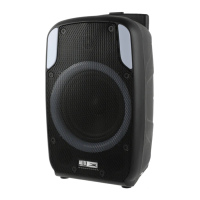
L267 x W238 x H504 (mm)
15V 1.5A
LED 2: Sides and cones follow music and change color automatically every 3
seconds.
LED 3:
LED 4:
Sides o and cones flash into one color; press and hold for 3 seconds
to change color.
LED 5:
Sides do a bar graph from the middle in one color and cones flash the
same color; press and hold for 3 seconds to change color.
LED 6: Sides and cones slowly change colors automatically every 3 seconds;
press and hold to turn the cone lights o.
LED 7: Sides flash one color and cones are o. Press and hold for 3 seconds
to change color.
LED 8: Sides do a multi-color bar graph from the middle and cones flash.
Sides fade between colors and cones are o.
Lighting o.
LED 9:
OFF:
Power Audio: 43W (RMS) 150W (Peak) Total
Driver Units: 5.25” x 2+2” x 1
Seperation: ≥40dB
S/N: ≥70dB
Distortion: ≤o.5% (1K, 1W)
DC Input:
Dimension:
Length of adaptor: 110cm
Length of Audio cable(stereo-to-stereo): 90cm
Length of wired micphone’s cable: 285cm



 To Next Page