Output Connections
Output transformer taps provide connections for 4-ohm,
8-ohm and 16-ohm speakers, plus a 70 .7-volt speaker distri-
bution system (see Figure 4). For 25 -volt speaker distribu-
tion systems, use the 16-ohm tap. Connect to the terminal
of desired impedance and terminal 5 (common). Terminal
functions and designations are listed in Table 11. If stray
electrostatic radiation causes interference, strap terminal 5
(common) to terminal 6 (ground).
------ CAUTION-------,
When using stranded wire, be sure no
frayed wire strands short circuit one
terminal to another terminal.
Table 11. Speaker Outputs
Terminal
Function
70V
70. 7V ( 100 ohms) speaker distribution systems
16r2
16 ohms (28V) speaker systems. May be used
for 25V speaker distribution systems.
8r2
8 ohms (20V) speaker systems
4r2
4 ohms (14V) speaker systems
COM Common
GND Ground
Speaker Matching
Use the output tap most nearly equal to total speaker
impedance . If the load impedance falls between two out-
put terminal values, use the terminal of lower impedance .
Speaker Power Distribution
Total power distributed to all speakers should be not greater
than the power rating of the amplifier system . The 70.7V
distribution outlet permits connection to a large number of
speakers, each speaker operating at its required power level.
Computing impedance is not necessary for this application.
Each speaker is equipped with a line transformer having
various power taps . Select the tap which yields the power
desired for that speaker.
OPERATION
CONTROLS AND INDICATORS
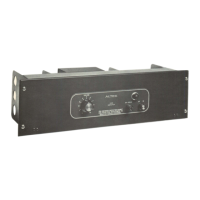
Two operating controls are on the front panel; a VOLUME
control and a primary power ON-OFF switch. A pilot indi-
cator is lit when the power is ON.
HIGH PASS Fl L TER
A two-section highpass filter is provided with the 15938 to
protect driver loudspeakers from excessive low-frequency
-7-
power demands. Filter use is indicated when high power
output from the amplifier is applied to driver loudspeakers
not equipped with protective crossover networks. The
3 dB frequency of the highpass filter is approximately
400 Hz.
A Fl L TE R IN-OUT switch is located on the rear of the
chassis (see Figure 4). The switch is placed in the OUT
pos ition when the 15938 is shipped from the factory.
SERVICE
If a malfunction occurs, service should be performed by an
AL TEC Qualified Service Representative. For factory ser-
vice, ship the 15938 prepaid to Customer Service, AL TEC,
1515 South Manchester Avenue, Anaheim, California 92803.
For additional information or technical assistance, call
(714) 774-2900, or TWX 910-591-1142 .
Main chassis component locations are shown in Figures 8
and 9. The 15938 schematic is shown in Figure 10. Com-
ponent locations on the Power Driver PCB are shown in
Figure 11.
ACCESS
Remove the four screws securing the front panel, then
open and lower the hinged front panel to gain access to the
chassis interior .
If the AL TEC 42526 Shelf Mount Cover accessory is in-
stalled, remove by reversing the steps of the cover installa-
tion procedure given in the associated instructions .
ADJUSTMENT OF POWER DRIVER BALANCE
CONTROL
The Power Driver Balance Control ( R 116 on Power Driver
PCB), balances the outputs of transistors 0104 and 0105
on the PCB. If this control is not adjusted properly, high-
frequency distortion results. If adjustment is indicated, use
the following procedure:
Step 1.
Step 2.
Step 3.
Step 4.
Step 5.
Connect a 16-ohm dummy load across 16r2and
COM (common) terminals of TB2 (see Figure
10).
Apply a 20 kHz sine wave to terminals 1 and 2
of the INPUT terminal board (TB1) .
Adjust VOLUME control for 50-watt output
(28 volts).
Connect a frequency distortion analyzer (pre-
ferred) or an oscilloscope to 16r2 termina ls
( 16-ohm speaker output) of OUTPUT terminal
board and observe output.
Remove four screws securing front panel, then
open and lower panel.


 To Next Page