TROUBLESHOOTING
Vecto r H® S eries ▪ Opera tor’s Manual ▪ M N-462 9 5 ▪ Rev 7 ▪ 6/22
96
What to do if the Fan Indicator Light
Illuminates
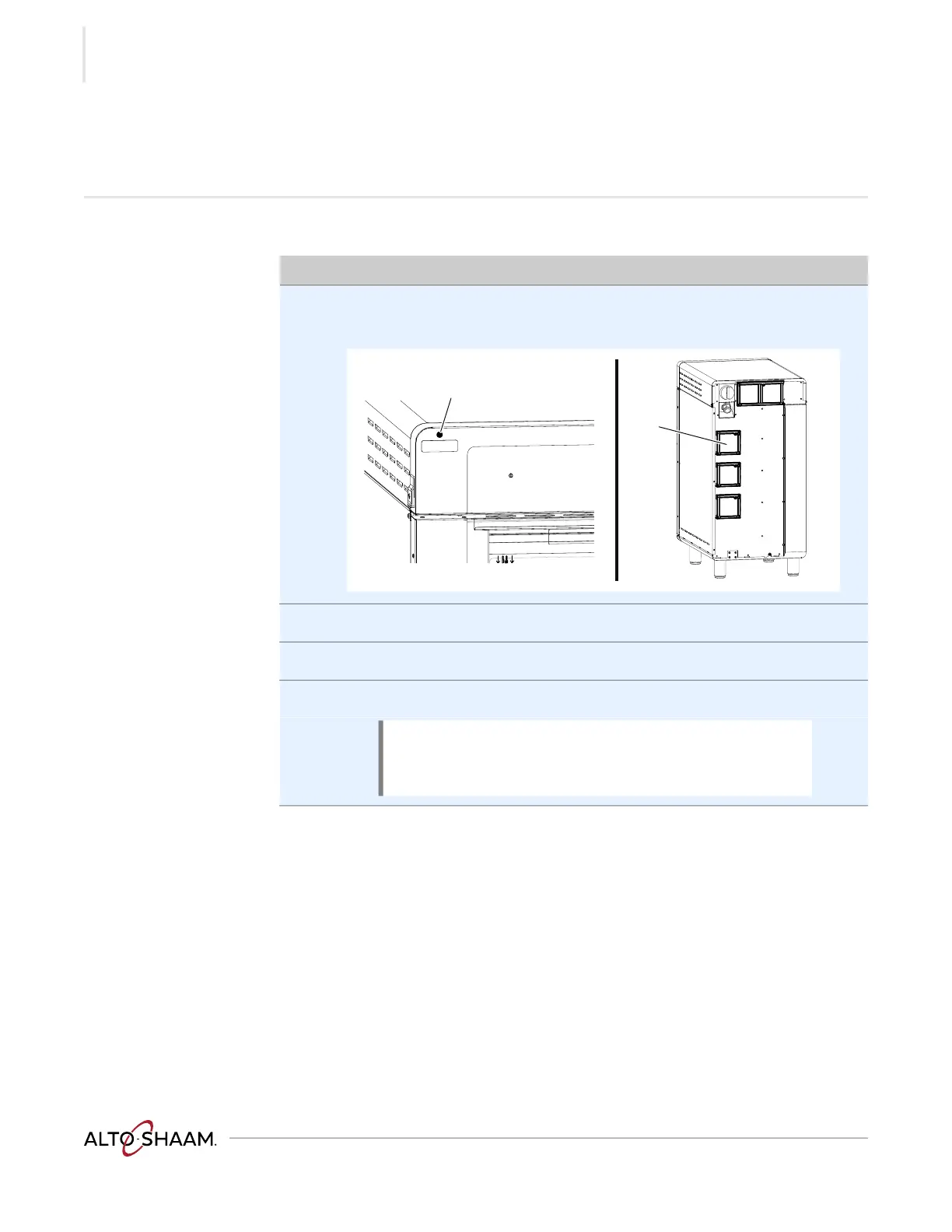
Procedure If the fan indicator light a illuminates, do the following.
Step Action
1. Turn off the oven and allow it to cool.
Remove the filters b.
2. Clean the filters with mild soap and water.
3. Re-install the filters.
4. Resume operation of the oven.
Result The procedure is now complete.
NOTE: If the fan indicator light remains on, the appliance
is malfunctioning. Disconnect the appliance from the
power supply and have it serviced by a qualified
technician.



 To Next Page
 Loading...